




Carrythxd
Members
-
Joined
-
Last visited
Everything posted by Carrythxd
-
The car in real life is great, the model you have is horrible..
-
These screens look freaking sick! :O
-
Happy Brithday! :D
-
Uh.. What? Like others have said you need to spend A LOT more time on that car, atm it just looks like a pile of crap.. And I totally agree with AgenBlaze, if I had to choose between IV's default police cars and that thing, Id definitely go with the default cars. (Or lets say I had to choose between that and GTA III's police cars, Id go with the GTA III cars. Atleast they have all textures and the car isnt floating in the air..)
-
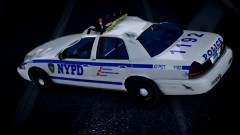
From the album: Carrythxd's Pics [IV]
-
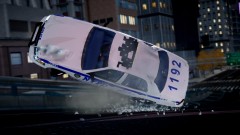
From the album: Carrythxd's Pics [IV]
-
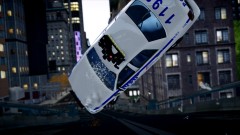
From the album: Carrythxd's Pics [IV]
-
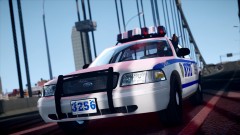
From the album: Carrythxd's Pics [IV]
Before the crash.. -
I cant wait to see how its like! :D
-
I just love this game.. I used to play 18 WoS a long time ago and ETS 1 too, but they got a bit boring since they werent really "realistic" but that info + screenshot Rubengta posted looks great! Cant wait :P And since we are showing off our trucks, heres mine:
-
First time Ive heard somebody say that lowering your settings the Graphics menu help you fix the taxi bug.. Just like Yard said the only way to fix taxi bug is to use a script mod. And its the easiest way too, no need to edit 10 files. Just put 1-3 files to the /scripts folder/main folder and youre done.
-
-
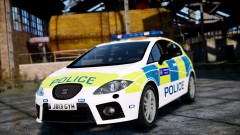 Thank you :')
 -
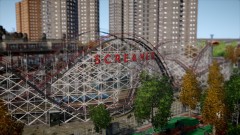
From the album: Carrythxd's Pics [IV]
-
Check the tutorials section: http://www.lcpdfr.com/page/tutorials/index.action/_/vehicle-modification-tutorial/
-
From the album: Carrythxd's Pics [IV]
Police Seat Leon by BritishPoliceMods Stock GTAIV Mode By nikitoss Skins By Alex Mayo Model Edits By (BritishPoliceMods) Template By (BritishPoliceMods) Lightbar By KevinDV Grill Lights By (BritishPoliceMods) Els Edits By (BritishPoliceMods) Police Equipment By DoubleDoppler -
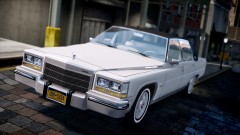
From the album: Carrythxd's Pics [IV]
1986 Cadillac Fleetwood Brougham D'Elegance by mogyorodimartin(hun) -
-
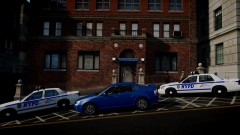
From the album: Carrythxd's Pics [IV]
-
Yeah I know but you cant... Idk why, it just doesnt show more liveries than 5..
-
It is possible to have more than 4 liveries. But only up to 5. How? Download the skins you want Rename the skins to "XXXX_sign_1, XXXX_sign_2, XXXX_sign_3, XXXX_sign_4 & XXXX_sign_5" (By XXXX I mean the name that livery slots have in the vehicles .wtd, on some CVPI's its cvpi_sign_1 or something like that, just rename them to whatever the livery slot is named in the .wtd) Then open OpenIV Go to models - cdimages - vehicles.img - Then click 'Edit Mode' Open the vehicles .wtd, police.wtd for example Replace the livery slots (1-4) with the skins you have downloaded, like you normally would do Then, for the 5th skin, click 'Import' in the upper left corner Then locate the 5th skin and double click it then click 'Ok' Now you can see the 5th skin in the .wtd Then just click 'Save' and 'Rebuild' Then add the +livery to the vehicles vehicles.ide line and go ingame
-
SNT - Options - Disable Trainer Keys
-
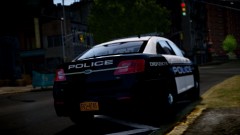
From the album: Carrythxd's Pics [IV]
2013 Ford Police Interceptor by Cj24 LCPD Skin by Michael V. -
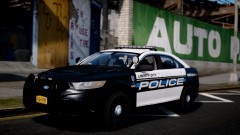
From the album: Carrythxd's Pics [IV]
2013 Ford Police Interceptor by Cj24 LCPD Skin by Michael V. -
![2010 Chevy Impala - Liberty City Police Department Traffic [REVISED]](//s3-gallery.int-cdn.lcpdfrusercontent.com/gallery/album_741/sml_gallery_5324_741_111247.jpg)
From the album: Carrythxd's Pics [IV]
2010 Chevy Impala - Liberty City Police Department Traffic [REVISED] by Hilth0


![2010 Chevy Impala - Liberty City Police Department Traffic [REVISED]](http://s3-gallery.int-cdn.lcpdfrusercontent.com/gallery/album_741/sml_gallery_5324_741_111247.jpg)