




Carrythxd
Members
-
Joined
-
Last visited
Everything posted by Carrythxd
-
If you go inside a police car you can get a shotgun, and then theres also some weapon pickups around the map (see the spoiler below) but the easiest ways would be to load your save game again or just use Trainer and spawn weapons with that.
-
Ive been playing this for a while now, bought it 1 day after it was released :D Still playing it, cant really stop playing it lol =/
-
No problem :P
-
You put the files to common/data folder. Or if theres a handling.dat line, you open up handling.dat with Notepad or a similiar program and find the car you are replacing (e.g. POLICE) and you replace the line after POLICE with the one you copied from the ReadMe file. Same thing for vehicles.ide Video tutorial:
-
I would recommend this one: http://www.gta4-mods.com/script/left-4-liberty-infection-v51-f17152
-
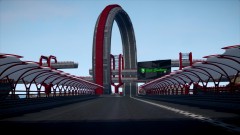
From the album: Carrythxd's Pics [IV]
Stunt Speedway Park - Alpha by StillDre Work In Progress -
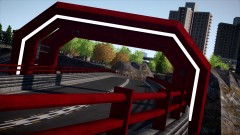
From the album: Carrythxd's Pics [IV]
Stunt Speedway Park - Alpha by StillDre Work In Progress -
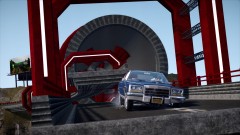
From the album: Carrythxd's Pics [IV]
Stunt Speedway Park - Alpha by StillDre Work In Progress -
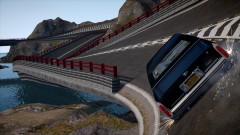
From the album: Carrythxd's Pics [IV]
Stunt Speedway Park - Alpha by StillDre Work In Progress -

From the album: Carrythxd's Pics [IV]
-

From the album: Carrythxd's Pics [IV]
Lol -
 I was just joking lol...
 -
Oh.. Just wanting to report my images huh :( I use both actually, but this screen was taken on patch 1.4 :P
-
Thank you :)
-
From the album: Carrythxd's Pics [IV]
1971 Datsun 240Z East African Safari by Monster875 -
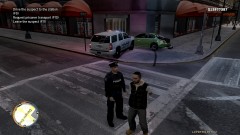 Say whut? O.o
 -
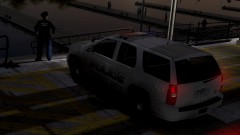
From the album: Carrythxd's Pics [IV]
-
From the album: Carrythxd's Pics [IV]
-
-
 Stole this from the impound lot, police probaby has removed the license plates.
 -
From the album: Carrythxd's Pics [IV]
-
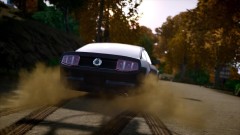
From the album: Carrythxd's Pics [IV]
-
That video.. Was freaking epic :O I cant believe that they have actually added so many features to the multiplayer! Its freaking amazing!
-
The Random section just keeps getting weirder and weirder... o.O
-
The screens DLer posted.. Fcking epic! :D :D :D



