


McAwesome6934
Members
-
Joined
-
Last visited
Everything posted by McAwesome6934
-
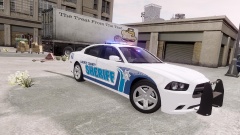 Design looks nice, sheriff font is a bit funky. Looks good though!
 -
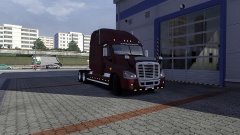
From the album: American Truck Simulator?
-
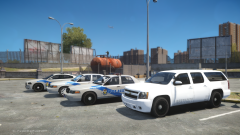 I love the metro cars, but the stealth/ghost one needs a bit of work. Maybe you could use the stripe from the other car, but make it white so it blends in a bit, so like the same tone as LC on the suburban. I don't really know how to explain it lol, just needs a bit more details and design on the ghost one, not just font. But the marked units look awesome man!(:
 -
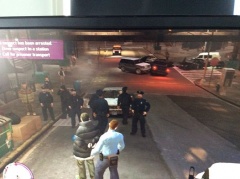 Also patrol is spelled like this, petrol is something that goes into a motor vehicle.
 -
-
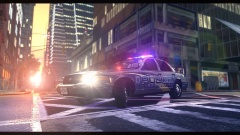 You got one of the two edits, for this you get - (:
 -
Nice videos man, love the classics series! You got a new sub, keep em' comin'!(:
-
That is a classic! Best part is when his mom comes in(: lmao! Classic! makes me lol everytime. I also love how the dispatcher just goes with it !
-
![[WIP] 2014 GMC 3500 Ambulance V2.2](//s3-gallery.int-cdn.lcpdfrusercontent.com/gallery/album_722/sml_gallery_3386_722_165949.jpg) Both yours, and Bugs' models look awesome! Would be great to see one uploaded(:
Both yours, and Bugs' models look awesome! Would be great to see one uploaded(: -
haha this is great, calling 911 for a chicken crossing the road(: What are some other funny 911 calls you guys have heard?
-
From the album: McAwesome Pics!
Possibly a flawless CVPI. I uploaded a similar picture earlier, but this one has a few minute edits. Whoever can find those edits first gets a cookie(: Model is by Ironic, and is unreleased. Feedback welcome! Original Photo, With No Editing - Spoiler -
Right now this is my primary patrol car.
-
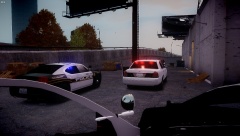 Meh.. I like the charger skin, but I don't like how the reverse light on the vic is red and blue. Unique nonetheless, but unrealistic IMO. Cool pic though. Edit- I didn't notice the lights in the rear window on the charger, in the door, Those look sweet(:
 -
I love me a caprice! After driving one of these for a day it has become one of my favorite police cars. You guys think it's sexy?
-
I have my control panel has ctrl + 0 : This way I don't call an ambulance. I switched J to 9 to so that way when I type in game for mp, I don't toggle all of my light stages. This is what works for me, but everyone has their own preferences. You can change alt + j to reverse stage to something easier, that way you can just flip back one stage and have all of you lights activated.
-
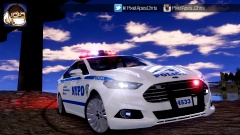 Nice thumbnail and video man(:
 -
As soon as the media stops taking sides and begins showing both sides of the story... so never. You can't just assume the officer is always in the wrong.
-
Every word should be capitalized, and there are better more accurate fonts than the one used.
-
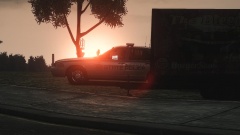 All's fair in love and speed trapping :P
 -
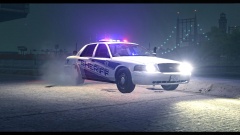
From the album: McAwesome Pics!
Unoccupied Sheriff Vic Haulin' Ass(: Model is by Ironic, and unreleased. Feedback Welcome! -
From the album: McAwesome Pics!
... Until He Flips On The Lights That Is. Model is by Ironic, and unreleased. -
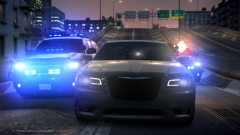 Epicness! Damn Niko, Wreckin' The City Again :P
 -
-
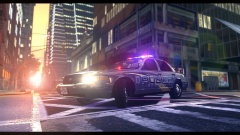 Tanks(:
 -
From the album: McAwesome Pics!
Possibly a flawless CVPI. Model is by Ironic, and is unreleased. Original Photo, With No Editing - Spoiler


![[WIP] 2014 GMC 3500 Ambulance V2.2](http://s3-gallery.int-cdn.lcpdfrusercontent.com/gallery/album_722/sml_gallery_3386_722_165949.jpg)
