


NicolaiB
Members
-
Joined
Everything posted by NicolaiB
-
The rear lights are set up as the real Charger has them apart from the turn signals which had to be moved due to restrictions in IV. The rear flashers are hide-a-ways, the same effect could be achieved in the real world if you put two Vertexes in the same parts of the rear lights as I did. I personally quite like it as it separates ELS lights from tail and brake lights.
- 22 comments
- 6 reviews
-
-

- 1
-
-
Right now the ped ID's are randomly generated when they are spawned, the chances of you meeting a ped with the same name and details are slim to none. It picks a first name (based on gender) and a last name, then generates the rest of the details. It's not really possible to do anything of the sort without requiring users to be connected to the internet at all times when they play LCPDFR, the only option would be to use a persistent DB on each users PC, but it doesn't sound like something that would work well, MP compatibility would be a problem, as would potential data corruption and errors related to reading/writing the data. The idea is good, but LCPDFR isn't the best place to implement it, it is possible in SA-MP and I can't see it work outside of a MP client/server system.
-
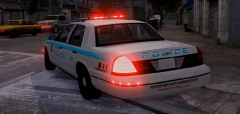
From the album: NB's WIP mods
More info here: -
Another little fun project that might turn out good: Video: http://www.youtube.com/watch?v=0HiuCd2W8gA The rear Vertexes are set up in a way that will provide more visibility when parked at a scene, the "eyebrows" will outline the rear shape of the vehicle in addition to the flashing tail-lights and the Liberty. At the front, there's four ION's in the grille, the top row is set as primary lights and the bottom row is set as secondary lights which looks nice in-game. There's also two Vertexes mounted beneath the headlights on either side of the car to increase visibility at off-angles, particularly when clearing intersections.
-
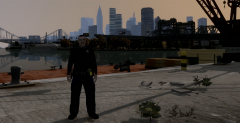
From the album: NB's in-game action
Bohan division officer poses for a photo during his evening shift. -
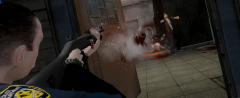
From the album: NB's in-game action
*Pow Pow* -
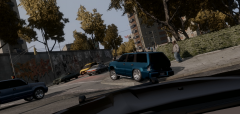
From the album: NB's in-game action
A desperate gang member busts the rear shocks as he bounces off the pavement. -
-
-
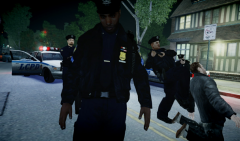 Well... At least they are establishing a close bond with the community!
 -
NEW RELEASE: http://www.youtube.com/watch?v=RwS7KMuaTcM Package contains two models, a marked patrol car called Allan and a unmarked patrol car called Dan. The marked unit are equipped with Setina PB-400 and PB-5 Pushbar & fender wraps, Federal Signal Arjent lightbar. The skins are set up for carcols.dat, the recommended carcols value for the marked car is: 0,0,0, Edit your carcols.dat and replace the values for the slots you installed the car model over. The unmarked car can use any option, or left as is, colour can be changed in-game using a trainer. The marked car (Allan) is equipped with the following lights: Federal Signal Arjent Lightbar Whelen® LIN3™ Series Super-LED® Lightheads mounted on pushbar & fender wraps Mirror-Beam™ ION™ V-Series™ Mirror Mounted Super-LED® Series Lightheads Wig/Wag headlights Hide-A-Ways fitted on rear lights Lightbar top is set as clear, Red/Blue glass option included. The Stealth/Slicktop car (Dan) is equipped with the following lights: Whelen® Avenger™ AVN Linear Super-LED® (AVN2**) Mounted below rearview mirror Wig/Wag headlights Hide-A-Ways fitted on rear lights The lights on the unmarked car was decided on the basis that a unmarked car will not be involved in the same type of tasks as a marked patrol car is. Unmarked cars typically do not need to warn other motorists in the same way as a marked unit does. A unmarked vehicle spends less time responding to calls. Additionally, a unmarked unit is rarely on-scene without at least one marked unit. The Avenger is positioned in a way that will increase the likelihood of other motorists seeing the car in their mirrors.
-
Another release from: http://www.youtube.com/watch?v=RwS7KMuaTcM Package contains two models, a marked patrol car called Allan and a unmarked patrol car called Dan. The marked unit are equipped with Setina PB-400 and PB-5 Pushbar & fender wraps, Federal Signal Arjent lightbar. The skins are set up for carcols.dat, the recommended carcols value for the marked car is: 0,0,0, Edit your carcols.dat and replace the values for the slots you installed the car model over. The unmarked car can use any option, or left as is, colour can be changed in-game using a trainer. Another video made by Flaxhax: http://www.youtube.com/watch?v=M4PRFbz05kI The marked car (Allan) is equipped with the following lights: Federal Signal Arjent Lightbar Whelen® LIN3™ Series Super-LED® Lightheads mounted on pushbar & fender wraps Mirror-Beam™ ION™ V-Series™ Mirror Mounted Super-LED® Series Lightheads Wig/Wag headlights Hide-A-Ways fitted on rear lights Lightbar top is set as clear, Red/Blue glass option included. The Stealth/Slicktop car (Dan) is equipped with the following lights: Whelen® Avenger™ AVN Linear Super-LED® (AVN2**) Mounted below rearview mirror Wig/Wag headlights Hide-A-Ways fitted on rear lights The lights on the unmarked car was decided on the basis that a unmarked car will not be involved in the same type of tasks as a marked patrol car is. Unmarked cars typically do not need to warn other motorists in the same way as a marked unit does. A unmarked vehicle spends less time responding to calls. Additionally, a unmarked unit is rarely on-scene without at least one marked unit. The Avenger is positioned in a way that will increase the likelihood of other motorists seeing the car in their mirrors.
- 22 comments
- 6 reviews
-
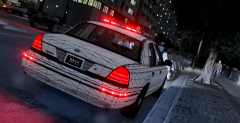 Quite possibly, I'm not 100% sure. Yeah, I'm surprised nobody has experimented with the Vertex, I can think of a thousand places where I can put them... Anyway, here's a front shot:
 -
From the album: NB's WIP mods
Little fun project with some Vertexes. -
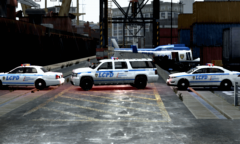 Oh dear, did ASU feel a bit left out during road block training?
 -
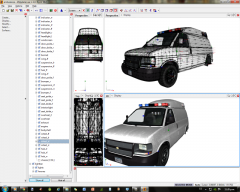 It looks good so far, keep up the good work You're welcome to post a thread about any issues you encounter on the forum.
 -
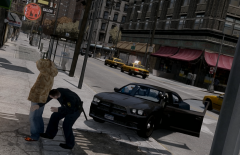
From the album: NB's in-game action
Beat cop frisks a known gang member in Chinatown. -
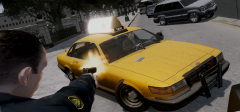
From the album: NB's in-game action
Tough day on the beat. -
-
That error happens every now and then for me, I assumed it's related to having multiple monitors. Saving, then restarting Zmod fixes it for me.
-
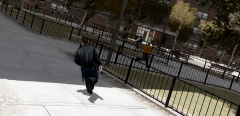
From the album: NB's in-game action
Drama in the projects as a high speed pursuit ended when the suspect crashed and fled on foot, officers set off on foot after the suspect. -
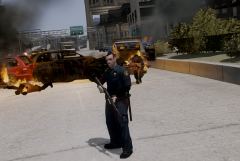
From the album: NB's in-game action
Nope, still nothing to see.... -
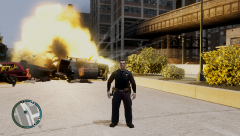
From the album: NB's in-game action
Nope, nothing to see here... -
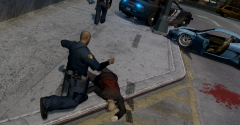 Oh no! Some painters dropped a bucket of red paint just before the pursuit arrived at the scene. Them silly painters!
 -
The officer in question applied reasonable force, including kicks to the shoulder to gain compliance from the suspect. Some head injures were reported by medical staff, however officers stated that those injuries occurred when the suspect fell out of his motor vehicle:)


