


.jpg.1de94779d5adc89f4bd8dd4bc2534632.jpg)
cong2003
Members
-
Joined
-
Last visited
Everything posted by cong2003
-
-
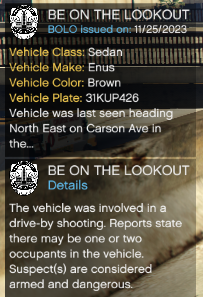
 Unfortunately no, its the limitation of RageNativeUI i think, it doesn't auto line break when the text are too long It's patreon version of CompuLite (1.5.3.0), their have some early access features (from 2022 tho 😅)
 -
 cool stuff
 -
-
Ah, this is STP default question, i have not release them yet
-
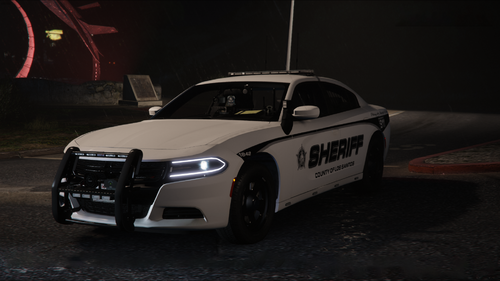 bro, i have watched a video about Edge 9x lightbar some day before and i want a lspdfr car use that lightbar. And there is it 🤪
- 90 comments
- 15 reviews
-
-

- 1
-
-
Hi there, thanks for the feedback. I don't understand about " welcome police officer message", can you make it clearer? Like an imgage or sum. Public Intoxication is charged as a misdemeanor under Penal Code 415, so we won't have citation for that one. Have fun 🫡
-
I'm not sure. But i think the ped just random generated (i saw a grandma born in 2003 🤨) because the number of the different peds in the game are limited, everythings in the plugins like StopThePed,... are fiction imo.
-
I will, and search items, too. 😄
-
Hey there, for equipment violations you can choose "Unlawful Vehicle Modifications" under "Documents/Non-Moving Violations" category. "Driving Without a License" is already here in the Charges (this also apply for driving with expried license). As far as i know, driving without insurance, registration is charged as an infraction (ticket) in CA (already here in the citations). Thank you
-
I'll look into it. Thanks for the feedback
-
Click here
-
This is a customizable file of CompuLite which included in CompuLite, and its need CompuLite to work. You can click at the link on credit, its Bejoijo website, download the mod from there
-
Not 100% but yeah, i tried my best to put CA laws into compulite. You should try it, if you see anythings inaccurate just let me know
-
 "EnableNewTrafficBreakFunctions" what exactly this will do? Thanks for the usefull mod anw
- 535 comments
- 42 reviews
-
Its missing tho, will add it in the next update, the update are under review, will be available in some minutes. Thanks for the feedback 🫡
-
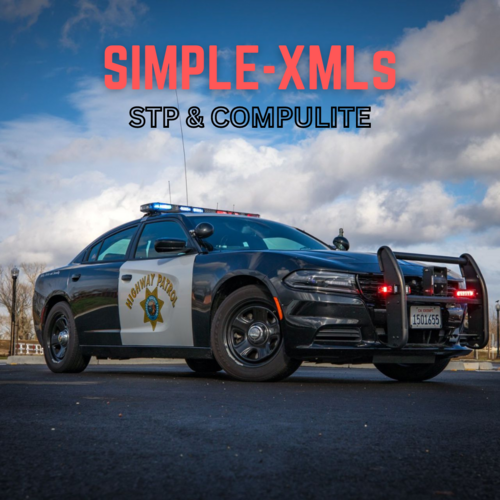
SIMPLE-XMLs 1.0 Hi, Simple Charges&Citations for Compulite have been changed to "SIMPLE-XMLs", that include search item and questions for StopThePed SIMPLE CHARGES & CITATIONS: This is Simple Charges&Citations, a customized XML file for Compulite 1.5.x.x is designed to provide a simple and user-friendly experience based on my preferences and the various situations I've encountered in the game. While there are many things like this available, I found most of them too complicated for my needs. Thus, I decided to create my own version that simplifies the gameplay experience while still offering a high degree of realism, and I decided to share for anyone want this 🫡 The customized XML file is primarily based on California laws to provide a simple & realistic experience for in-game scenarios. However, it is not 100% accurate due to my non-US background and the limitations inherent in the game. I've worked the best of my ability, ensuring that the mod remains simple and believable. Explains some terms and acronyms: - DUI, DUID: DUI stands for "Driving Under the Influence." It refers to the criminal offense of operating a vehicle while impaired by alcohol or drugs, including prescription medications, over-the-counter drugs, and illegal substances. - (M), (F): A felony (F) is a serious crime that typically results in severe punishment, A misdemeanor (M) is a less serious crime compared to a felony. Its your decision, feel free to charge suspects in game as Felony or Misdemeanor. SIMPLE SEARCH ITEMS FOR STOP THE PED: This customized search items for StopThePed enhances gameplay by including simple & realistic pat down items and vehicle itemms that feature lore-friendly weapons, drugs, and other items. Designed to add realism and depth to your interactions, aims to create a more immersive experience. Currently in its early stages, I will continue to add more items and improve them. Future updates will be informed by your feedback. SIMPLE QUESTIONS & ANSWERS FOR STOP THE PED: Simple Questions & Answer is an expanded version of the original question and answer system included in StopThePed, designed to include more comprehensive responses. I will add new stuff, so you'll see more and more questions and answers in the future 🫡 HOW TO INSTALL?! HELP ME: Just drag the "plugins" folder in the rar to your main GTA V folder. This customized XML file is a work in progress. I am committed to continually updating and refining it based on my ongoing experience with the game and the valueable feedback from you guys . Also, you are free to customized it as your preferences 🫡 Thank you for trying out my work. I hope it enhances your on duty experience and brings a new level of enjoyment to your gameplay. 10-4. CREDITS: Bejoijo Plugins - For his CompuLite and StopThePed Shouse Law Group - For CA Laws
-
 I faced fps drop when using cruise control, hope you can look into this. Thanks for the plugins
- 446 comments
- 17 reviews
-
.thumb.png.a3ea90e1fd72a2b865a3636e1581cbef.png) i was looking for this beauty, thank you. Can I get a template for it?
i was looking for this beauty, thank you. Can I get a template for it? -
 I thought the same, we can put the custom car name in the config file, like we can custom the car that we call for backup or ambient spawn in Ultimate Backup, lspdfr data file,..
 -
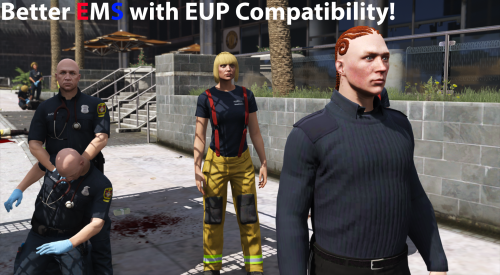 still work fine for me
 -
-
-
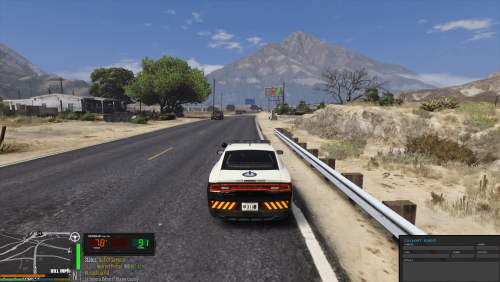 Really nice. Wait for some improve in LS Highway, its slow af in some parts
 -
.thumb.jpg.aa4e5997bac60f3832789b94bbd7fc36.jpg)



.thumb.png.a3ea90e1fd72a2b865a3636e1581cbef.png)

