



1 ADAM 13
Members
-
Joined
-
Last visited
Everything posted by 1 ADAM 13
-
Thank you very much Cyan! I tried it and solved the problem. Seems that the problem was due to the 047 LML update. I updated it to the last 048 version and now the game works perfect. Thanks!! 😉
-
Hi there! Im desperate... I don't know what happens to my game. After the last update, the game crashes after 5-10 seconds exiting the police station going on duty. It's strange: the game works fine (if I play without going On Duty, the game doesn't crash), when I'm in agency and outfit selection the game works fine (all plugins and addons seems to be loaded correctly when I click on Go on duty), BUT when I exit the police station for start my patrol, the game crashes after 10 seconds more or less. I don't know what to do... I reinstalled LSPDFR, I putted again gameconfig, heap, siren, etc etc, I tried some solutions that I've read in other posts... And nothing seems to work... Anyone can help me please? 😔 I attach my last RagePluginHook.log... Thank you very much! RagePluginHook.log
-
Hi there!! I see in the Forums a lot of people that have similar problems after the last update... I tried some of the answers but the game keeps crashing... Anyone knows a possible solution?? 😞
-
Hello everybody, I tried to play LSPDFR after the last update v2699.16. I updated LSPDFR, RAGE and Scripthook. The loading screen works fine, going on duty works fine, but when I exit the police station with my patrol car RAGE crashes after 10-15 seconds... I don't know if the problem is with Gameconfig; I think an updated version is always needed when GTA is updated, but I don't see an updated version yet... I attach my last RagePluginHook... Thanks a lot!! 😄 RagePluginHook.log
-
Hi! I tried this and now works for me. I changed vfs.dll to _vfs.dll and the game works now. Thanks!!!!! 😁
-
Hi there! I've exactly same problem. RPH gets stuck in the loading screen. It doesn't crash or show errors, simply the loading screen turns infinite. @Mrsuperx13, I've tried to launch regular GTA V and I have the same problem... Before the last GTA V update the game worked correctly. I reinstalled LSPDFR and updated RPH and ScriptHook and RageNative.
-
Sometimes when you have more than one action assigned to a key they don't work correctly, even though modifier keys are used. Check if you have any other action assigned to the E key.
-
 Hi @Alex_Ashfold !! Love all your pluggins! 😁😁😁 I have the same problem that this fella... Once I installed EUPFR Ultimate Edition, special forces of any agency doens't have arms. This happens with all special operations unit (LSPD SWAT, LSSD SWAT, National Guard...). However, other outfits like patrol or detectives seems to work correctly... I've installed the packages that are indicated in EUPFR Ultimate Edition page. Could you help us with that?? Thank you very much!! 😁
- 72 comments
- 1 review
-
-

- 1
-
-
Hi Skyi! Are you using the keys of the .ini file?? To call the ambulances/fire trucks of Better EMS you don't have to use the default backup key "B". Default FR/EMS are blocked when you've Better EMS plugin installed. I saw the message you say, but it appeared when I tried to call Ambulances via default backup.
-
 Nope! I'm not using it! Thank you very much for your fast response! 😄 Nope! I'm not using it! Thank you very much for your fast response!😄
- 781 comments
- 85 reviews
-
Hi @PNWParksFan !! Love your pluggin!!! 😁 I always played it without any problem, but recently I decided to set to "true" the option that allows the FR/EMS to treat you in the scene if you're injured. I found that they ignore the minimum health % indicated in the .ini and now always there is one FR/EMS that tries to health me, even when there is a shootout. When he healths me to 100%, he continues following me and giving me medkits, like if I was still injured. I tried to modify the % of health, but they ignore it. It is like they only read "true" or "false". For now, I set it to "false" again, because it was very annoying, but it is really cool if they can treat you in the scene. Any idea about what to do?? Thanks a lot!!! 😁😁
- 781 comments
- 85 reviews
-
 Hi Panos!! Love your pluggin, it's really funny to play it 😀 I wanted to ask you a question. Is there any way to add to the keys a Modifier Key? For example, Lshift? Sometimes it's a little annoying to press for example K or L and see that the character equips the SCBA or the flashlight when this is not what you wanted to do. I tried adding "(action)Modifier" manually to the .ini file, but it didn't work. Can you help me with that? Thank you very much, and nice pluggin again 😁
- 364 comments
- 19 reviews
-
Hi! I know you can change it in-game, in the settings options. I think the custom key is M, and then go to "settings" and there you can change the point of respawn (apartment, police station and random) and the player's apartment. I don't know if there is another way via editing files... Was that what were you asking?? :S
-
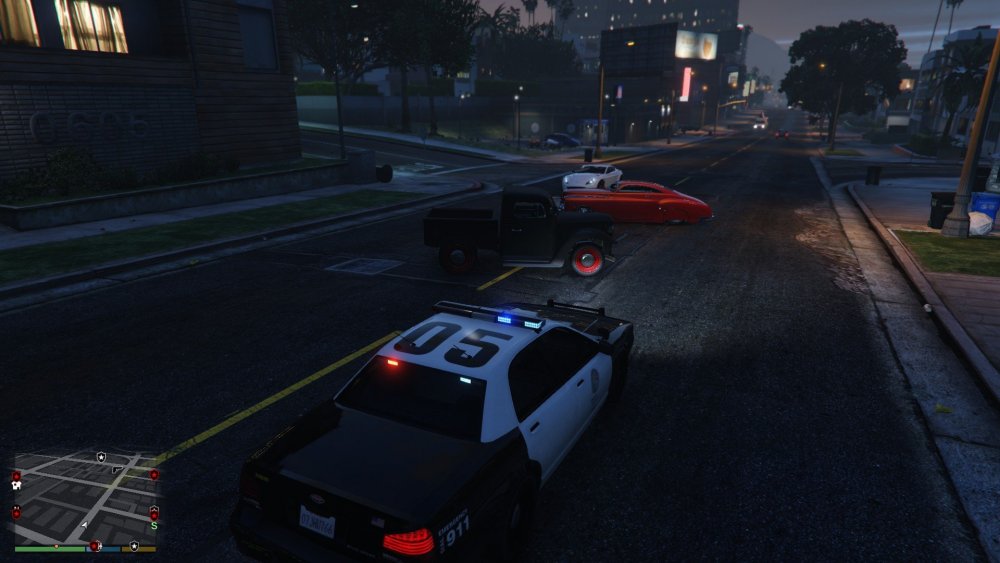
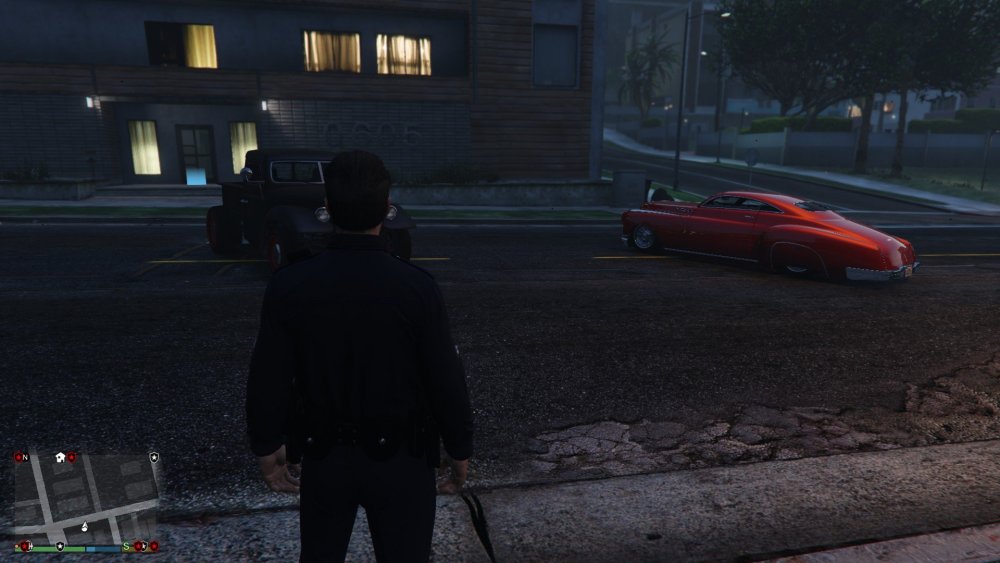
I don't know if this has any rellevance... but it is strange, for sure. Following the instructions of some of you, I changed the position of the player's apartment, moving it to Grapeseed, so I could move around Los Santos without crashing the game. I decided to drive around the apartment of Spanish Ave, to verify that any crash appears; the game didn't crash, but for my surprise I found these cars at the front of the building, in the middle of the road 🤨 Should I call Mulder and Scully??
-
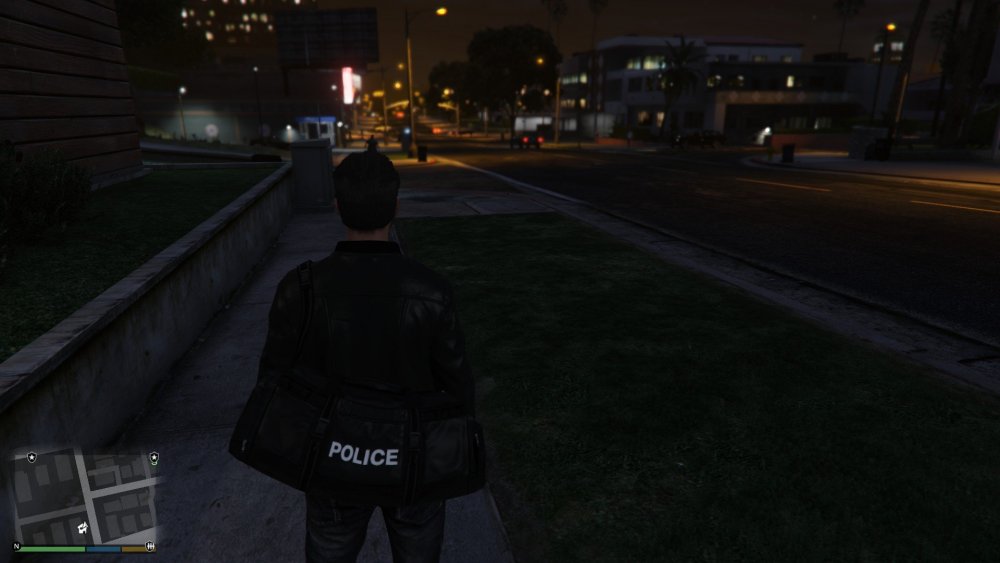
There is a little prove about that; in the image my character is at the front of the apartment of Spanish Ave, looking at the East; you can rotate the camera and walk always that you don't look at the car; if you move the camera to the car, the game crashes.
-
Hi people, I played a few hours with the new version of LSPDFR and recently I noticed that I've the same problem you have. I see that this happens with the apartment of Spanish Ave, I've not tried with the other apartments, but I suppose that the error will be there too. I am going to explain a little detail that I noticed... maybe doesn't mean nothing, but here I go. I have made some try and retry proves and I noticed that when I exit the apartment or I arrive to the around area, the game doesn't crash until I move the camera to the player's car. Maybe sounds weird, but I tried various times and it is always the same. If, for example, I exit the apartament and look to the left, the game works, but if I look right the game crashes just in the moment that the parked car is going to appear in the camera. I know that maybe sounds ridiculous, but can be that there are some tipe of error or conflict with the saved car and the updated LSPDFR/RPH??
-
Hi Alex! I had the same problem and solved trying this: Basically I uptaded the files update.rpf and gameconfig.xml, using OpenIV; in this post it is more detailed. I hope that this fix works for you too.
-
Hello everybody, When my GTAV updated to v2545, GTAV and RPH didn't work. Like many of users, I waited the update for LSPDFR and RPH, but when installed, the game continued to fail; GTAV and RPH, both of them. The game crashed again and again in the loading screen. I began to investigate through our forums and noticed that a lot of users had the same problem. Basically, I create this topic trying to help others users that maybe find the solution in the same fix that worked for me. I don't want to say that this fix will be the response to all cases, but I spent a lot of hours reading posts and trying to solve the problem and now that the game works again I want to share it with you; maybe this works for many of you too. I did two things: 1- Open OpenIV, and follow the instructions of a green box that appeared. This updated the file update.rpf. 2- The second, was download an updated version of gameconfig.xml; I know that maybe this sounds some basic or logical for many of you, but I spent many hours investigating in our forums until I found something that worked for me. I downloaded the file from here: https://github.com/pnwparksfan/gameconfig/releases and replaced the old using OpenIV. Once I did, the game worked again. Some of the pluggins that I have doesn't work correctly, but I think is because they need to be updated. Sorry if this possible solution is indicated in others posts and some of you think that a new topic wasn't needed, but Im not a rookie playing with mods or working with files and, however, I spent too many hours until I found it, so I though it was a good idea. Hope that this works for many of you too 😉
-
Hello guys, With your permission, I come in the loop too, due to I ve the same problem. Before the update, my GTA V and LSPDFR worked perfectly. Now, I ve the same issues of you. I tried everything posted here, and the problem persists. One thing I ve noticed with my updated game is that when I was starting it, the loading screen still showed Version 2372. I fixed this opening OpenIV and updating the file "update.rpf", following the steps that OpenIV showed in a green box (Have you tried this??); now the game shows V2545 correctly, but the problem continues... Like you, the game crashes with GTA V and LSPDFR... Thanks for your assitance 🙂


