


Armouredivision
Members
-
Joined
-
Last visited
Everything posted by Armouredivision
-
.thumb.png.5f80801d2b92273d3749201193e7ae99.png) Davis Police EUP based on now defunct Compton Police (California) Use MPClothes addon to install it Installation is simple drag-and-drop IF you are using the MPClothes addon for the first time otherwise you will have to change the index numbers to avoid overwriting. Textures are flat because I prefer it this way Badge model is by Delwood (and texture too, I just made a minor edit) MPClothes MpClothes - Addon Clothing Slots - GTA5-Mods.com Tutorial for how to use mpclothes if you need it
Davis Police EUP based on now defunct Compton Police (California) Use MPClothes addon to install it Installation is simple drag-and-drop IF you are using the MPClothes addon for the first time otherwise you will have to change the index numbers to avoid overwriting. Textures are flat because I prefer it this way Badge model is by Delwood (and texture too, I just made a minor edit) MPClothes MpClothes - Addon Clothing Slots - GTA5-Mods.com Tutorial for how to use mpclothes if you need it -
-
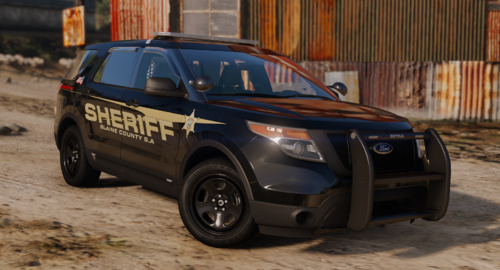 Good pack. Just couple of issues - Push bar sirens on 2016 FPIU and 2019 FPIS are not working. And the rear windshield sirens on all three are projecting lights to the front. (I have ssla)
 -
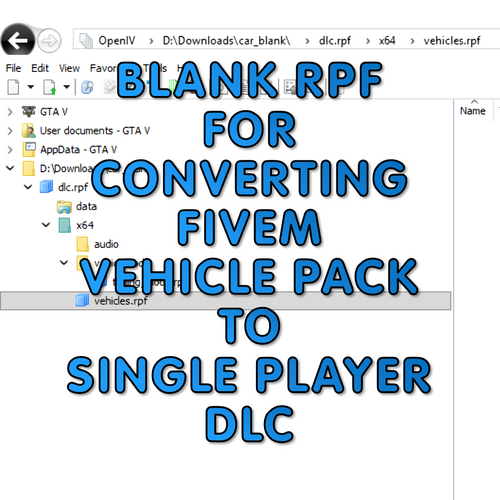 It is a blank RPF archive in which you can use to convert FiveM Vehicle Packs to Singleplayer Addon DLC. HOW TO INSTALL AND USE 1) Download and Extract. 2) Rename the folder car_blank and give it a relevant name. 3) Place vehicle models in vehicle.rpf 4) Place modkits in tuning_mods.rpf 5) Place all meta files in data 6) Now just place it in your dlcpacks folder and add the name to dlclist.xml You can use this archive for conversion as many times as you want. Just keep renaming the folder. Modkits work. I have tested it. But you may experience some rare crashes. If you wish to use more than one DLC made from this blank archive simultaneously - Extract context.xml and setup2.xml file from DLC RPF. - Replace all instances of "car_fhp" with the name of your dlc folder. - Save both the files and put those back in the dlc rpf Here is a Video Tutorial if you need it
 -
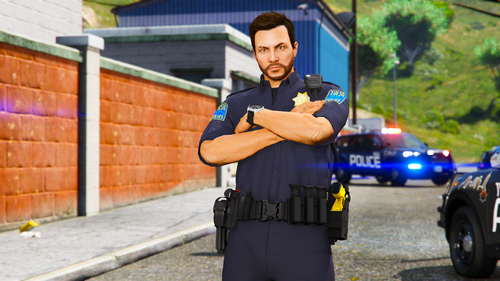 Rambar is extra. You can just remove it via a trainer.
 -
Installation is simple Drag-and-Drop. Make a backup of your EUP folder before you edit anything. Replaces Police Textures. Textures are flat because I prefer it this way.
-
 Oh, damn it. Now I understand what you were asking. Grammer Police. It defaults coroner to Code1 with PR.
- 617 comments
- 48 reviews
-
[ExternalDispatch] //The response code a tow truck should use when requested outside the dispatch menu. (Code1, Code2, Code3) ExternalDispatchTowTruck=Code2 //The response code a prisoner transport should use. (Code1, Code2, Code3) ExternalDispatchPrisonerTransport=Code2 Coroner don't arrive with their siren lights on. I'm guessing adding this setting for them will change that. As it was in Ultimate Backup.
- 617 comments
- 48 reviews
-
-
-
-
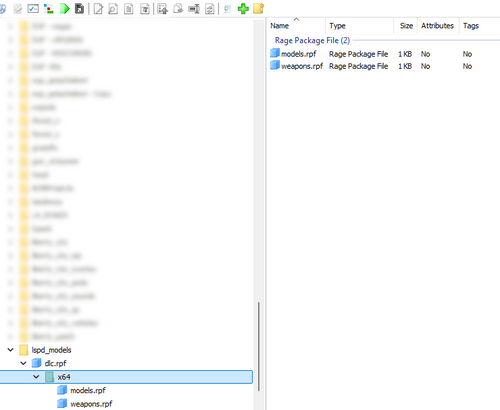 It is just a blank RPF archive in which you can install REPLACEMENT models - such as Breathalyzer and Medbag. It MUST be a REPLACEMENT model. HOW TO INSTALL AND USE 1) Download and Extract. 2) Copy Paste LSPD_Models folder to your dlcpacks folder. Make sure the dlc.rpf is inside the copied folder. 3) Launch OpenIV and turn on edit mode. 4) Add this <Item>dlcpacks:/lspd_models/</Item> to your dlclist.xml 5) Replacement models go into models.rpf Quick Installation Video and Showcase in case you want it: It works for most of the replacement models but I cannot guarantee that it is going to work for all of them. And there is a weapon.rpf archive in there too which you can use to install weapon replacements.
 -
-
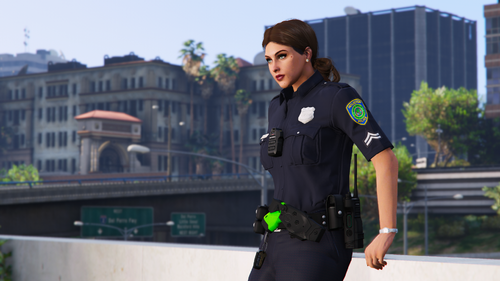 Sharing it here because someone requested. Has both - Male and Female. Badge is just a placeholder unless someone makes a proper model. Textures are flat because I like it this way. Installation is just simple drag-and-drop. MAKE A BACKUP OF YOUR EUP FOLDER BEFORE EDITING ANYTHING.
 -
.thumb.png.25a0f4c177a4c64a7b08d4688055d533.png) Installation is just simple Drag-and-Drop (Replaces LSSD Textures). Badge Model is here (Also included in the download since I had to make some minor changes to embedded textures because you dont need 2K Uncompressed normal map texture for the badge for normal gameplay) No female badge because no female badge. Textures are flat because I like it this way. MAKE A BACKUP OF YOUR EUP FOLDER BEFORE EDITING ANYTHING.
Installation is just simple Drag-and-Drop (Replaces LSSD Textures). Badge Model is here (Also included in the download since I had to make some minor changes to embedded textures because you dont need 2K Uncompressed normal map texture for the badge for normal gameplay) No female badge because no female badge. Textures are flat because I like it this way. MAKE A BACKUP OF YOUR EUP FOLDER BEFORE EDITING ANYTHING. -
-
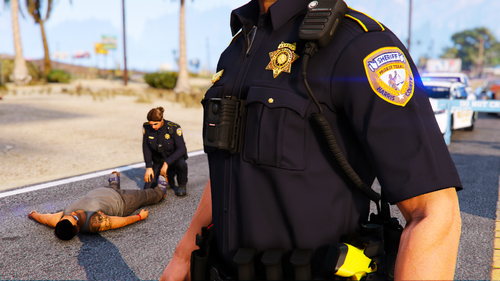 Made it for an episode request. Badge is just a placeholder unless someone here makes a proper model. Textures are flat because I like it this way. Installation is just simple Drag-and-Drop (Replaces LSSD Textures). MAKE A BACKUP OF YOUR EUP FOLDER BEFORE EDITING ANYTHING.
 -
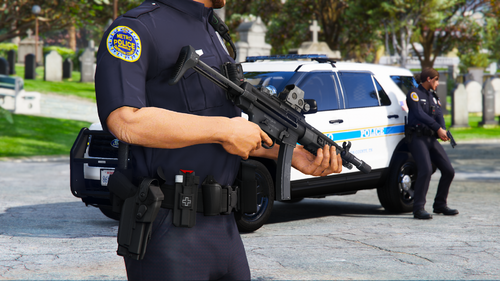 Made it for an episode request. Badge is just a placeholder unless someone here makes a proper model. Textures are flat because I like it this way. Installation is just simple drag-and-drop. MAKE A BACKUP OF YOUR EUP FOLDER BEFORE EDITING ANYTHING.
 -
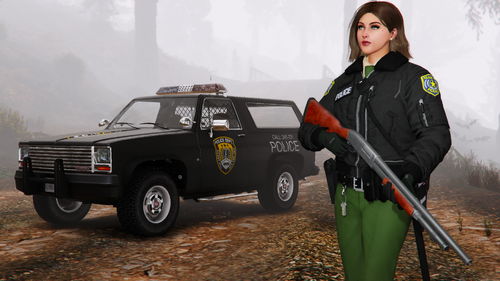 I made this for an Episode Request. It has both male and female variants. I insist that you use MpClothes - Addon Clothing Slots - GTA5-Mods.com to install this. Showcase Video Livery for Rancher and Esperanto is also included. Those are for this retro vehicle pack https://www.gta5-mods.com/vehicles/retro-blaine-county-sheriff-pack-bcsd-add-on Use worn graphite body paint on both the vehicles. Its looks better.
 -
.thumb.png.b9e18d9931090871b064059f2c315cf8.png) I've noticed that it picks up the current ped's name for save file which can be different from your LSPDFR character name if you have changed the model or applied any saved outfit via menyoo. Is it possible to change it so that save file is only changed when player changes character via LSPDFR Character Selection?
I've noticed that it picks up the current ped's name for save file which can be different from your LSPDFR character name if you have changed the model or applied any saved outfit via menyoo. Is it possible to change it so that save file is only changed when player changes character via LSPDFR Character Selection?- 660 comments
- 18 reviews
-
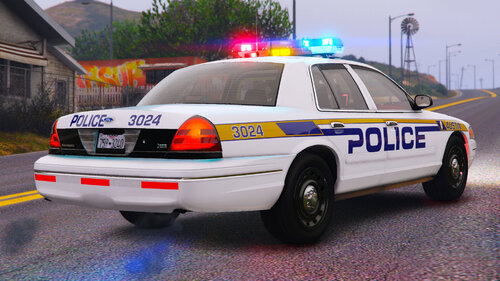 Made for this https://www.lcpdfr.com/downloads/gta5mods/vehiclemodels/48586-2003-ford-crown-victoria-fivemsp-elsnon-els/
 -
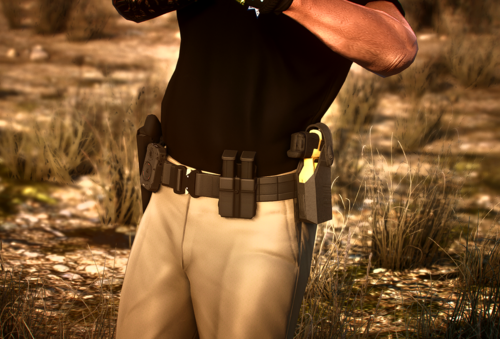 It is happening due to missing specular map texture, the shiny part. I've noticed that sometimes it picks up specular texture from another object which is currently loaded in game (e.g. another clothing item). I really like this duty belt. Hope this gets fixed via update.
 -
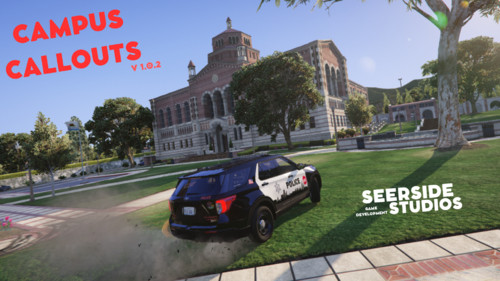 This is some really fantastic stuff. Loved it.
 -
-
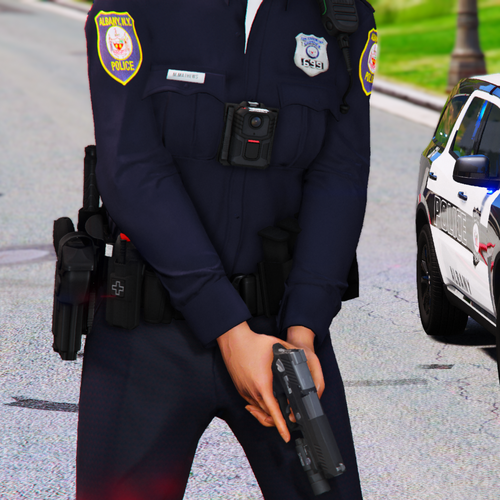 Installation is simple Drag-and-Drop. Make a backup of your EUP folder before you edit anything. Replaces Police Textures. Pants are somewhere near 40 Shirts are near 195 and 260 Badge Model is near 50 Textures are flat because I prefer it this way.

.thumb.png.5f80801d2b92273d3749201193e7ae99.png)





.thumb.png.25a0f4c177a4c64a7b08d4688055d533.png)

.thumb.png.b9e18d9931090871b064059f2c315cf8.png)

