


Medicmojo
Members
-
Joined
-
Last visited
Everything posted by Medicmojo
-
 Awesome - thanks so much! Will be sure to give you credit when I put these to use in the future!
- 3 comments
- 1 review
-
-

- 1
-
-
Hey - thanks for sharing these, much appreciated! Any chance you could upload a converted file version (either png or jpg)? Would love to use these in the future, but - unless I am doing something wrong - the .pat file format must be very specific to PS, right? I can't seem to open it with GIMP, Inkscape, or PDN to convert them myself.
- 3 comments
- 1 review
-
-

- 1
-
-
Hope it works for you!
-
I know what you mean about the random spawn units at that Sheriff station. So, what you are saying is that you are getting the vanilla Sheriff and Ambulance spawns, right? What you could do is identify which of the vanilla Sheriff units (sheriff or sheriff2) is the one spawning........then replace that model in OpenIV with one of the models from your add-on pack that you have set up for Mount Chiliad Sheriff. That should do the trick. I don't play the game much anymore, because I am always working on livery projects - but, to test the liveries in game, I am always switching vanilla models (or DLCs) around......and I will see those new models/liveries spawning there.
-
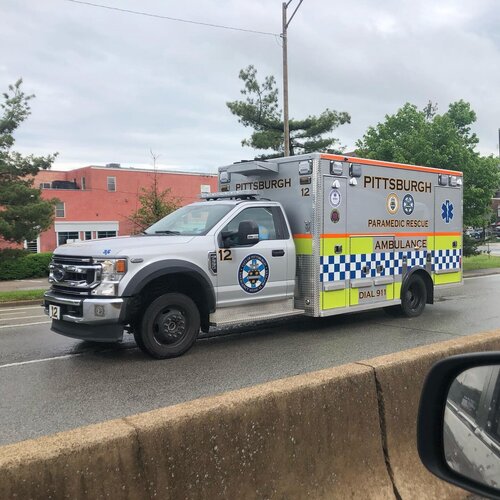 Thanks - appreciate it! Glad to see someone is still finding this livery, more than a year after I first posted it!
 -
 Very nice work -thanks for sharing it!
 -
Hey there......a fellow Canuck! I haven't done it for awhile now, but in your UB folder - check out the "DefaultRegions.xml", and the "SpecialUnits.xml". In DefaultRegions, scroll down until you see the section "<LocalAir>". In there, you should be able to change the name of the helicopter "vehicle" (by default, it is POLMAV, I think) to whatever your addon helo DLC is called, for each area of the map that you want it to respond in (LS City, County, Blaine, and North Yankton). Should be no different than changing or adding an addon/DLC car to appear those areas, as part of your LSPD or BCSO or whatever fleet. Either that, or take the DLC pack helo model files, rename those to POLMAV, then drag/drop those in to whichever patch day you use for your replace models. Those files would then easily overwrite the existing vanilla POLMAV model files, in whatever earlier patchday those are in. For the EMS helo, it looks like you would need to go in to the "SpecialUnits" xml. Scroll down to find the section "SpecialUnit name="Air Ambulance". Same idea there, I think - change the "Vehicle" name listed to whatever the addon/DLC model name is for the medical helo you want to use. If they are both the same August Welland model, just with different liveries - that can work too. Just change the part about "livery=" to show the livery you want for that unit (matching the "sign_xx" livery texture in the .ytd file). Hope that helps!! (.......and works, lol)
-
I say release it! LOL.....looks great, unique style - and you never know who would be interested in a new airport police!
-
 Great work!! thank you for releasing these!
 -
 I did install and check it in my game quickly.......and it works just fine. Weird how it crashes for some people......... Honestly, that is exactly what I was getting at in my previous comment - changing the handlingID line to something that exists in the game. But, I went ahead and installed, and tried it as is in my game.......worked the the "charger" name listed. Weird.
- 242 comments
- 15 reviews
-
Ahhhhhh, ok - I wasn't aware that the handling meta here was just a filler. OK, sooooo.......if this pack is based on vanilla game handling - should we try changing it to something in the vanilla game vehicle models? I just had a look - in the vehicle.meta file in this pack, the handlingID line for the 18Charger models is "charger". Whereas, the other models of FPIUs, Tahoes, FPISs, etc, use the common vanilla game handlingID names of "GRESLEY" or "FUGITIVE". Wonder if maybe changing that handlingID to something like WINDSOR (usually said to be a good match for the engine sound/audiohash of a Charger, not sure on the actual handling characteristics) or even POLICE2 or something like that would fix the crash? Strange how the Charger fix worked for the majority - makes you think that something is off in their games, versus anything "off" with your pack.
- 242 comments
- 15 reviews
-
Is it just me, or is the "handling.meta" xml file empty? In OpenIV, it shows that it 20kb of content, but when I open it with Notepad++ to view........just a blank page? The reason I was checking the meta files - a customer of mine (for a livery commission project) was hoping to use this pack in his game.......but found that the issue with spawning the 18 Charger causing a game crash was still ongoing (for him, at least - I have not tried installing this pack completely and going into game with it). I saw a comment in this thread from Parzival about checking to ensure the handling names match for the 18 Charger - between the handling meta and vehicle meta files.
- 242 comments
- 15 reviews
-
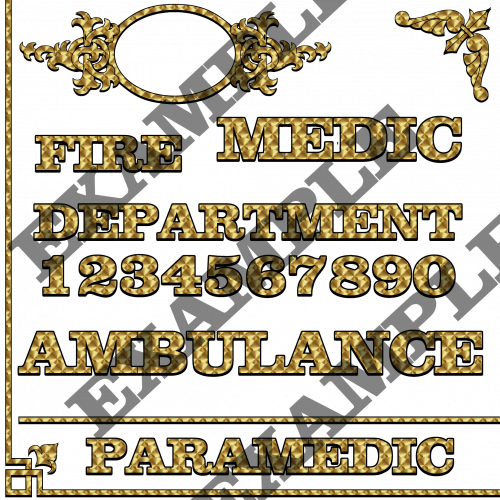 awesome - thanks!
 -
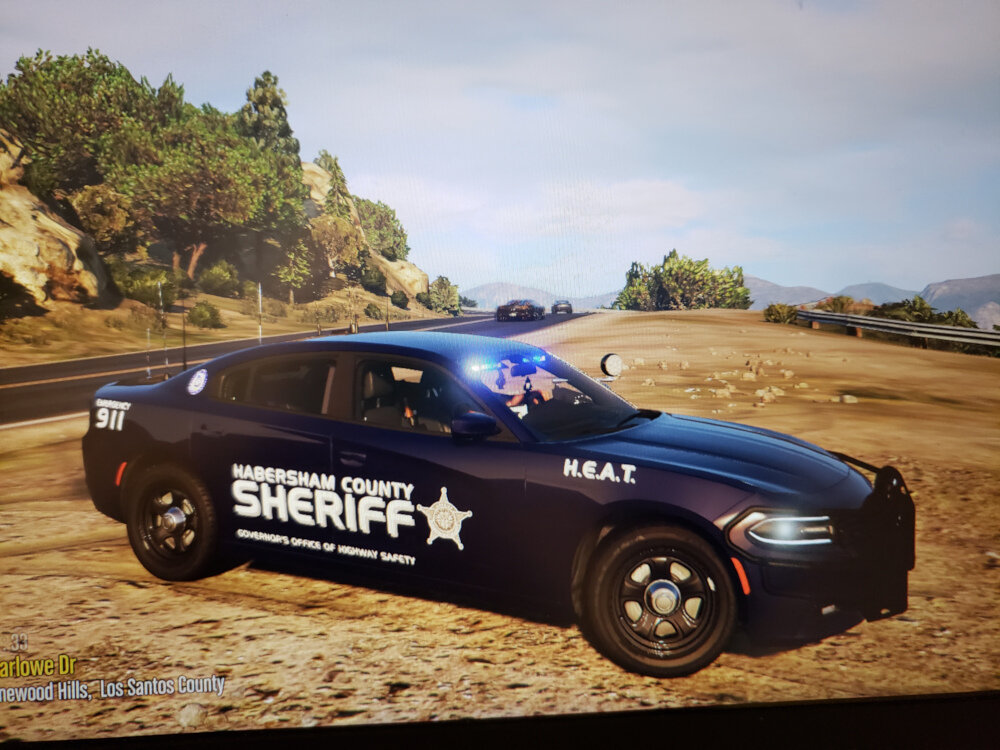
I did a livery project a couple years ago for a guy - for Habersham County Sheriff's Office. Same style of font for their HEAT units..... Try the font "Handel Gothic Bold" - should be the best match.
-
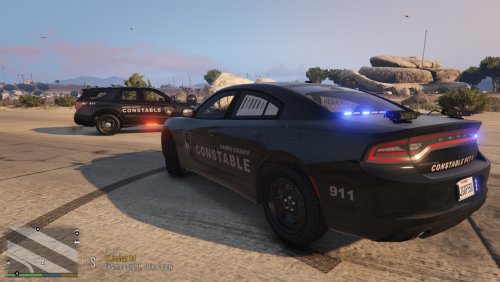 Good to know, thanks!
 -
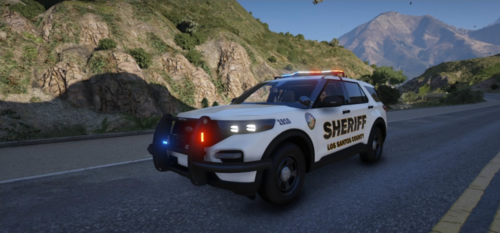 Looks like they turned out great! Appreciate the shout-out!
 -
Not sure if this is what you are after, but....... There are a couple of "DLC pack creator" download programs out there - have you checked out those? They are usually a small program that you run outside of LSPDFR/GTA - and typically let you choose the basic description/type of vehicle that you want the DLC for (emergency, truck, sporty, etc). That gives the creator program at least a basic idea of the handling files to use, I assume. Also allows you to name the DLC pack. It then generates a basic DLC pack, that includes all the usual subfolder bits and pieces - the "content", "setup", "data", "common", metas, etc.......in the usual xml or rpf formats. Then, drag that newly created basic DLC folder, and drop it into the usual DLC pack folder in OpenIV. (You just have to remember to add your chosen name for the DLC pack, to your dlclist.xml file). Once in OpenIV, you can then edit the files within the new DLC pack as needed. Obviously, drag and drop your model files into the empty vehicle.rpf. But, I have also had success edting the other files as well. For example - I hae taken a 5M vehicle, and made it into a SP addon by using this method. Once the generic DLC pack I created is in OpenIV. I just paste over the generic vehicle or handling meta files from the DLC creator, with the relevant files from the 5M vehicle. Or, you could just edit parts of the generic vehicle.meta file as you wanted - changing the audio hash, or handlingID lines if needed. Sometimes, the 5M files will have extra ones that the generic DLC may not come with - maybe the carcols or carvariations. I just refer to a "real" dev made DLC pack for an understanding of where to put those.......but, at least the DLC creator program creates the same framework for you to follow. Here is the one I use........so far, with good success! (I think, lol) https://www.gta5-mods.com/tools/addon-creator-vehicles-v1-0-7ddf2ca5-ffdf-45e3-93f5-fd8fe36f3de5 Again - sorry if this is not the info you were looking for!
-
Random question - when a model comes with a "window" template in the .ytd, is it possible to have more than one loaded on to the same model? Similar to the multiple body liveries you can do, by naming them "sign_1", "sign_2", etc........can the same be done with those window templates? What I'm thinking is that with many vehicle fleets - whether emergency, or tow/maintainance, or buses - the overall body livery is typically pretty consistent. Different unit numbers would be normal.......maybe a specific region/area served, etc - otherwise, the markings would usually be the same across all agency vehicles. However, on the windows is where you often find some variety. Sometimes just a fun sticker the driver put on, or maybe special unit markings (like K9, or CRIME SCENE), or in the case of commercial vehicles, advertising. I do livery work, and I just finished up a project for a guy wanting his home city transit livery on his bus fleet. Rather than seeing the exact same bus driving around all the time, I wanted to give him some variety, but still using the same model. I plan to give him a total of 3 liveries to install on the model - 3 different "shop" ID numbers, and added a "Lke us on Facebook" logo on 2 of them. But, the model comes with a window template sign texture as well. Looking at the real transit system photos online - those windows are were a lot of the differences can be seen. Different "Work For Us" ads, different product ads, even difference in the stickers by the front doors (for Fares, WiFI, etc). Would be great to make more variety with changes to the window "livery" as well. I suppose I could always try it out, and see what happens.......but, thought I would throw the question up here for the experts! A big part of me says "no.......probably not" - since the window templates and ytd textures are not named with a number associated to the file. And, how would the game know to match one window texture with a specific body texture? But.........maybe it can be done? lol. Thanks in advance!
-
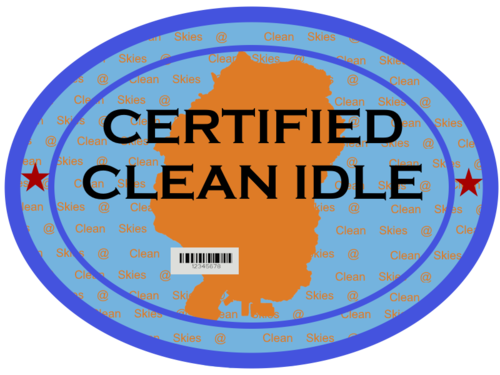 OK, well......here is what I came up with. Tried it out in game......of course, the smaller text gets hard to read, at the size of the decal that would be appropriate on a vehicle model. Can still read the "Certified Clean Idle" bit fine, but the other text......not so much! Worth a try - here it is, if anyone wants to use it!
 -
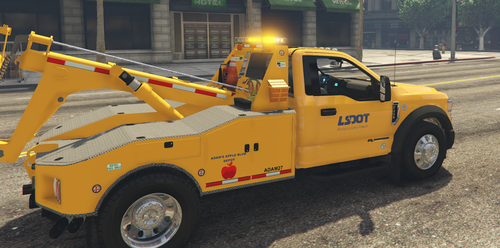 Another fantastic livery pack! Great variety on the individual units, but still cohesive across the game! By the way - Rabbits crew cab RAM tow truck? It is still available, but you have to go looking for it, lol! It is available on Modification Universe - as part of larger "older models" pack he has there...... OK, sorry - doesn't look like the link worked? Anyhow, on MU - check Rabbit's content, and look for one called "all-of-ЯΛbbiƬ-gta-v-developments-releases-as-of-11-25-2022"
 -
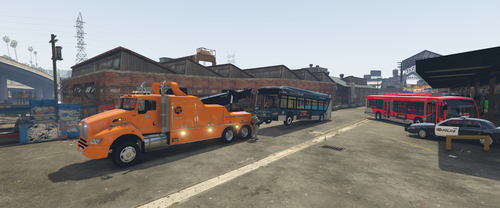 Wow!! Very nice work - great cohesive livery pack you put together! Will definitely be flagging this one!!
- 8 comments
- 1 review
-
-
- 1
-
-
Wow, man - that is a STELLAR livery!! That really looks amazing. I can appreciate the extra detail decals you put on - chock wheels, high voltage, etc. Even the small "star of life" on the medical cupboard. Those are things you would definitely see on a reall unit. Well done! By the way - what model did you use for that MCU? Is that a private/paid thing, or one of the ambulance models you just skinned up for an MCU? As for the Clean Idle sticker........ok, I will see what I can come up with in the next couple days - will let you know! Thanks for the compliment on my work as well!
-
Nice work!! May not look like much, but these things are exactly the kind of "small details" I like to include on my livery work. Will definitely put it to use in the future, and credit back to you when I do! I wouldn't use it just for any commercial (transport truck) type liveries - so many other government or emergency service vehicles have "eco-mode" or other environmental idling switches in place........could definitely add this to almost any livery I do! This one looks like a "serious" version of what a San Andreas lore-friendly would look like - and is perfect for those that want "serious" lore-friendly details. But.......I was thinking - so much stuff in the GTA world has a "pun" or funny spin on it. Wondering what you would think of doing up one of those versions as well? Or, I could do it for you, and add it here in the comments? I don't know.........maybe something with wording like "Less Passing Gas - For Your Future" or whatever......maybe in the area between the outer heavy border, and the inner thin oval border? lol.......just thoughts I had when i saw this.
-
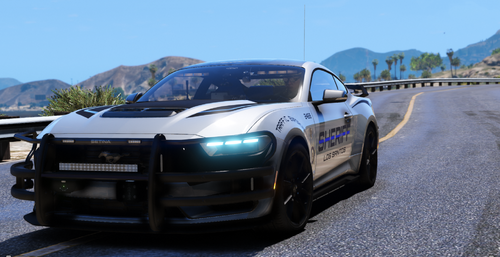 Fantastic model!! Had some fun working with it, and created "fictional" Speed Enforcement markings as part of a private commission livery pack I am working on - for Charlotte-Mecklenburg Police. Went with both fully marked, and ghosted - love the look of the reflective livery option!
 -
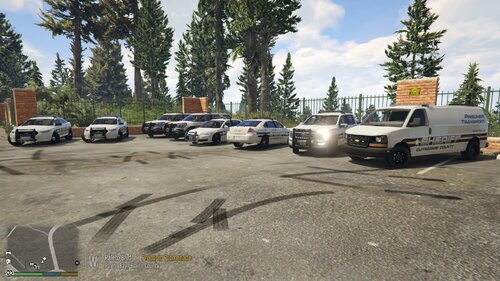 As I promised for all you Wisconsin fans earlier this week, here is the Outagamie County Sheriff livery pack that I designed and put together about a year ago. Would go nicely with my Appleton Police pack!! (linked below, if you haven't seen it) ** NOTE - some of the notes below will seem very familiar to my Appleton release, if you read through that. (lol......I admit, some copy/paste used in the big explanation section) But, I did make some changes specific for the Outagamie release. This livery pack project was part of a large commission request from last year - one that didn't go through fully. No hard feelings on my part, just one of those things. I did up all the livery work as requested and agreed on (along with the neighbouring Appleton Police). I usually do 4k liveries only, but he was worried about his computer specs - so, I did up 2k as well. Then, there came discussion about getting all his files organized - regions, agency, backup, etc - so that one vehicle pack could run both agencies and spawn in the right areas. Doable, but a lot of extra work and time needed. We both kept putting it off, as other things in life kept coming up - never were able to coordinate a time to do the work together. Finally, a couple months ago - after almost a year of the liveries being completed - he said he had moved on from LSPDFR. Sad story, my loss. Rather than rot on my hard drive, figured I would get finally around to sharing these with the community........your gain! As a best all around match to what his local Sheriff and Police agencies use, we decided to go with Big G 069's "ELS State Police Pack" (linked below) for the majority of the models. It is a great pack, with a nice mix of vehicles. For the Prisoner Transport van option, we went with Emergency Distributors "Prisoner Transport Van Upgrade" (linked below). Those are the vehicle models/templates used and seen in the screenshots. While there definitely are other vehicle models or packs out there that the liveries will work on (using the same base template), these particular models are the only ones I can guarantee the fit/positioning/placement of the liveries. If you scroll through the photo reel I've included above, you can see a number of real life photos of the Outagamie County Sheriff livery - to demonstrate the attention to detail and accuracy I was able to recreate. Please note that a number of the screenshots are actually from the 2k quality, if you notice a slight difference between some photos. Both the Outagamie Sheriff star/badge logo, and the "K9 Unit" decals were made completely from scratch. I did take a few liberties when making the F150, F150 K9 and the Prisoner Transport liveries - as Outagamie does not use those vehicles that I am aware of. From Big G's pack, we only used the 2014 Impala, 2016 FPIS, 2016 FPIU, and the 2021 F150/F150 K9 models. Outagamie Sheriff doesn't seem to use any sort of unit numbers/callsigns or other identifiers on their vehicles. But, for variety in what may spawn, I did make up the two varitions of the mottos on the rear sides of their units - some will have "Serving With Pride", others "Serving Since 1851". Both of the F150 models have one livery each - one regular Patrol, one for the K9 Unit. The Imapala, FPIS, and FPIU have 2 liveries each - some are the variation between the mottos, others will be Patrol or K9. That should be it for the story. Within the download zip folder, you should find two subfolders, for the 2k and 4k quality options. In those, you willl find clearly marked folders for each of the vehicles from Big Gs pack, and EDs Prisoner Transport Chevy Express van. All livery textures are named as needed for the model - you can just drag/drop them in to the .ytd file in OpenIV. And, yes - the F150 liveries are named "sign_2", and that is correct for how Big G set up the .ytd files for both models. If there is interest and/or requests, I might rework this in to a lore-friendly livery. Would look great as "Blaine County"........or, maybe "Los Santos County" (as many liveries are released for Blaine!) If you haven't seen it already, be sure to check my Appleton Police livery pack release as well, for a great matched game setup between your City and County agencies! Here are the links to the models used: I hope you enjoy! As always: - please let me know if you have any issues with the liveries - feel free to use these liveries on any other vehicles in your game that they happen to fit/work with, but I can only guarantee that they will work with the vehicle models I suggested - while I strive for accuracy on the livery itself, I may have had to take some artistic license to "fill in the blanks" where I could not find a photo reference - while I tried to match the vehicles in general terms to what the agency uses, I make no guarantee that these vehicles are exact matches in regards to model year, equipment, lighting, etc - if there is another vehicle/pack that you want the liveries to work with, please let me know in the comments or by a DM - I am sure we can work something out. Or, if you are able, go ahead and rework the livery to another template yourself to use - but, for use in your game only.........please don't repost and claim the work as your own - feel free to share photos or use in videos (would love to see some of those!)........just give credit back to me - please do not repost/upload or claim the liveries and work as your own, on this or any other site - I would appreciate and look forward to any feedback, comments, or reviews - I am not responsible for "breaking" your game........none of these files will do that, if installed properly. If you are not sure on how to do so, YouTube and Google are your friends! Do you have a specific livery request? Maybe your hometown or local area Police/Fire/Ambulance/Tow/whatever service? Please contact me via DM here, or on Discord (Medicmojo#3955) to discuss further.........


