
Billy725
Members
-
Joined
-
Last visited
Everything posted by Billy725
-
 Is there anyway to change what gun shows in the holster? For example, I installed a sig to replace the original pistol but the old pistol displays in the holster instead of the sig. Maybe I just need to replace the textures?
- 561 comments
- 97 reviews
-
That was it, oops lol. I still appreciate your time. Thank you!
-
I recently installed callout interface andRagePluginHook.log now anytime I load lspdfr it crashes. I only have one callout pack and kept the newest rage native. I might have fixed it. Missing Compulite.ini file?
-
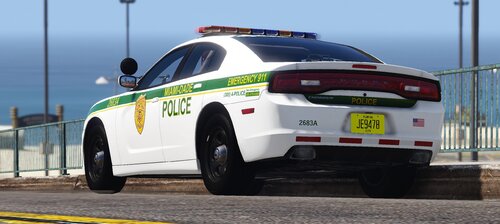 Just curious, is the ford explorer in the replace pack? I can't seem to locate it
 -
I changed that setting and I still have the problem of lights becoming super dim at a distance. Anyone have another way to fix it?
-
.thumb.jpg.37cdb54de83d6dee03b6b15e76b2f5fd.jpg) Love this callout pack and have been using it fine for a week now but out of nowhere i get this error message in game for an arson call. Any help as to why? "Error: Rage.Exceptions.InvalidHandleableException: Operation is not valid because the specified Rage.Ped is invalid...."
Love this callout pack and have been using it fine for a week now but out of nowhere i get this error message in game for an arson call. Any help as to why? "Error: Rage.Exceptions.InvalidHandleableException: Operation is not valid because the specified Rage.Ped is invalid...."- 184 comments
- 24 reviews
-
-

- 2
-
-
.thumb.jpeg.8bfa019a2216257040b9c7c799744610.jpeg) Love this callout pack! Awesome job man. Just one small issue I came across. Everything in LSPDFR was runnung fine until an Arson Attack all loaded and it crashed all of lspdfr but not the whole game. Any ideas as to why just lspdfr crashed and not the whole game? Anyone else have any problem like this?
Love this callout pack! Awesome job man. Just one small issue I came across. Everything in LSPDFR was runnung fine until an Arson Attack all loaded and it crashed all of lspdfr but not the whole game. Any ideas as to why just lspdfr crashed and not the whole game? Anyone else have any problem like this? -
 I love this mod so much and the hard work these individuals put into this game but yeah you definitely aren't alone. Just noticed the same popping you stated when using this mod. Not sure if it's because I tweaked my windows audio properties to up the HZ or what. Anyone know how to fix this problem??
- 30 comments
- 15 reviews
-
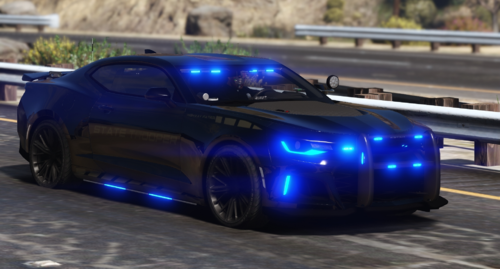
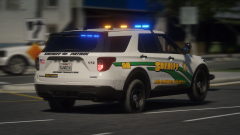 Is this car apart of a pack I can download or? Looks awesome
 -
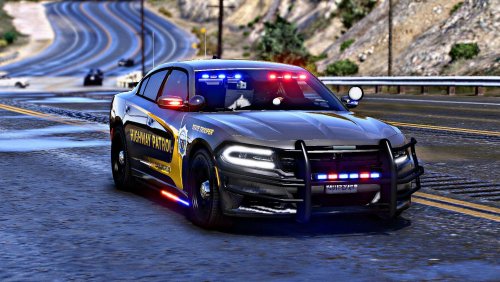 I love this pack and many other packs you have provided to the LSPDFR community. I just have one small issue, with any I use from any of your packs the yellow lights have a weird blinding setting no matter what visualsetting I put in open iv. Could anyone help?
 -
-
-
 I replaced the Police Motorcycle with the Charger and it worked out perfectly. Love the pack and the steady burn!! Great work
- 964 comments
- 158 reviews
-
I was able to figure everything out. LOL
-
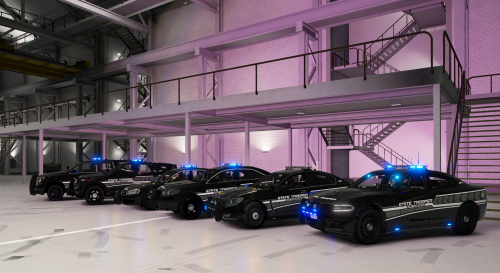 I love this pack and the creativity with the light pack! The "slow down" extra is awesome and have never seen any other pack with something like that! Also where did you take the pictures?
- 102 comments
- 5 reviews
-
-
-
 Does anyone know how to select vest 12 and 13 with the EUP menu? For some reason I can't find them under the armor category while creating a wardrobe outfit.
- 554 comments
- 46 reviews
-
 Wow. I didn't even realize that in the ini file lmao. Thanks for catching that and helping me out!
- 109 comments
- 12 reviews
-
-
- 1
-
-
Not sure if this is a problem with my game or the callout plugin. Ever since this last update I wont get a single call from this pack and even trying to force a call with my callout manager nothing works. Can anybody help me out? Other than this little issue I love this plugin
- 109 comments
- 12 reviews

.thumb.jpg.37cdb54de83d6dee03b6b15e76b2f5fd.jpg)
.thumb.jpeg.8bfa019a2216257040b9c7c799744610.jpeg)