IcyEvelyn
Members
-
Joined
-
Last visited
Everything posted by IcyEvelyn
-
 Do you also use better pursuits ? @bondi9mm it can cause issues if you do not follow the instructions in the better pursuits read me regarding this mod.
- 366 comments
- 32 reviews
-
 It seems to only really happen during pursuits. i'll contact the author. Thanks for your time. 😃 Edit: If for some reason anyone runs in to my issue in future, the heli assistance mod author doesn't seem to active recently, and hasn't responded to people going by the comment section of their mod. If you want to keep heli assistance, you need to avoid pursuits in this mod it seems or do my fix below for now. A fix I found is in the Heli assistance mods menu, untick the box called "enable override pursuit" (the Heli assistance helicopter wont enter the pursuit at the very start of it, which will stop the crash from happening) You can still call a Heli assistance helicopter to the pursuit from this mod, after the pursuit starts, (as long as "enable override pursuit" is turned off) that seems to work fine without crashes. It is the mod heli assistance at fault here, not this ambience pack. This issue is fixed now by a new setting which was added Check 'DisableAutoHeliSupport' in the .ini or look it up in the config menu!
- 297 comments
- 17 reviews
-
-

- 2
-
-
I spoke to soon sadly =( I went to launch the game again after posting here and it occurred again. sorry about this. here is my log. it seems to be an issue between either heli assistance and spotlight mod. although I ran the game at one stage with spotlight mod and no heli assistance and it seemed fine. i'm guessing maybe heli assistance. i might be wrong. (heli assistance requires the spotlight mod) The thing is i really don't want to have to uninstall your mod or heli assistance. XD RagePluginHook.log
- 297 comments
- 17 reviews
-
Reinstalling the search light and heli assistance mods fixed the issue, no more crashes. Thanks for your time, I really do enjoy your ambience pack.
- 297 comments
- 17 reviews
-
It is there, I even made sure to load the spotlight.dill through the console to be sure. which makes it confusing., I'll try to get an error report on it.
- 297 comments
- 17 reviews
-
The mod is crashing for me whenever I start a pursuit,with the error in the picture. Disabling the spotlight mod seems to have fixed the error. sadly for me, no spotlight now as I choose this mod =p
- 297 comments
- 17 reviews
-
 This addon is good on pc / game performance ? tbh I just want it for the parking ticket feature. as i otherwise use compulite. Having said that, I will give the other features a fair chance and see if I like it.
- 707 comments
- 33 reviews
-
-
-
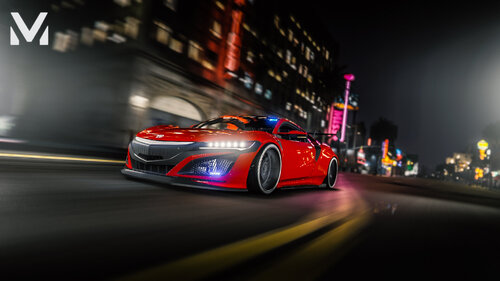 No viruses here. maybe a false positive in your anti virus program.
 -
 I wish this would play nice with my other mods. what usually causes the conflict with stop the ped and callout mods? I would really like to use this.
- 229 comments
- 31 reviews
-
If I have compulite installed can I also install this ? I don't want to have to redo all my mods again for one plugin. Update: no you can't install them together.
- 707 comments
- 33 reviews
-
-
I have unmarked cruisers showing up when I call for state back up in ultimate back up, how would I go about changing this? Thanks for your time.
-
Ransom ambience and immersive ambient events , they were both designed to work together and both have xmls where you can customize them to your liking! 😃
-
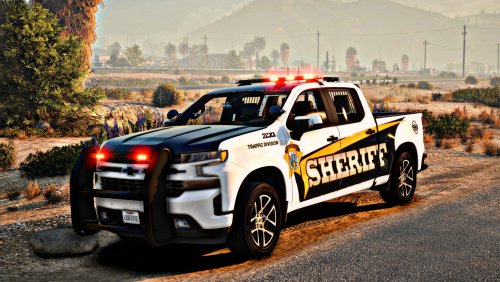 the super fix does not help the vehicles still disappear, even after trying many other fixes.
 -
Okay so I was not able to pull people over what so ever because the addon was set up incorrectly? Anyway for those who are unable to pull people over, here is the fix. in carvariations set : <sirenSettings value="0" /> (add a 1 where the number is 0) in the vehicle.meta add the flags FLAG_LAW_ENFORCEMENT FLAG_EMERGENCY_SERVICE it should look like this: <flags>FLAG_SPORTS FLAG_RICH_CAR FLAG_HAS_LIVERY FLAG_RECESSED_HEADLIGHT_CORONAS FLAG_NO_BROKEN_DOWN_SCENARIO FLAG_COUNT_AS_FACEBOOK_DRIVEN FLAG_LAW_ENFORCEMENT FLAG_EMERGENCY_SERVICE</flags> Also in vehicle.meta, be sure that the vehicle class looks like this <vehicleClass>VC_EMERGENCY</vehicleClass> ------------------------- if you want all 3 stages of ELS lighting, go to the cars els file in the vehicles els file This needs to be changed from euro to manual: <LstgActivationType>euro</LstgActivationType> <LstgActivationType>manual</LstgActivationType> -------------------------------------------------- Final thoughts: its a lovely looking car, very aesthetically pleasing and well done. hopefully the issues I posted the fixes for are fixed soon by the mod author, until then, these settings should fix it for you.
-
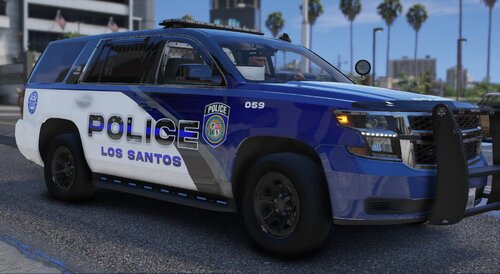 There is a simple fix for Police2 the Explorer, to stop it from flipping. Open handling.meta in openIV and make the change you see below. Change: <vecCentreOfMassOffset x="0.000000" y="0.000000" z="-0.000000" /> Change to this <vecCentreOfMassOffset x="0.000000" y="0.000000" z="-0.03" /> Then change handling in Vechicle.meta to GRESLEY (again look for police2 and then handling) This worked for me, the change I made in handling.meta made the biggest difference.
 -
Thank you everyone for making great mods, My life has had many big downs recently and your work is helping to make my life bearable, Thanks for making my daily patrols possible and providing me with something which offers some comfort. please keep up the good work. ❤️
-
-
-
 The callouts are not showing in callout manager for me. I installed the mod correctly.
- 109 comments
- 12 reviews