


Officer Secret Potato
Members
-
Joined
-
Last visited
Everything posted by Officer Secret Potato
-
Hello there, I am running Windows 10 on a capable machine and have GTA IV Installed via steam. After downgrading to the 1.0.7.0 patch as suggested by the instructions the game is fully playable. However once I install LCPDFR, the screen goes black past the initial "Grand Theft Auto IV" Logo when the Rockstar games logos are supposed to be. This is the case with both the automatic and manual installations of both v1.1 and v1.0d. My scripthook and other microsoft essentials are completely up to date and all instructions have been followed accurately. I am interested in seeing whether this is a known issue and if there is a known solution for it.
-
Just wondering whether this solution has worked for you bud? I am having exactly the same issue
-
Okay so basically every time I open up GTA IV with LCPDFR installed it crashes on starttup and I get a Data Execution Prevention message. In attempt to remedy this I have done the following: - I have the latest release -I have the latest versions of all the requirements - I have tried both the automatic and manual install. I am running a 32 bit version of Windows Vista. In trying to unset the root folder to read-only, it seems to work until I open up the menu again and the blue box is shaded in again. What can I do from here?In Schottler, I get a callout telling me to go to the Hardware Store for domestic violence. When I get there, I can't see it but I can hear fighting. Where do I need to go?Thanks guys, whenever I get the taxi mod, it slows my game and I have to install trafficflow which screws up my textures. Now I dont have to worry about that :biggrin:Is it possible to have car mods as simple as the default ones, if so, could somebody give me the link to some? Whenever I get a car mod, it gives me the taxi bug. Apparently this is because my police car mods aren't as simple as the default.I am now a part of this awesome group. Let the weekend games commence!I find when I have too many car mods, it screws up my game.You could get an alderny state car and spawn it in alderny.There's a website down tonight? Maybe RC3 ;)Thanks :D. Really helps!Hi, on youtube, I saw this really cool grey sheriff car that I want the link to. Does anybody know where to find it? Here's the video. It's the car that he patrols in: http://www.youtube.com/watch?v=xKNeNNEE4Aw
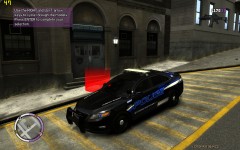 Love it!
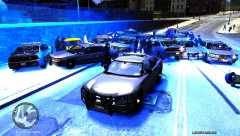 Can I have the link to that sheriff car pls?Sadly, it isn't available to pc yet :(I like it. It's hard to find a decent black undercover cop car nowadays.Once your installed properly, just press Alt+P when you're in game!I would like to see a system where you get different style callouts for different police models. For example if you're in a NOoSE uniform, you could get terrorist callouts etc.


