


MarioExpertMan
Members
-
Joined
-
Last visited
Everything posted by MarioExpertMan
-
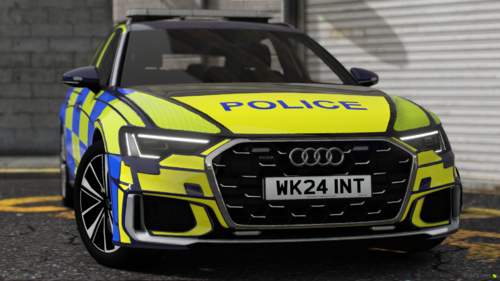 Will an Unmarked one come out?
 -
-
Latest update. Using the latest LSPDFR build Legit copy. 1 on Steam and 1 on Epic. (what does emu mean in this context?) and this has gone too technical real quick. Idk what any of this means: "Doing a clean windows install fixed that issue (using a bootable win10 USB repair/upgrade will not work, you need to clean install windows again i.e. format your C:/ partition)."
-
In the nicest possible way, to answer your first question, there is no point in asking when it will update. You will know when we know. For the 2nd question, You will just need to replace everything. By that, I mean the files you have for LSPDFR in your main directory, those will need replacing. I hope that helps you out.
-
I will be honest, I think it's the mod itself. So many people are reporting issues, yet the devs can't be bothered to get off their high chairs and release some kind of hotfix for the player base.
-
Now tried running RPH as administrator, launching with custom arguments, (Steam) and done the advanced settings to run it in DirectX 11 and no joy. I'm wondering now whether it is actually RAGE itself that's causing the issues
-
I did that as well yes and that never fixed it
-
yes
-
Didn't work
-
"in the box that comes up type in your user accounts name OR "Administrators" then try running rph as administrator." This bit I'm really not getting. I'm not that technically minded, and the pictures aren't helping me out much
-
No use me looking at the pic as I don't get a word of it. So it might be best for u to make a tutorial video showing how to do this
-
I'm not following... It's like a different language to me, not being very technically minded
-
already tried disabling and that didn't work, and it's not running as administrator
-
No. This is a fresh revert, from 3258 to 3028
-
That's it there. Rage loads for a little, then goes to launching game... From there it doesn't do anything. GTA5 then loads up, without rage being integrated. There are no logs because of it.

-
Rph does not give a log as it does not integrate into GTA5. Asiloader, scripthook and els are not in the directory as this is a clean revert that I've tried.
-
I can't get a rage log for obvious reasons. Also as I reverted to see if that made any sort of difference, (it didn't) the only mod I have in is LSPDFR With every other mod, I can load into GTA just fine, but when LSPDFR is thrown in, that causes the whole issue.
-
Yes and I can load in just fine
-
I've even reverted to 3028 and still no joy, I also disabled mods folder, as well as get rid of update2.rpf but still nothing, so it's LSPDFR itself
-
Didn't work My game is the current version. Even launching with custom arguments (Steam) doesn't fix it. It's not just me reporting this issue, which is why the devs need to stop lying to us and actually acknowledge that there ARE problems with the mod and that they must release a hotfix! Also turning off your antivirus does not fix it. It is 100% the mod. There! Point proved!
-
Only thing for me is even if I load into story mode fully, rph will not connect to the game
-
I have also tried running RPH as administrator and had no luck. I'm honestly on the verge of giving up

-
That was another thing that I tried, and had no luck
-
Only issue. When I do that, I get Error code 134 in the Rockstar launcher I use Epic as Steam has the exact same issue
-
Yeah so I fully load into the game, then click on Rage, It does load, but only to Launching Game... and just gets stuck there.




