


Sharp-
Members
-
Joined
-
Last visited
Everything posted by Sharp-
-
Ok, now my game just crash at start-up. After I press "start" the game loads for a while and it seems like It can't load into the game. Every car mod is taken out now. I have no car mods added. And thus, it still crashes. What should I do now? Every Vehicle is back to original and it still crashes. Leads to a whole new topic.
-
Nope. The noose slot is still original. All I have modded is Police, Police2, and PolPatriot. But if I do get the ASI Loader and the .NET Scripthook, would that help the game along with LCPDFR?
-
Aha, well it would be complex to make another version of LCPDFR on a whole new game. Its like starting over from the beginning with small details about modding. But yeah, it would be nice to have it on GTA V. This topic had been already asked, and seems like a "no" that it might not be out for GTAV. :(
-
I ran a Diagnostic tool to see what was wrong with my game, since everytime I call for a noose backup it crashes. I don't mind that. But now I found 2 errors that was wrong . How do I install the ASI Loader and the .NET Scripthook? If you guys can give me a link to the download page or anything like so, it would be a GREAT help! Thanks !
-
Let's see. Just simply go to your GTA Directory, or wherever you placed the ELS in. It can be found here : Computer > Programs (x86) > Rockstar Games > GrandTheftAuto 4 and find the ELS Scripts in there. After you do so, just delete the ELS.asi and ELS.ini, that will take ELS out of the game. And if you want to keep the ELS and not having to download them again, just make a transfer of the ELS to a Backup folder you prefer.
-
Mm, it is exceptional.
-
This is the wrong section to post up a "Support Question" in. It is because you have your cheats in. Your cheats enable the baseball bat instead of the batton. Try not enabling the cheat that involves a hand weapon, such as the "Knife" or "Baseball Bat" and your Batton should come out....or maybe try reloading your weapons, by opening your trunk, it should reload all of the weapons that LCPDFR offers. I don't know about that yet, but try it.
-
Hey Dhruv, how do I import the skin to one of my Vehicles? I forgot how or maybe I don't actually knew how. I know your suppose to go to the .wtd file and click on edit, then what? Edit: And can it be on a Police cruiser or the Police Patrol?
-
Love it. Looks so realistic.
-
Well, are you using PopCycle? PopCycle makes the game more realistic through the game with having more cars on the weekends than weekdays for example.
-
You don't have to delete dsound.dll. Just re-install LCPDFR but this time "check" the box that says XLive, Instead of the box that says dsound.
-
Hehe, answers my question. :biggrin:
-
 Video is not there.
 -
Are you running VRC2?
-
-
-
Ah. So ALT+D To start it up, just like ALT+P To start LCPDFR. Ah, sweet. Is that all IVDashCam does? Besides it features? Just a radar?
-
So before I ask, thank you for all who helped me on how to install IVDashCam. I'm having a bit of trouble, I don't know what the keys to enable IVDashCam.... How do I use the speed radar? And other keys...I have no clue what so ever about DashCam..... Thanks for the help.
-
Wait, I use it on police and police2 when I have TrafficFlow, game runs fine. But how come we shouldn't use it? What is the effect? Besides crashing...
-
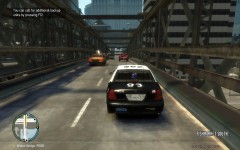 Me Three?
 -
Hey, so I just downloaded IVDashCam V2 and I am suppose to put it into my Scripts folder through the GTAIV Root......HP C: > Programs (x86) > Rockstar Games > GrandTheftAuto 4 > Scripts And so that dosen't work when I try to drag the 3 folders of the .net.dll & and .ini and the IVDashCam Folder itself. It pops up this error when I try to drag it to my Scripts: ! C:\Users\Toby\Downloads\IVDashCamV2 (1).zip: Unknown method in IVdashcamV2.ini ! C:\Users\Toby\Downloads\IVDashCamV2 (1).zip: Unknown method in IVDashCamV2.net.dll ! C:\Users\Toby\Downloads\IVDashCamV2 (1).zip: Unknown method in IVDashCam\CPMono_v07_Plain.ttf ! C:\Users\Toby\Downloads\IVDashCamV2 (1).zip: Unknown method in IVDashCam\CPMono_v07_Plain_License.txt ! C:\Users\Toby\Downloads\IVDashCamV2 (1).zip: Unknown method in IVDashCam\IVDashCam Manual.pdf So, I have no idea at this point....
-
Yeah, they usually shut those sites down, not sure why........try Shift+Tab for now, that opens up a In-game Menu of the keys. We don't have any printable guide for the .95 version of LCPDFR just yet...
-
What are you asking here? How it is being taken out of your holster? The Taser is set to share the holster slot of the pistol, but both can still be used once it is press the the pistol key or the taser key. Edit: Ah, I see what you are trying to ask now, i'm not so sure on it, but like I said above, the taser is set to share the holster slot of the pistol, so yes, for some people, this might happen. Its just how it is set, loads 2 things at the same time because there is no other slot to place the Taser. Not a big bug I see.....
-
First of all, this isn't a LCPDFR matter nor GTAIV. This isn't the correct website you should go to. It doesn't fit any problems according to LCPDFR/GTAIV. Anywho, I still would suggest you buy a new one or get it checked. Seems like a Computer Error but nothing else. G17 will close this topic soon.
-
Hmmm, if your an expert, check your Script Folders, or your GTAIV Root folder, see if anything that shouldn't be placed in there. Otherwise, just re-install RC2 or whatever version you run.


