


Creators: Due to background reprocessing of files, approvals and file security checks may be delayed. Thanks for your patience.

Slimory
Members
-
Joined
-
Last visited
Everything posted by Slimory
-
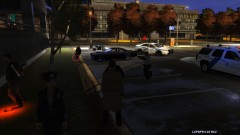 where did ya get the tahoe?, diappearing leg's? i have the same problem but the waists disappear.
 -
![[WIP] Liberty City ALPR Overlay - Login Screen](//s3-gallery.int-cdn.lcpdfrusercontent.com/gallery/album_569/sml_gallery_2971_569_37120.png) Looking good Tom H!, may i ask though, is it for the main desktop login, or the police computer?
Looking good Tom H!, may i ask though, is it for the main desktop login, or the police computer? -
@GTAIVCODE3, you should use the magic wand before putting the badge on the front fender, it'll get rid of the white sqaure instead of putting it on THAN painting it after
-
Soooo in other words you want a plane crown vic with just a rambar and lightbar? kinda boring isn't it?
-
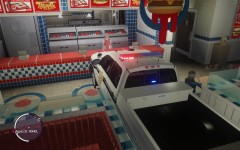 Girl just sitting at the table still eating saying "UMAD BRO?"
 -
-
Same here ninja! i might even make a UFO texture to make it legit :thumbsup:
-
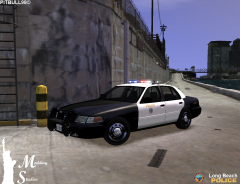 wow the rims look really good! will it have just steady burns or the option for both?
 -
theres a few light mods out there, but i think LCPDFR has it's own lighting modes 1, 2 and 3 by pressing "/" on the numpad then theirs illumination which all links are dead and sam is working on an updated version
-
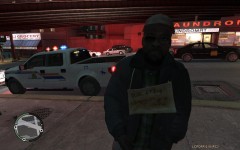 OH YEAH!!!
 -
:wub: oh christmas in April beautiful tahoe :wub:
-
+1 dude, i wanted to know what they were called!
-
Watch This: Why not try searching before posting? i know your new here and all, but it's alot less hassle cause you won't always get a reply and we get questions similar to this on a daily basis, trust me EDIT: Don't double post
-
K well i have to admit i'm pretty jeallous alot of people have an edited Police Computer, so i wanted to try on my own, but when i browse SparkIV for the policecomputer.wtd it's not there, any ideas as to where it could be?
-
I would imagaine there are not alot of people that can even read C++ on this site, i know i can't
-
looks kick ass! EDIT: i think this is the first movie i've seen jake gyllenhaal not play a weird role.. lol
-
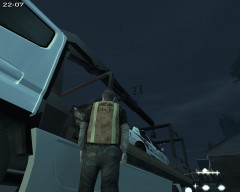 I edited that guy's vest if ya want it, i can upload it :)
 -
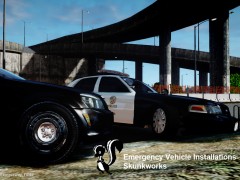 ever notice when pictures that pop up in the picture bar say "EVI Release &WIP" His photo's get blown up with comment's? Nice work as always EVI!
 -
did you install the tazer? also make sure SparkIV is closed before you start the game, i have had that issue with the cars not showing up when selecting cars i just restarted the game.. also, LCPDFR .95 R2 is different then RC1 when going on duty, you have to select your uniform hit enter "you will go back into the station" then walk out and you should be able to select your car
-
Holy shit! looking very good! those light stripe under the door is being added to vehicles more and more!
-
read this: i use Paint.NET also, what i do before i paint the whole car i paint the areas i'm putting decals on then i use paint brush when i'm done and go around the decals, but before i do that, i use paint bucket to and paint the entire background the colour i want my car to be.
-
I have the SAME problem with IV, i have uninstalled and reinstalled SEVERAL times and it still won't work, i gave up on the forum support so i just uninstalled it completely, whats weird is, i did a fresh reinstall of EFLC and IV one after the other patched them, did the exact same thing to both and EFLC is the one that works 100%.
-
the NYPD uses different kinds of lightbars, the one they have on the CVPI's is the default one, but you never know if it's real or not.
-
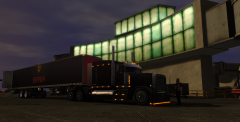 It's actually really strange to see working trailers in IV
 -
Like this? that texture looks extremely easy to make, why not try your hand at texturing? or look for a request thread?

![[WIP] Liberty City ALPR Overlay - Login Screen](http://s3-gallery.int-cdn.lcpdfrusercontent.com/gallery/album_569/sml_gallery_2971_569_37120.png)

