


Slimory
Members
-
Joined
-
Last visited
Everything posted by Slimory
-
@Soucy, i got confused by the second pic, i thought it was an Impala
-
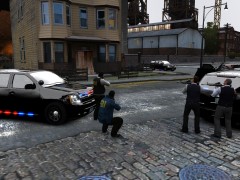 Holy shit, is that different then your Timecyc?
 -
No problem bro!
-
I think i could get used to the new Taurus model's, they are big and bulky just like the CVPI, but more compact, but they also look like they could roll easier, i asked an HRP Officer when they would be switching from the CVPI, and she had no idea what i was talking about, so i'm pretty sure they will run the CVPI into the ground before they new car's.
-
Question: (yes it involves this) is it possible to go lower then 0 for speed since lower number's, is higher flash speed?
-
Then textures could be the problem, i find sometimes i have to do a reinstall if i have to many bright textures, but it's really hard to say, maybe another member could help you out :)
-
He edited his post after i posted..
-
I had an arguement with the owner of a construction company this morning.. said he had every right to walk into oncoming traffic.. and i'm the prick.. ha
-
Go into your First Response.ini and switch: [TASER] ShowHolsteredTaserOnPlayer = True instead of False
-
Hm that seem's to come from alot of member's that don't "Read..."
-
It could be a texture problem, have you edited any textures at all? (black line i mean)
-
hmmm so sometimes the envirnment light's just disappear? is that what your saying?
-
the range and intensity are really low. these are my values: Range_LightsF = 10 // Range of headlight environment lights Intens_LightsF = 9 // Intensity headlight environment lights Range_LightsP = 90 // Range of primary environment lights Intens_LightsP = 2 // Intensity of primary environment lights ^^ that's what is low in your number's, even with 90 and 2 it's hard to see the blue light's at night, unless it's the reflection off of a white car
-
-
this is how you make sure it's on: [ POLICE ] Active = 1 Color_Light1L = 0 Color_Light2L = 0 Color_Light3R = 1 Color_Light4R = 1 Offst_SLights = 0 make sure the number beside active is a 1 not a 0, and that's my setting's to get red and blue light's in case your not sure, it's also ELS V5 not V6 cause i find it's more stable.
-
I'm wondering what would happen if i blew an airhorn by my girlfriends ear while shes sleeps :devil:
-
hmmm it seem's probable, i would like to know if it is possible without actually installing the mod, however, the strobes actually look, strobeish. EDIT: If you turn ELS light speed down, the headlight's flicker really fast, but the lightbar light's are REALLY slow
-
Did you turn the the values up via ELS ini? does it happen with other vehicles as well? the blue is alot darker then the red especially at night, however, the environment light's during the day are much brighter than at night, i am using your Realisitc TimeCycle. could also be a bug with that tahoe, i sometimes get a bug with certain model's that, the headlight's are on, but there are no environment lighting.
-
-
In some spot's they drive tarded speed's, don't even bother with the red light's lol i don't bother pulling them over lol
-
i'm talking about the envirnment strobe effect, and the headlight's flicker really fast.
-
? he want's NYPD, LAPD doesn't even have the same lighting system.
-
Lightbar's can't be switched, textures can though and this has nothing to do with LCPDFR
-
-


