


Slimory
Members
-
Joined
-
Last visited
Everything posted by Slimory
-
Yeah, i checked it out, but i read an article today saying that the recruitment process for the RCMP has changed a little and i can't find any updated info on it. and thank's raven, i do appreciate it.
-
Maybe some jiggled or crossed wires? maybe don't take advice from me, i may cause damage even though i'm in a different country then you and your ceiling fan.
-
Despite the things i have heard about the RCMP and read about them, i think it would be a fine choice of career, and i know that there is a few people on this site that know lot's about the RCMP and it's gruelling recruitment process, does any of those particular member's know what the recruiting process intail's? and what steps i need to take to get where i need to be? the internet is not always reliable and alot of the info such as the Polygraph and Requirements may be out of date, also, is relocation to another province mandatory upon completion? Nova Scotia RCMP use the same training facility as the Halifax Regional Police which is in PEI (Prince Edward Island) not the one in Alberta (i think)
-
BAHAHAAHAHAHAH good one
-
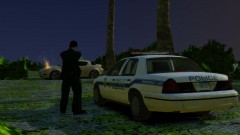 They still work on day's off? lol
 -
 is this one ELS? :D
 -
I'm looking for the Halifax Regional Police Codes, i've also been looking for a live Audio feed, but i can't find one, the one on radio reference was taken down. @Everyone else-i'm Canadian, we don't have state police and not even CLOSE to the amount of PD's the States have, the RCMP is our MAIN National Police Force Kinda annoying playing as RCMP and listening to the NYPD Audio feed lol
-
I've been searching and searching and i learned that RCMP all over Canada do not use the same radio codes, i found this on seperate sites, is there a site where i can just look up the radio codes that i want? if so, can anyone point me in the right direction?
-
Dude, stop asking for people to "plus repp you", if you earned it, you will get it.. @PoliceEnforcer777- there might be a few people on here that do request's.
-
It was posted in random, what's the problem? @Yard1- keep any discussion on a minimum? :dry:
-
Oh this is getting juicy LOL I know a homophobic guy... i mean knew a homophobic guy.... he came out of the closet last year... you don't need to be a girl to like stuff like this, i know guy's that listen to Justin Beiber, it is there preference, oh yeah, the year is 2012, not the 80's discrimination of any kind isn't cool anymore.
-
Liberty City Pony Police Department? Protecting Ponies?
-
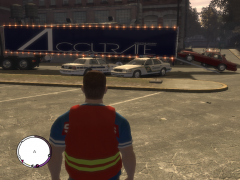 Very nice, +1!
 -
-
maybe even remodeled stock vehicles that can fit templates in a mod pack with an original vehicles.img for a backup would work.
-
But adding too many vehicles may cause more harm then good, if you want a properly working game, i don't recommend putting a ton of car mods in.
-
-
Try taking out the trainer maybe? see if that help's
-
That's where i got my fact's from lol
-
Dafuq is a Brony? EDIT; um, no, i'm not
-
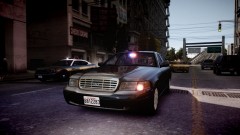 Looking good but isn't this one a slicktop?
 -
Hmm don't think this has been asked before, agreed, would be nice to have a more customizale ini file
-
Grand Theft Auto IV/pc/models/cdimages/vehicles
-
Must be nice, i get 25-40 FPS on a good day, and i'm running AMD Phenom X2 555 Processor AMD Sapphire Radeon 6790 500GB HD 4GB RAM
-
Even the people that say ENB's "for low end PC's" are of it.


