


Lukas2312
Members
-
Joined
-
Last visited
Everything posted by Lukas2312
-
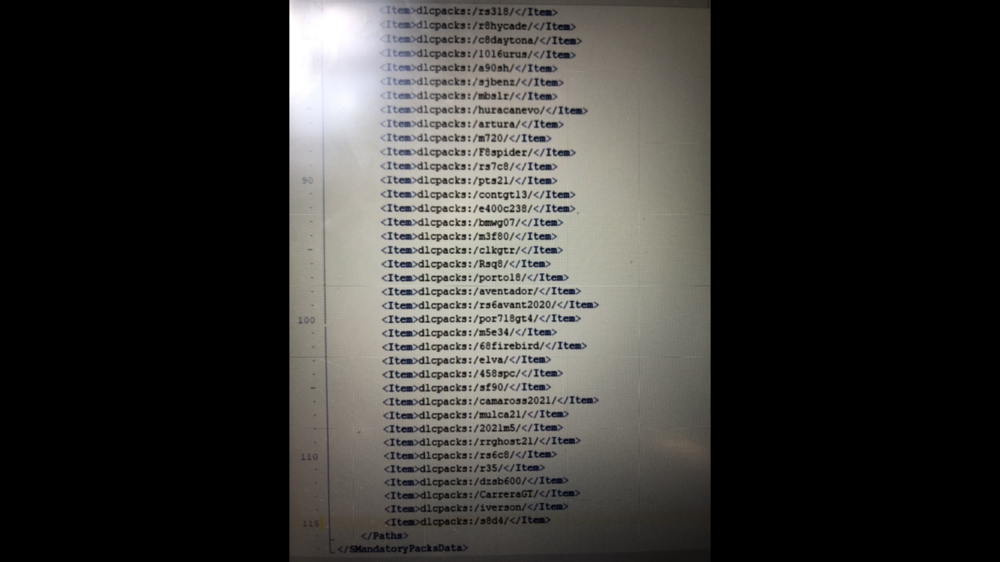
Hi everyone, Everything was fine and game worked and launched well - then i added a bunch of add-on cars and now it crashes while loading the game... Crash log attached - I had added 5 cars and worked fine. Then i added aout 30 more and it wont launch into the gta 5 world - just crashes at loading screen.... 😞 crash4.txt Thise are the files(cars) i added in openiv
-
-
No worries mate! I know you're a busy man helping out a lot of people! I took out yobbin, and was able to play for a while - but then it crashed again. here¨'s the log - this time lspdfr crashed i think. Would you in general recommend having only 2-4 calluts installed or is it normally ok with a bunch installed at the same time, like 7-8 or smt? Cause I do have a lot installed. maybe that fucks it up a bit.. I will try the _mod as well now. Thanks again my man! crashhhhhh1.txt
-
@Charlie686 started getting some crashes again - first is uploaded on my last comment here - now it doesnt crash the lspdfr - but the game 😮 latest log attached here, cant seem to find the problem myself latestcrash2.txt
-
Hey mate, care to check on this crash? you fixed everything for me and really helped me learn a lot about this! Really appreciate all thus far. Maybe you can crack this one as well - no stress 😄 latestcrash.txt
-
-
-
.thumb.png.f0710596a9842b4eaf7a710b00ceda20.png) A readme instruction file would really help people who's not pro, like ME for example:)))))) No idea what to do with the spd.ytd etc files, normally i install police, police 2, sheriff2 etc but never seen std, sorry i mean spd files. :D Cars look BEAUTIFUL though.
A readme instruction file would really help people who's not pro, like ME for example:)))))) No idea what to do with the spd.ytd etc files, normally i install police, police 2, sheriff2 etc but never seen std, sorry i mean spd files. :D Cars look BEAUTIFUL though.- 58 comments
- 5 reviews
-
-

- 1
-
-
 Quality callout pack, brother!
 -
-
indeed, a lot of crashes. Weird now i played for over and hour with no crashes. I will try that! Should i still hook when opening gta or just open normal?
-
Took them out and was able to play a bit longer - but eventually lspdfr plugin crashes. I'll attach latest crashlog 😞 it always crashes at the worst times lol newnew12.txt so i reloaded lspdfr plugin and forceduty after the crash i attached - then i press f11 for eup menu - BOOM game crashes to desktop newnewnewnew.txt
-
Can you check this crash mate? crashhshshshsh.txt happened when in tried shooting with the tank in the military base. Now it crashes to desktop lol 😄 newnew.txt
-
Okay so i it just freezes now after playing like 30 min. Not crashing to desktop. I have to shut down my laptop by holding down the power button cause cant even change window. Happened last night as well. installed section136 callouts the other day but have been playing with it with no issues so dont think thats it. I had ambientcallouts installed but deleted again, so cant be that either. carssasa.txt Silly edit😂: realized that all antivirus was on again for some reason might be therefore i could imagine. Took it off now and will try out
-
Aight we got trouble again!.. I didnt do anything at all - so its very Odd to me. Game just stays at the black screen with loading LSPDFR - nothing happens. Edit: shut down the pc and opened up again - now works - will send the crashlog when it comes
-
Damn yobbin love that one haha! Aight ill try that, and will send log for next crash. thanks in advance
-
check this crash log mate? have so many callouts now maybe that f's up the game a bit idk. crashnnnnnn.txt
-
-
-
 Ok i DID read the readme haha, but am really confused - normally i add callout packs to the plugin -> lspdfr folder - but it says the main root gta 5 folder? sorry fixed it myself. ABSOLUTELY AWESOME CALLOUTS BRO 5/5
- 422 comments
- 25 reviews
-
-

- 1
-
-
Thanks mate!!! Works fine now with the wov and billboards and eup after installing again - THANKS!!!!! You have answers for all my stupid questions hahaha😄 Thank you so much again again. And i dont have to install heapadjuster and packfilelimitadjuster etc again right? 😄
-
Aight thanks bro! its valid on the website you linked, so guess thats alrighty then! But with add on cars - which dlc files are still in the x64 - dlcpacks folder - with those I just have to insert the line again in the dlclist.xml right? then they should appear ingame hopefully DO i need to install a gameconfig again or is it staying the same after updating the udapte.rpf?
-
Aight here we go haha, game crashes on loading screen after putting in the eup line to dlclist.xml in open iv - pretty sure it also was a oiv installation so guess i have to do that again? crash game.txt
-
Aight so game can start with no issue after updating mods folder with the new update.rpf. AND my police cars are still ingame also. Top!! BUT do I have to reinstall the world of variety oiv?
-
cool! Im gonna backup the mods folder and try update the rpf now - will let you know how it goes lol 😄

.thumb.png.f0710596a9842b4eaf7a710b00ceda20.png)



