


Gunner 9213
Members
-
Joined
-
Last visited
Everything posted by Gunner 9213
-
thanks!
-
The first 3 episodes are up! will be more hopefully tomorrow
-
MY NEW YOUTUBE SERIES! CHECK IT OUT!
-
This Series is going to attempt to show a day in the life of various LAPD Officers and Detectives. So far 3 Episodes have been made, and are being uploaded right now. There currently is only my voice, but soon in the next few episodes there will be more voicing work. It will Attempt to follow a style like SouthLAnd. Showing how the same event affects different officers. EPISODE 1: http://www.youtube.com/watch?v=QQcUlxauyR0&feature=youtu.be EPISODE 2: http://www.youtube.com/watch?v=5A6to2d_5eM EPISODE 3: http://www.youtube.com/watch?v=oR4faJnd260 EPISODE 4: http://www.youtube.com/watch?v=P7aNsaAq-a4&feature=youtu.be pardon the voice im sick haha. Any Feedback would be appreciated. Like Comment or Subscribe to my channel: http://www.youtube.com/user/Gunner9213?feature=mhee
-
http://youtu.be/kY6nmsqZWhY more to come
-
A PR 24 Side Handle Baton, and Some O/C Spray (pepper Spray).
-
I'm going to see if i can do something like the TV show southLAnd. Like incorperate Detctives, and different Police units. (IE Different Patrol Areas, Different Assignments) The First Viedo should be up by tomorrow for the series.
-
Well not a police story, but a security story. One night I was assigned to a Car lot for an over night post. My orders were to conduct patrols from 0100-0900. So I was patroling all night, and with It was very quiet the first night, i had calucaled i was guarding about $15,000,000US worth of Cars. On the 2nd night at about 0345, while patrolling A car alarm had gone off, when I investigated, a heavy set hispanic male was attempting to steal a $30,000 SUV. So I called it in and pursued him on foot, he ended up getting to a fence and hopped it. I couldnt pursue any farther. =/ The one that got away! I was working at a movie theater, and I had some assault a female, and another male, and I apprehended him, my backup arrived took custody while I looked after the victims, when i returned my backup had let him go... SMH
-
I probably will. The next video is up (link BElow) and adding my voice, you mean like acting like im the officer? i can do it lol im just sick right now, so no voice till later on. http://www.youtube.com/watch?v=I2Y1zNgAtFk&feature=youtu.be
-
im thinking of doing a series of like a day in the life of Police, or something like that
-
its not like im blaring the siren and flashing the lights for my health. lol They need to get out of the way!
-
http://www.youtube.com/watch?v=6OupCTiZJrE
-
State agency, I dont really care, but for local, either LAPD, Or LAcoSD
-
I love your work, but i had a few suggestions: what about putting some drug busts in that abandonded building or refinereies or that one where niko almost gets busted by the cops? or being able to call for backup from the police helper tool, i use a trainer, and the hotkeys for backup always spawn me in cars lol
-
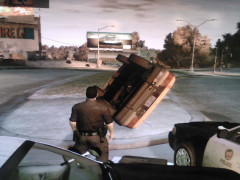 Yeah! except my own unit rammed my car after i got out :(
 -
From the album: LAPD
© lafr.webs.com
-
Detective On the Job
-
-
From the album: LAPD
© lafr.webs.com
-
From the album: LAPD
© lafr.webs.com
-
From the album: LAPD
© lafr.webs.com
-
-
From the album: LAPD
© lafr.webs.com
-
From the album: LAPD
© Lafr.webs.com
-
From the album: LAPD
© LAFR.webs.com


