


baker1986
Members
-
Joined
-
Last visited
Everything posted by baker1986
-
Since the latest update when I add a add on car park my game crashes, I have EUP and SUP installed and loads fine but the second I add in a vehicles pack it will no longer load, anyone else experienced/fixed this?
-
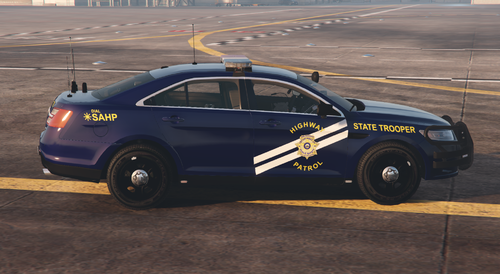 Awesome skin pack, was looking for a decent NHP based skin pack for these vehicles and here it is!
 -
 Hey, Installing this fixed the grey mini map for me - https://www.gta5-mods.com/tools/scripthookv-net - install, make scripts folder, put "radar zoom" folder inside of scripts folder :)
- 107 comments
- 8 reviews
-
-

- 6
-
-
Hi all, So I did a complete fresh install (not what I wanted to do but formatted the wrong hard drive!) Im getting there but Ive noticed the chrome (for example the "dodge" lettering on back of a charger is black. I do have visualV and I have found the solution to this issue before (it wasn't changing reflection msaa) Where I edited a line somewhere in openiv and it fixed it, I cant remember what to edit or where I found the fix but ive searched everywhere so if anyone can help id really appreciate it, Thanks and stay safe 🙂
-
 Think the clue is in the title! I think it gets rid of the annoying little white dot when youre aiming
 -
I can get round the reinstalling of everything, mostly add on packs, I'll just have to replace the standard police and sheriff slots but forcing to paly with an internet connection I'm sure is just a bit of a dig at modders, they no they cant stop us but they can make life difficult!
-
You need ragehook and scripthook - these will stop you playing online, Having the LSPDFR files in your GTA V directory wont make much difference (or it doesnt to me) I cant remember exactly what files youd need to remove before launching online, but it shouldnt ban you it just wont allow online to load.
-
Has anyone found a way to bypass the cockstar launcher? As they decided to update it just wont let me play if I firewall/unplug the ethernet cable etc etc etc..... Ive reverted to previous version...... Please help, ive just installed blueghosts pack and changed all the lighting to all blues (this took a looooonnnnnngggggg time!) now I just want to play! I think I posted this in the wrong forum
-
So I bought an RX5700xt shortly after installation I started getting a stutter at high speeds and in the city, Ive spent the last month of my life searching for solutions. I didnt have the lag with my previous RX480 so naturally I went through every imaginable solution and fix I could find or think of, today I think I fixed it! So in order to try and assist I thought I would post what worked for me in the hope that it helps someone else. 1) Disable windows defender malware service - I did this by going into regedit - 2) I neglected to remember the fact that when I bout my new GPU I also bought a new ROG headset that uses armoury crate I also disabled this and just for good measure icue. These 2 steps for now have stopped the game from stuttering at high speeds. All other games were running well just GTA in true GTA fashion did not want to play nicely. Hope this helps someone 🙂
-
So I had changed the handling line to baller2 changing it back to Granger fixed it, thanks dude! Pointed me in the right direction
-
So just put a Tahoe into sheriff2, when I brake the front goes up and rear of the vehicle goes down, when I accelerate hard its the opposite. Ive never noticed this before so im assuming ive done something stupid somewhere along the line, Any help would be appreciated Thanks
-
Dont ask for release dates dude, we all know better than that Dont ask for release dates dude, we all know better than that!
-
Try installing the latest version of ragenativeUI after youve installed all your plugins, what other plugins do you have?
-
 Hey love the work, any chance you are able to do both the versions (marked and slicktop) for medics Silverado please? https://modification-universe.com/forums/index.php?/files/file/33-els-chevrolet-silverado-mini-pack/
- 380 comments
- 31 reviews
-
-
- 1
-
-
 How did you get it unmarked? Ive tried but it screws up the texture royally
 -
It was being caused by agencycallouts - anyone else have a fix to this issue, I really want the EMS mods!
-
So not sure what ive managed to do here, was working fine now its not! Anybodys help would be greatly appreciated 🙂 RagePluginHook_15102019_155242.log
-
Tried this, unfortunately didnt work for me - Ive changed all skins to 2k, changed texture settings, done a clean install. im at a loss now!
-
What did you edit in the lspdfr.ini to fix it??
-
I also had the same issue, I bought an SSD - same issue! I found that sometimes unloading lspdfr in ragehook instantly restores the textures, I also found that adding the following line into the lspdfr ini helped (didnt resolve it completely though) - Main.PreloadAllModels = false again none f this has fully resolved the issue but seems to delay it happening. For me this only happens in the city, out in county it never happens which I thought was weird. I also found some cool 2k texture packs instead of 4k as thought that might be an issue. I hope this helps and also hope that someone can find a a perma solution for us!
-
Thanks @LostBoyLazarus, sorry its been a while! And @Narobic I hope it works out 🙂
-
Hey Narobic, I would like set 22 but still with the ability to pause if possible, What it removes: Phone Up (in vehicle/on foot) Select Weapon (in vehicle) Cinematic Mode (in vehicle) [LB] Aim (in vehicle) Headlights (in vehicle) Interaction Menu (in vehicle/on foot) [LS] Horn (in vehicle) Light Melee (on foot) Thanks
-
 In some areas its an RTI (road traffic incident) just to confuse lol
 -
During a pursuit Police vehicles seem to be catching fire and exploding a little to easily, anyone else had this? Any ideas on a fix?
-
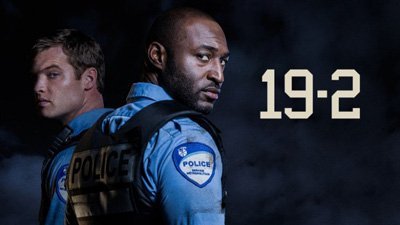 Bit of a wank puffin really arent you PB420. Also jogoyo id never heard of this show and now im hooked, thanks!

