Agent 69
Members
-
Joined
-
Last visited
Everything posted by Agent 69
-
There's been like a week since the 2612 update
-
-
-
OK latest news I managed to start the game by starting it in steam first then when the game is fully launched I launch RPH It seems to be working perfectly BUT it crashes every 30 minutes my guess is that a plugin caused it RagePluginHook.log
-
Tryed these butt didn't work. Last night I tryed to set the launcher as compatibale to windows7 and cancel the game folder's read-only. It started but now it starts crashing again.
-
here it is dude I'm literally freaking out rightnow ......... RagePluginHook.log
-
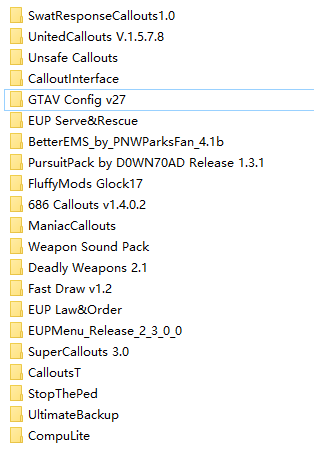
Every time I start the game the hook was able to hook into the game. But it crashes every time when loading. No plugins was set to load on startup, No expired ScriptHookV installed. gameconfig and heap adjuster was installed, installed mods: logs down below: asiloader.log HeapAdjuster.log rage crash log.txt
-
I set the "PulledOverResistanceProbability" to 95 but the peds only resist for the first two pull-overs, then they never resist no matter how much vehicle I pull over. Anyone hav any idea? Could it be a version BUG? Because it never happens like before the perico island update. Detail settings are down below here
-
I have the same issue now, any solutions found?