


J.J Designs
Members
-
Joined
-
Last visited
Everything posted by J.J Designs
-
just got done trying it out love it love that way your els is set up it goes really well with els7
- 14 comments
- 7 reviews
-
-
-
need more light on the back were the brake light is add 3 to the one and one you have now on each side, and you good all so can you make same model but with bxbugs 09 hubs
- 23 comments
- 16 reviews
-
question about this part [ ENV_LIGHT_COLORS ] Extra_1 = red Extra_2 = red Extra_3 = red Extra_4 = red Extra_5 = white Extra_6 = white Extra_7 = amber Extra_8 = amber Extra_9 = amber my question is what about if i whan police one to light up all blue and police2 to light up all red, when in game like have bout at the same time one is one color and the other one another one how do do it ???? press M
-
sorry correction as nothing to do with the new els is just the trainer going crazy enable and disable things by it selft enable and desable things but for it i fix it by re-booting my pc that was weird lol
-
hey i just install els7 and now my trainer is going crazy is just me or what ????
-
-
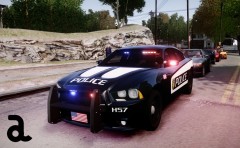 love that pack sooo much, cuz is low polly and is MP frendly tooo i wish you make more
 -
a FHP police car light bar that change color from all blue to red whatch video at 47:00
-
is there a way to cut the red and blue one, on 1/2 to have a set of 4 on each side of the rear brake light ???
- 8 comments
- 9 reviews
-
-
-
by request of (bradyg) here is summerside police canada dawnload link to the model's i use to make this texture are on the dawnload file will make for other models at request thank you
- 4 comments
- 4 reviews
-
hey bro were i can get that crown vic i like to have it to add it to my other nickieb x2100 crown vic plz
- 8 comments
- 3 reviews
-
hey man was up perez tall me about you skinds just so you know im working on them all so i need to know what cars you using and i need links to them plz and thank you
-
-
-
1. i did you late about that ^_^ 2. sorry but i have a ps mic. getting new one and like i say every one got different taste and also im getting sick of ignorant poeple i been getting bad rep just cuz other want to bee little kids about things and let me just say i dont have good temper and time to bee fighting with little kids
-
lol i dint request it and i know is pretty hard to do so there is if some one is a a real modeler or thing they are then there is. there you challenges, EVI made a tow truck so i dont see why these would bee hard to make
-
thas crazyyyyyyyyy plus love how you put with cop tv show radio
-
is just like i say in video or if i dint, well every one has there own taste. my taste is car like these one with no traffic light and not load it with lights. but by far these car look good and close to what they use here in my city especially on the rear battom split light with no traffic advisor love it.
-
WHAT A COP CAR SHOULD LOOK LIKE IS MISSING LIGHTS ON THE PUSH BAR BUT IS FINE LOVE IT http://www.youtube.com/watch?v=xYYu-z6ynD4&feature=youtu.be
-
we all know it came on 3 type of distance but would bee cool if they add it a ramdom option distance, so in every call would bee a different distance Call Distance = //FAR, MEDIUM, CLOSE or RAMDOM
-
nice work and this is how a real cop car looks i like how you add the light deck in the rear is just perfect just like they use here in my city now i just need the mark unit also would bee gread if you make 2 more with Bxbugs 09 wheel
- 14 comments
- 21 reviews

