
lushchak
Members
-
Joined
-
Last visited
Everything posted by lushchak
-
The most common causes are:Conflicting UI/Menu Mods If you're using mods like RAGENativeUI, LemonUI, NativeUI, or other menu frameworks, make sure they're compatible with your current version of GTA V and EUP. Also check that you don't have duplicate copies of NativeUI.dll, LemonUI.dll, or similar files in your root or plugins folder. Outdated ScriptHookV or ScriptHookVDotNet After a GTA V update, these often need updating. Make sure you're using the latest versions compatible with your current game build. Corrupted Configuration Try deleting or renaming the EUP configuration files so they're regenerated on launch. Also check whether the menu position or scale has somehow been moved off-screen. Resolution/UI Scaling Issues Try switching between: Fullscreen Borderless Windowed Also reset the HUD Safe Zone in the GTA V display settings. Graphics Overlay Conflicts Temporarily disable overlays such as: Discord NVIDIA Overlay MSI Afterburner/RivaTuner ReShade (if installed) Some overlays can prevent Scaleform or menu rendering. Plugin Conflict Since you mentioned reinstalling most of your mods, try launching the game with only: ScriptHookV ScriptHookVDotNet EUP Version Mismatch Make sure the following are all compatible with each other: GTA V version ScriptHook versions
-
Crash Results Issue #1 XScanner Pursuit Updates caused a crash. Please check that it is installed correctly or remove it. Issue #2 You are experiencing a System Access Violation, which may be caused by a faulty mods folder. Please rename your mods folder to _mods and try launching the game again. If this diagnostic step resolves the issue, then something inside your mods folder is preventing LSPDFR from loading correctly. Revert any recent changes you made and reintroduce your mods one at a time to identify the culprit. Additional Checks Before troubleshooting further, make sure you have the latest versions of the required base modding components installed: Script Hook V ScriptHookVDotNet (Script Hook V .NET) Packfile Limit Adjuster Heap Adjuster GameConfig.xml compatible with your current GTA V game version Outdated or missing versions of these components are a common cause of crashes and startup issues with LSPDFR and other mods.
-
Re-install Stop The Ped Properly Download a fresh copy of Stop The Ped. Drag the contents of its download folder into your main GTAV directory, allowing it to overwrite all existing files. Ensure StopThePed.dll and StopThePed.ini sit directly inside Grand Theft Auto V/plugins/LSPDFR/. Verify Dependencies Ensure you have the latest version of RAGENativeUI (RAGENativeUI.dll) in your main GTA V root directory (not in the plugins folder). An outdated or missing UI library will cause STP menus to fail completely upon pressing keybinds. Check for Obsolete Plugin Leftovers Since you previously removed CompuLite, SuperEvents, and SuperCallouts, make sure you also removed their associated file dependencies (such as orphan .ini files or orphaned .dll files in plugins/LSPDFR). Check the keys.ini File Go to your Grand Theft Auto V Legacy/lspdfr/ folder and open keys.ini. Look for keybind settings related to LSPDFR's default interaction menu (such as Main.InteractKey or TRAFFICSTOP.INTERACT.KEY). Make sure the default LSPDFR interaction menu is set to a different key or disabled entirely (e.g., set to None). If left on the default key, the native LSPDFR menu will conflict with Stop The Ped and prevent the STP menu from opening.
-
When GTA V receives a major title update, NVE modifies core archive files (like update.rpf, timecycle, and gameconfig.xml inside your mods folder). Because game updates change the internal memory layout and asset tables of GTA V, an unupdated mods folder containing an older NVE installation causes the game engine to hang or silently crash in the background before the window can even render. Specifically, NVE relies on three components that break during game updates: Outdated gameconfig.xml / dlclist.xml: NVE inserts custom DLC entries and asset modifications into your mods folder. When GTA V updates, the old gameconfig.xml inside your mods folder no longer matches the game's new build limits, forcing GTA5.exe to lock up instantly upon asset initialization. NVE.asi / Custom Shaders: NVE uses its own script plugin (NVE.asi) and custom graphic overrides. When Script Hook V updates to support a new patch, older .asi files like NVE.asi can cause silent startup freezes until a patched build of NVE is released. Modified Core .rpf Files: If NVE replaced or patched game archives inside your mods folder (like update.rpf), those modified archives tell the game to read outdated baseline data, leading to a silent background crash or endless loading. How to use NVE again safely:Re-create a clean mods folder in OpenIV. Download and install the latest Gameconfig for Limit Adjuster, Heap Adjuster, and Packfile Limit Adjuster. Re-download and reinstall the latest build of NVE that explicitly states support for your new GTA V version.
-
The fact that ReShade is now loading is a huge clue. ReShade injects its own dxgi.dll into the GTA V folder to hook DirectX 11. When ReShade and RAGE Plugin Hook fight over the DirectX 11 swapchain, RPH's internal draw calls (like the console and RAGENativeUI elements) get rendered behind ReShade or fail to output entirely, while external WPF windows (Nexus MDT) still appear fine. To fix the DirectX hooking conflict between ReShade and RAGE Plugin Hook: 1. Rename ReShade's DLL (The Most Common Fix)RAGE Plugin Hook needs priority when hooking DirectX. Go to your root Grand Theft Auto V folder. Find dxgi.dll (this is ReShade's main file). Rename it to d3d11.dll. Launch the game via RAGEPluginHook.exe. Note: If d3d11.dll already exists in your folder, rename dxgi.dll to ReShade64.dll or dxgi.dll.bak temporarily to test if the console appears without ReShade active. 2. Disable ReShade's In-Game Overlay During BootIf ReShade initializes its overlay before RPH initializes its renderer, RPH gives up on drawing. Open ReShade.ini in your root GTA V folder. Find ShowOverlay= and set it to 0. Save and launch via RPH. Once in-game, hit F4 first to verify the console, then use your ReShade keybind (usually Home or Pos1). 3. Clear Reshade / ENB ASI LoadersIf you have an asi loader for ReShade (like ReShade64.asi), remove it from the main directory and keep only the renamed .dll. Does renaming dxgi.dll bring back the F4 console and Callout Interface UI?
-
When the Rockstar Games Launcher gets stuck showing "A game is currently running" while RAGE Plugin Hook is sitting on "Launching game...", it usually means a background "ghost" process of GTA V or Social Club is locked up, or RPH is unable to trigger the game startup sequence directly through the new launcher. The steps to resolve this include: 1. Clear Zombie Processes via Task ManagerPress Ctrl + Shift + Esc to open Task Manager. Look for any active instances of GTA5.exe, Rockstar Games Launcher, or SocialClub.exe. Right-click and select End Task for all of them. Try launching again via RAGEPluginHook.exe. 2. Use the "Hook Into Running Game" WorkaroundIf launching directly via RPH continues to trigger the launcher error: Launch GTA V normally through Steam, Epic Games, or Rockstar Launcher. As soon as the game opens and starts loading into Story Mode (or while you are on the main menu), press Alt + Tab. Go to your GTA V folder and double-click RAGEPluginHook.exe. RPH will detect the active GTA5.exe instance, hook into the game directly, and load LSPDFR normally. 3. Check Executable Compatibility/Admin SettingsIf GTA5.exe or PlayGTA5.exe is set to "Run as administrator" but RAGEPluginHook.exe is not (or vice versa), the permissions mismatch prevents RPH from communicating with the Rockstar Launcher. Right-click GTA5.exe, PlayGTA5.exe, and RAGEPluginHook.exe $\rightarrow$ Properties $\rightarrow$ Compatibility. Ensure "Run this program as an administrator" is toggled ON for all three files (or toggled OFF for all three if you encounter permission overrides). 4. Adjust RPH Plugin Timeout (!)Launch RAGEPluginHook.exe while holding Left Shift until the settings menu opens. In the General tab, change Plugin Timeout Threshold from 10000 to 60000. Under Plugins, set it to "Load all plugins on startup" (or load none at startup and load them via the F4 console using LoadPlugin "LSPD First Response.dll" once in-game). 5. Clear your temporary files Press Win + R, type %temp%, hit Enter, and delete all the files in that folder (skip any files if Windows says they are currently in use). Temporary file conflicts in AppData can often cause launch issues with RPH and the Rockstar Launcher.
-
Are you using MCCallouts? If so, open MCCallouts.ini and change CalloutMenuKey = J under ; Menu key for callout settings to any other key.
-
The crash happens because adding those three DLC packs to dlclist.xml pushes GTA V past its hardcoded Freemode Ped YMT / Component Limit. Why This HappensWhen Rockstar releases a major update, they add new clothing, props, and hair items for mp_m_freemode_01 and mp_f_freemode_01. YMT Limit Exceeded: GTA V has a strict internal limit on how many clothing .ymt files and drawable component indices can be registered per freemode ped model. Component Index Overflow: Adding mp2026_01 alongside existing clothing overhaul mods (like EUP) causes the game to hit the maximum component array bounds when attempting to stream freemode peds. Outdated mods/update/update.rpf: If your mods folder contains an update.rpf from a previous patch, adding the new DLC lines into its dlclist.xml tells the game to parse newer DLC clothing data over outdated base structures, triggering an instant crash upon ped model initialization. How to Fix It1. Rebuild Your mods/update/update.rpfInstead of manually editing an older dlclist.xml inside your mods folder: Open OpenIV. Navigate to your root directory: update/update.rpf. OpenIV will ask to "Copy to mods folder" (or overwrite the existing one). Let OpenIV copy the updated native update.rpf into your mods folder. Open the fresh mods/update/update.rpf/common/data/dlclist.xml and add your custom mod entries back in. 2. Install the Latest Gameconfig & Limit AdjustersBecause the new DLC increases the game's internal asset footprint, you must expand the game pools: Gameconfig: Download the latest Gameconfig for Limit Adjuster from GTA5-Mods and place it into mods/update/update.rpf/common/data/. Heap Adjuster: Place HeapAdjuster.asi into your main GTA V folder and set the heap value in HeapAdjuster.ini to 2000 or 2048. Packfile Limit Adjuster: Place PackfileLimitAdjuster.asi into your main GTA V folder. Please share your RagePluginHook.log file (located in your main GTA V directory). That will help figure out what's causing the issue.
-
The ERR_MEM_EMBEDDEDALLOC_ALLOC error occurs because GTA V's memory allocator limit (which defaults to around 500 MB) is maxed out. Fix: Increase Memory Heap & Limits1. Install Heap AdjusterDownload Heap Adjuster (or Heap Limit Adjuster) from GTA5-Mods. Extract the downloaded zip file. Copy HeapAdjuster.asi (and HeapAdjuster.ini if included) directly into your root Grand Theft Auto V main directory. If it includes an .ini file, open it and set the heap allocation value to 2000 or 2048. 2. Install Packfile Limit AdjusterDownload Packfile Limit Adjuster from GTA5-Mods. Extract and copy PackfileLimitAdjuster.asi and PackfileLimitAdjuster.ini into your root Grand Theft Auto V directory.
-
Since Nexus MDT and Policing Redefined draw their UI using external/WPF windows, but the RAGE Console (F4) and Callout Interface are failing to render, this confirms that RAGE Plugin Hook's internal DirectX draw calls and DPI scaling coordinates are drawing off-screen or failing to hook into the game's active swapchain. The resolution recorded in your log shows an unusual height (1920x1081), which is a clear signature of Windows Display DPI Scaling stretching the window coordinates. Here is how to fix it: Step 1: Fix High DPI Scaling BehaviorWindows DPI scaling (125%, 150%, etc.) causes RAGE Plugin Hook's drawing layer to render outside the visible screen area while the game still registers the pause state. Navigate to your main Grand Theft Auto V folder. Right-click GTA5.exe $\rightarrow$ Properties $\rightarrow$ Compatibility tab. Click Change high DPI settings. Check Override high DPI scaling behavior. Set the dropdown underneath to Application. Click Apply and OK. Repeat the exact same steps for RAGEPluginHook.exe. Step 2: Match GTA V's In-Game DirectX VersionIn your screenshot, RAGE Plugin Hook is forcing DirectX 11. If GTA V's internal graphics settings are set to DirectX 10 or 10.1, the RPH console will render behind the game buffer. Launch GTA V. Go to Settings $\rightarrow$ Graphics. Ensure DirectX Version is explicitly set to DirectX 11. Match your screen resolution to your monitor's native display (e.g., 1920x1080). Step 3: Check for Duplicate RAGENativeUI.dllCallout Interface relies heavily on RAGENativeUI.dll. If there is a version conflict between your main game directory and plugin subfolders, the GUI will silently fail to render. Go to your main GTA V folder. Ensure you have the latest RAGENativeUI.dll located directly in your root GTA V folder (not in plugins or plugins/LSPDFR). Delete any copies of RAGENativeUI.dll sitting inside plugins/LSPDFR/ so that every mod uses the single root version. Step 4: Reset RAGE Console Settings in RagePluginHook.iniIf the console window was dragged off-screen in a previous session, it stays off-screen. Open RagePluginHook.ini in your main GTA V folder using Notepad. Locate the [Miscellaneous] section. Ensure the following values are set (or add them if missing): Ini, TOML [Miscellaneous] ConsoleKey=F4 ConsoleScrollAmount=4 AlwaysShowConsoleOutput=False ShowOnScreenWarnings=True Save and close the file. Once applied, launch via RAGE Plugin Hook in Borderless Windowed mode and test hitting F4 and F8.
-
Looking at your log, all your plugins (CalloutInterface, NexusDispatch, NexusMDT, Policing Redefined, and NPCI) are loading fine, and the game is registering your key presses. When the console opens and pauses the game but fails to draw on screen, or when plugins load without their UI elements appearing, it means RAGE Plugin Hook’s DirectX 11 overlay rendering engine is failing to draw over the game’s display window. How to Fix1. Change Game Display Mode (Most Common Cause)RAGE Plugin Hook often fails to draw its DirectX overlay if GTA V is set to Exclusive Fullscreen. Open GTA V and go to Settings > Graphics. Change Display Mode from Fullscreen to Windowed Borderless (or Windowed). Save changes and test hitting F4 or opening your plugin menus (like Nexus MDT via Q or Callout Interface via F8). 2. Disable Hardware Overlays (DirectX Conflicts)Third-party overlays steal DirectX rendering hooks from RAGE Plugin Hook, causing invisiblity issues. Disable or turn off screen capture/overlays in the following applications: Discord: Go to Settings > Game Overlay > Turn off "Enable in-game overlay". NVIDIA GeForce Experience / ShadowPlay: Open In-Game Overlay settings and disable it. GeForce / AMD Software: Disable instant replay or desktop capture while playing. Windows Game Bar / Game Mode: Turn off Xbox Game Bar in Windows Settings. 3. Adjust RAGE Plugin Hook SettingsLaunch the game by double-clicking RAGEPluginHook.exe while holding down the Left Shift key on your keyboard until the configuration menu appears. Under the Game Settings tab, go to Command Line Switches. Check Force DirectX11 and Force Windowed. Save and launch. Once in game, you can toggle back to Borderless Windowed mode. Are you running any graphic enhancements like ReShade, ENB, or QuantV alongside your plugins?
-
Because the issue persists after updating Script Hook V and LSPDFR, the crash is almost certainly caused by an outdated secondary dependency or a modified base game file. The exact steps to resolve this crash include: 1. Update GameconfigWhenever GTA V updates, the game's limits change. An outdated gameconfig.xml file inside your mods folder will cause the game to crash immediately during startup or the loading screen. Download the latest Gameconfig for Limit Adjuster / Heap Adjuster from GTA5-Mods. Install the matching version into mods/update/update.rpf/common/data. Make sure you also have Heap Adjuster and Packfile Limit Adjuster installed in your main game directory. 2. Update Rage Plugin Hook (RPH)Updating LSPDFR alone does not always update RPH properly. Ensure RAGEPluginHook.exe in your root folder matches the build version required by the latest GTA V update. 3. Check Dinput8.dll / ScriptHookDotNetdinput8.dll: Ensure you replaced this file in your root folder alongside ScriptHookV.dll when updating Script Hook V. Script Hook V .NET: If you use .NET plugins, download the latest release (or nightly build) of ScriptHookVDotNet, as an outdated .NET wrapper will crash the game silently on startup. 4. Isolate the Mods FolderTo confirm whether the crash is tied to a modified game file (like custom vehicles, weapons, or graphics mods): In OpenIV, go to Tools > ASI Manager. Uninstall ASI Loader and OpenIV.ASI. Try launching the game via RAGEPluginHook.exe. If it launches fine, the issue is strictly inside your mods folder (usually gameconfig.xml, update.rpf, or added dlclist.xml entries).
-
 I'm using NPCAI 3.1 together with Policing Redefined, and I've noticed an issue with the interaction between the two mods. When a pedestrian refuses to take the alcohol test, I ask why they're refusing, but they respond by saying they aren't refusing because I never offered them the test in the first place. The same thing happens with other field sobriety test prompts, such as asking them to stand on one leg. Would it be possible to improve the compatibility between these two mods so they recognize each other's interactions more consistently? It would make the experience much more immersive. Even if it's not possible right now, is this something that could be considered for a future update?
- 738 comments
- 58 reviews
-
-

- 1
-
-
The feature you changed previously that handled auto-loading duty is the lspdfr.ini configuration. When this setting stops functioning correctly or begins randomly spawning you at different stations like Rockford Hills, it usually means your saved character data has become corrupted or mismatched following an LSPDFR or GTA V update. Step 1: Fix the Automatic On-Duty SettingTo restore the automatic on-duty behavior: Navigate to your main GTA V folder, then go to lspdfr -> open lspdfr.ini using Notepad. To ensure the feature works correctly and the game automatically spawns you at a police station upon loading, the parameter PoliceStation.DisableAmbientSpawn must be set to false. Step 2: Fix the Station Spawning & "Force Duty" FailuresIf ForceDuty fails or drops you at random locations, your character's save state is sending bad data to the plugin. Clearing the cache forces LSPDFR to recreate a clean character file: Go to Grand Theft Auto V/lspdfr/chars/. Move all files inside this folder somewhere safe as a backup (e.g., your desktop), leaving the chars folder completely empty. Launch the game through RagePluginHook. Go to a police station, create a fresh character, and set your default department outfit. Exit the game cleanly to save the new character. Upon your next launch, the system will read the fresh character configuration alongside the lspdfr.ini setup, automatically routing you directly to Mission Row PD on duty without needing manual console commands.
-
The combination of greyed-out weapon loadouts, unarmed backup using only fists, the InvalidHandleableException in your PedInventory, and game crashes on startup points directly to a corrupted or missing weapons.meta file or broken weapon asset archives in your mods or lml directory. Because the game cannot register or parse the default weapon hashes (like WEAPON_COMBATPISTOL), LSPDFR fails when attempting to assign a weapon skin or loadout to your character's inventory, throwing the fatal error seen in your log. How to Fix the Issue1. Isolate the LML / EUP Weapon Conflicts If you installed EUP or an EUP-related sub-pack (like an EUP Weapon Pack or EUP Law Enforcement Basics) through LML, it often overrides the game's default weapon asset references. Open your Lenny's Mod Loader (LML) folder and temporarily move or disable the EUP or weapon-related folders. Check if a custom weapons.meta was placed inside your LML configuration or your Grand Theft Auto V/mods/update/update.rpf/common/data/ directory. If so, it is broken or outdated for your current GTA V version. 2. Reset and Rebuild Your mods Folder Since you've already clean-reinstalled the plugins themselves, the issue lies inside the modified GTA archives: Go to your main GTA V directory and rename your mods folder to _mods (this disables it completely). Launch the game via RagePluginHook. If the game boots perfectly without crashing and your weapons return, a file inside your mods folder (likely update.rpf or a patchday archive where weapons are streamed) is corrupted. You will need to delete that mods folder and recreate it using OpenIV. 3. Verify Game Files via Steam Because GTA V is crashing consistently on startup even with clean plugin reinstalls, a base game archive might be damaged. Open Steam, right-click Grand Theft Auto V > Properties > Installed Files > Verify integrity of game files. Let Steam repair any base files. Afterward, ensure you reinstall the latest version of Script Hook V and RagePluginHook, as steam verification can sometimes overwrite modified dependencies. 4. Update RAGE Native UI An outdated RAGENativeUI.dll in your main game directory can cause menus (like the agency selection menu) to improperly grey out elements or fail to register inventory selections. Ensure you grab the latest release from its official GitHub repository and drop it into your main GTA V folder.
-
This isn't actually a missing texture—it is an issue with the texture variation index (often called the drawable texture or color ID) resetting or mismatching between your player ped and the spawned partner ped in LSPDFR/EUP. In GTA V, clothing models (drawables) have multiple texture slots (variations). When you spawn a partner using the same outfit preset, or when a script updates your own ped's state, the game or the mod menu can default the pants back to texture variation 0 (which is often that default tan/khaki color for those specific tactical pants) instead of keeping the blue variation you selected. Here is how to fix it and stop it from changing: 1. Lock the Texture ID via Ultimate Backup / LSPDFR ConfigsIf you are spawning this partner using Ultimate Backup or standard LSPDFR backup files, the mod forces specific components. Open your GTA V directory and navigate to Grand Theft Auto V\Plugins\LSPDFR\UltimateBackup\DefaultRegions.xml (or CustomRegions.xml if you use one). Find the ped type you are spawning as a partner. Look for the clothing component line for pants (usually component ID 4). Make sure both the drawable ID and the texture ID match your EUP menu exactly. It will look something like <Pants drawable="35" texture="2"/> rather than just setting the drawable. 2. Update Your Saved EUP OutfitIf your own pants are changing back to tan mid-game, EUP is losing track of the texture index during a script reload or cutscene. Open the EUP menu, re-apply your blue pants, and resave the outfit under a clear, distinct name. Avoid using standard GTA V trainer menus (like Menyoo or Simple Trainer) to save or force EUP outfits, as they often conflict with EUP’s native data handling and cause texture IDs to randomly cycle back to 0. 3. Check for a Component ID MismatchSometimes, EUP updates change the slot numbers. If your partner spawns with the exact same drawable number but the texture array for NPCs is mapped differently than the multiplayer ped (mp_m_freemode_01), they will pull the wrong color slot. Double-check in the EUP menu under the wardrobe section to see if the "Pants Texture" number changes when you toggle between your character and the partner.
-
Hi, No worries at all—I'm glad to hear the changes helped and that the game is running more smoothly! For texture loss, Lively World Expansion is definitely one of the more demanding mods, so it's not surprising that you're seeing streaming issues. Upgrading your hardware would certainly help: 32 GB of RAM is a worthwhile upgrade if you're running a heavily modded game, as it gives GTA V and your plugins more room to work. A graphics card with more VRAM will likely have the biggest impact on texture streaming, especially if you're running high-resolution textures or map modifications. If you're currently running out of VRAM, that can cause textures to disappear or load very slowly. A few other things you can try before upgrading: Lower Extended Distance Scaling and Extended Shadows Distance in the graphics settings, as these have a significant impact on texture streaming. Avoid maxing out your graphics settings if your VRAM usage is close to the limit. If you're using a gameconfig, make sure it's up to date and appropriate for your mod setup. Keep an eye on your VRAM usage in the Graphics settings menu—if the bar is near or over the limit, that's a good indication that VRAM is the bottleneck. Based on what you've described, I'd say VRAM is probably the biggest limiting factor, with the RAM upgrade being a nice improvement alongside it. I'm happy to hear things are working better now!
-
You're welcome! 😊 If my reply solved your issue (or pointed you in the right direction), would you mind marking my response as the solution? It helps other users who run into the same problem find the answer more easily. Thank u and have a nice day!
-
Hi, From the screenshot, it looks like the issue is with the emergency light rendering rather than ELS itself. I'd recommend installing Radiance V if you haven't already. After that, go into your GTA V graphics settings and make sure Shader Quality is set to Very High. You should also keep Post FX on High or Very High, as lower settings can make ELS lights look dull or orange instead of bright and vibrant. If you're already using Radiance V and those settings are enabled, let me know which graphics mods you're using (NVE, QuantV, VisualV, etc.) and I can help narrow it down further.
-
Hi, No worries! This is often caused by the browser on your phone not completing the Patreon authentication properly. If possible, try linking your Patreon account from a PC using a desktop browser. Before trying again, make sure you're signed in to both your Patreon account and your LCPDFR account. Then go to the Patreon connection page and authorize the link again. If it still doesn't work on a computer, let me know the exact error message you're seeing (or a screenshot if you're able to get one), and I'll do my best to help.
-
Hi, Please install the following plugins by moving them to the correct directories as listed below: BetterHitReactions — Move from GTAV/Plugins/LSPDFR to GTAV/Plugins CalloutInterfaceAPI — Move from GTAV/Plugins/LSPDFR to GTAV ClearTheWayV — Move from GTAV/Plugins/LSPDFR to GTAV/Plugins Damage Tracking Framework — Move from GTAV/Plugins/LSPDFR to GTAV/Plugins Enhanced Weapon Control — Move from GTAV/Plugins/LSPDFR to GTAV/Plugins RAGENativeUI — Move from GTAV/Plugins/LSPDFR to GTAV Realistic Traffic AI — Move from GTAV/Plugins/LSPDFR to GTAV/Plugins Once you've moved these files to the correct locations, launch the game and verify that the plugins are loading properly. If you continue to experience any issues, please let me know and I'll be happy to help further.
-
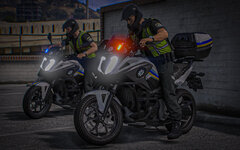
From the album: Ukrainian Modifications Community
Honda NC 750X патрульної поліції України (мотобат)© Ukrainian Modifications Community
-
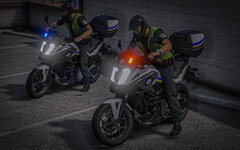
From the album: Ukrainian Modifications Community
Honda NC 750X патрульної поліції України (мотобат)© Ukrainian Modifications Community
-
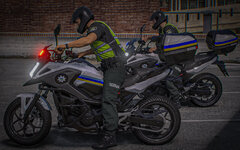
From the album: Ukrainian Modifications Community
Honda NC 750X патрульної поліції України (мотобат)© Ukrainian Modifications Community
-
From the album: Ukrainian Modifications Community
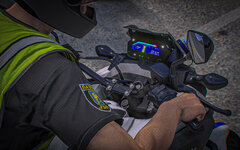
Honda NC 750X патрульної поліції України (мотобат)© Ukrainian Modifications Community