


Dylann24
Members
-
Joined
Everything posted by Dylann24
-
Okay here are some steps for you to follow Launch GTA without RPH, once loaded into story mode as either T, M or F alt tab out and launch RPH from your main directory. Set no plugins to load on start-up via the RPH settings. Find a file called commandline.txt and delete anything in it, then add -windowed. If none of the above steps fix your issue reinstall RPH.
-
Okay, try launching GTA without RPH and load into story mode. Once you load in as either T, M or F alt tab out and launch RagePluginHook from your GTA main directory.
-
Your crash is originating from RageNativeUI, please reinstall this making sure you are on the latest version.
-
In your main directory there should be a file called RagePluginHook.log, attach that here please.
-
Okay usually restarting your PC should fix this issue, but if not make your GTA folder an exception to your antivirus.
-
I'd be happy to help, in your main directory there will be a file called RagePluginHook.log, please can you attach this here.
-
That's great to hear! Enjoyyy!
-
Hey there! Your issue is originating from RageNativeUI, please reinstall this making sure you're on the latest version. Also remove City Callouts as it is buggy.
-
Please can you attach a file called RagePluginHook.log here please. You can find this in your GTAV main directory.
-
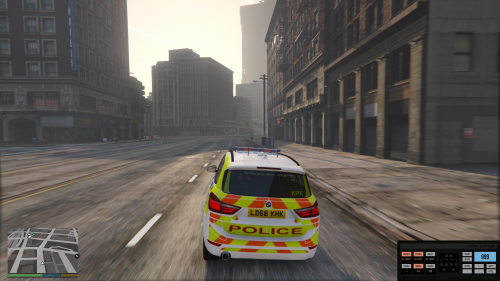 Brilliant sirens! Having heard the UK sirens loads I can say that these resemble the real ones really accurately. Brilliant job!
- 28 comments
- 1 review
-
Regarding your crash, first thing you can try is reinstalling RageNativeUI also make sure you’re using the latest version. It has come to my attention that this has been resolved, please ignore me. Thanks in advance, Dylan.
-
Well said babes, well said.
-
The crash seems to be originating from the lspdfr ambient spawn system. To disable this go to Grand Theft Auto V\lspdfr\lspdfr.ini. Then open up the ini file in notepad and find the line which says AmbientSpawn.DisableRandomUnits = false. And change 'false' to true.
-
Your police2 model seems to be corrupt, try remove the files you installed for it to reset it to default.
-
If GTA is crashing before even loading try renaming your mods folder to _mods. Also the file you uploaded does not work. Upload your RagePluginHook.log file instead, this can be located in your gta main directory 🙂
-
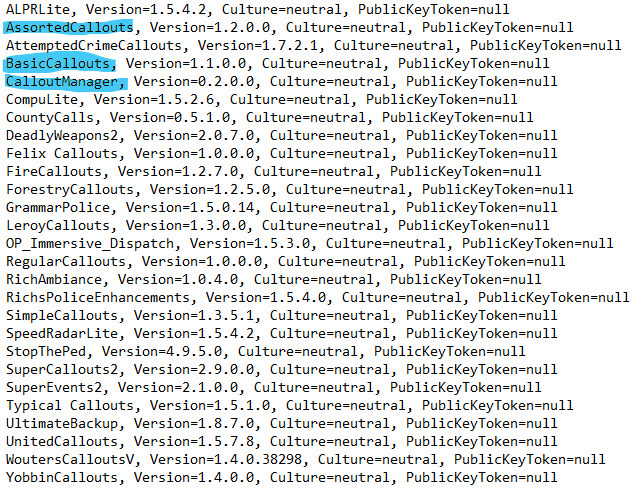
Firstly remove these plugins: If it does not work still make sure you installed the manual version of LSPDFR not the automatic version.
-
Sorry to hear you are experiencing issues. In your GTA main directory there should be a file called RagePluginHook.log. Can you send that here please 🙂
-
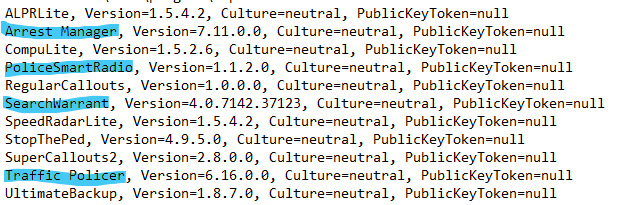
Remove the highlighted plugins and try again :)
-
 Having helped with this callout pack in the early stages I can say that the amount of time and effort you put into this callout pack have really paid off! Brilliant job Charlie!❤️
- 311 comments
- 60 reviews
-
-

-

- 2
-
-
Hmmm, can you send your log again? I want to see if it is the same error.
-
Did you drag all the files from the manual install into your main directory and replace once prompted?
-
Okie dokie! Let me know the results! 👍
-
Ahhh that will be why! No worries whatsoever, reinstall LSPDFR but this time do the manual installation not the automatic installation. The automatic is prone to problems.
-
Okay, did you automatically install LSPDFR?
-
Are you able to upload your RagePluginHook.log file for me please.
