
JWillMac51
Members
-
Joined
-
Last visited
Everything posted by JWillMac51
-
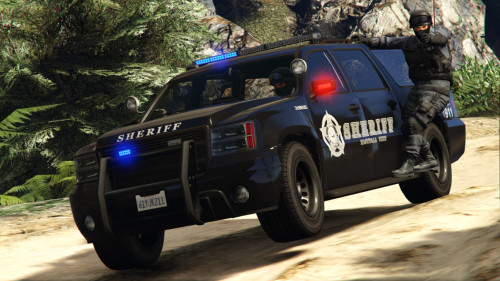 The Los Santos County Sheriff decided to phase out their old black-and-white SUV's for a sleek, stealthy Tactical Response Granger that now appropriately reads "TACTICAL UNIT" on the sides as it is, of course, operated by the department's tactical officers. It uses the same fonts and badging as before so it still fits in nicely with the department's Staniers. Please leave feedback to help me improve wherever I can, and enjoy!
- 11 comments
- 1 review
-
-

- 2
-
-
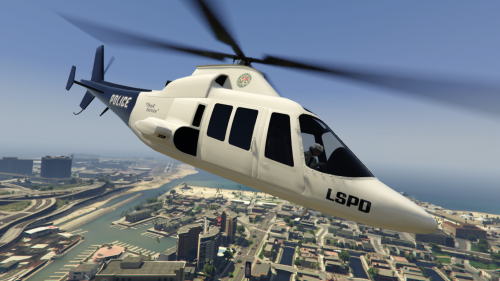 Fresh into the hands of Los Santos' finest: the Swift! Finally officers are given another vehicle from which to rain down gunfire on suspects below. Also available for purchase to all on elitastravel.com under the "Classic" option. But fret not, it's an additional skin so the LSPD, Flying Bravo, and plain liveries can all be applied via trainer. This is my first mod so please do leave feedback, I'd really appreciate it! I'm working on some more stuff at the moment as well so hopefully this won't be my last file on here. Enjoy!
- 2 comments
- 1 review
-
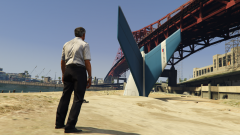
From the album: Various GTA V Shots
I think I'm gonna need a shovel. -
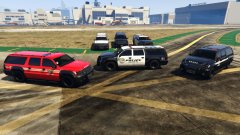 Thanks for the feedback! I don't know if you can tell from the shot, but I gave it all clear light glass too for more of a blacked-out look, I think it fits pretty well. Unfortunately I've been away for the weekend and unable to make any progress, but I'm back now and I'm gonna play around with the dispatch.meta and see what I can do with it. I'm hoping to have NOoSE hanging off the sides of their Granger, but I've never tried so I honestly have no idea if it will work. Worst comes to worst I do put it in as a police car dispatch type like you said and just have a couple NOoSE officers ride in it. Also about the Battallion; I can change the emissives to all red, however the flashing coronas and environment reflections will still show as red and blue so until this is (if it can be) worked around I'm sticking with the red/blue setup to avoid this.
 -
A little preview of a project I'm working on :)
-
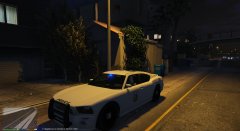 What trainer did you use to mess with the roof modifications?
 -
Just got this too, I noticed the little Windows icon in my notifications along the taskbar. Kinda weird, but I think I'm just gonna leave it alone for right now. I'm fine with 8.1.
-
It's here! We can now view vehicle models through their .yft's and replace textures! Let the vehicle modding begin, assuming all the ".y" type files are easy to work with.
-
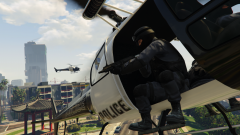
From the album: Various GTA V Shots
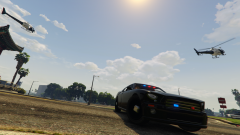
A NOoSE tactical officer takes aim at a suspect on the ground as LSPD choppers keep an eye on the situation from above. -
From the album: Various GTA V Shots
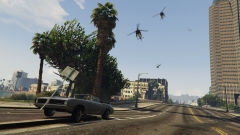
An FIB Buffalo rolls up and joins in on the chase. -
From the album: Various GTA V Shots
The sky's filling up - better make a beeline for the sewers. -
Yeah, I figured the pushbar was a part of the model itself, I was talking about the actual front/rear bumper, side skirt, spoiler, and hood modifications that are available (through mods, anyway) for the Interceptor. It's like Rockstar made all the customizable parts for it like we could take it into LS Customs but decided not to include it for some reason. I'm sure these will be available extras with LSPDFR, was just curious to find out for sure. http://gta.wikia.com/Interceptor?file=Police-Interpector-front-save-editor-gtav.png This shows the spoiler, hood and front bumper. It's cool, the front bumper mod looks like it adds three additional vertical beams to the push bar.
-
So I'm assuming this at least includes the spoiler that naturally spawns on the Buffalo cruiser, but will this enable us to throw the bumpers, spoilers, hoods, etc. on the Interceptor? I wouldn't mind rolling in an ultimate speed enforcement cruiser now and again.
-
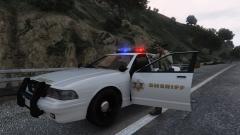 I like the look of this. It looks pretty sharp without the "Los Santos County" on the side, and that star goes good with the new font. This is a pretty good way to make it fit into both the counties too, minus the badge marking it LS County.
 -
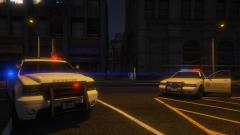 This is how these always should have looked, thank god these were some of the first edits now that we can modify the .ytds.
 -
Odd, I've just seen this screen myself. Happened with four pictures, two, and even a single 1.4mb. All are .png, which I've never had an issue uploading (even four simultaneously) in the past. I noticed that when on the Step One "Add Images" page, after selecting my images and letting them load until the little "Done" message appears to the right of them, a small preview of the image usually loads to the left of the picture's name and file size, however now it is not doing this and I am receiving the error. Strange. EDIT: Just tried the same image as a .jpg as Illusionary suggested, that little preview image loaded immediately and the error didn't occur. Not sure why, but maybe there's just an issue with uploading .png's all of a sudden?
-
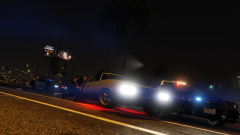
From the album: Various GTA V Shots
A custom Vigero boldly taking an LSPD roadblock head-on, and knocking over an officer in the process. -
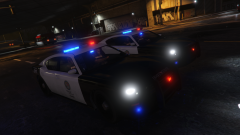
From the album: Various GTA V Shots
Gotta love the Buffalos. -
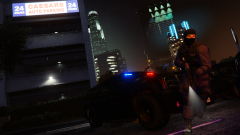
From the album: Various GTA V Shots
A NOoSE tactical officer moving in, weapon ready. -
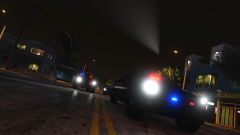
From the album: Various GTA V Shots
An LSPD Maverick keeps its distance and shines a spotlight on the action while a NOoSE Annihilator swoops in close enough to take off some heads. Both are assisting the FIB in a vehicle pursuit through Vespucci Beach. -
I know, I miss having SWAT units respond in an actual armored SWAT vehicle rather than some FIB cars. And I'm surprised the Riot doesn't work, I mean peds can hang off the sides of that just like the FIB Grangers. Oh well, hopefully someone can figure it out in the future.
-
I've noticed a weird bug with the new edited dispatch.meta, and I haven't seen it mentioned anywhere so I thought I'd report it. The mod has been working great, though a lot of police vehicles (I've seen the Cruiser, Interceptor, Buffalo, Unmarked Cruiser, and FIB Granger) have been spawning with nobody in them. These "ghost cars" have no drivers (though they still drive), all head/tail/emergency lights off, and do not appear as flashing red/blue icons on the minimap. I haven't gone out into the country yet, though, so I can't say whether or not this issue occurs with the LSSD vehicles as well. They only seem to spawn every now and again, though I have seen four of them bunched up together at a red light. Other than this I've really been liking this mod, it's been much needed.
-
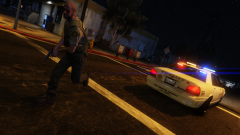 I've actually got a pretty lousy graphics card and settings (I've noticed that bumping up my saturation about 5-10% makes my shots look a bit nicer) but: CPU: i7-3770 3.40Ghz GPU: AMD HD 7700 Series 16 GB Ram Running on Windows 8.1 64-bit In game I've got most everything on high, MSAA I believe was only on x2 for this shot (kills my FPS) and everything under advanced graphics is off/as low as it goes, I haven't even bothered trying with those.
 -
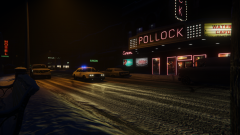 Yep, Pipeline's right, I just spawned a couple with the trainer and parked them there to make the town seem a little more alive.
 -
Ah, too bad you couldn't get those on in time, they look great! I especially like that last one, the way it's focused on the officer in the foreground leaving the other out of focus gives it a nice effect :)