



JWillMac51
Members
-
Joined
-
Last visited
Everything posted by JWillMac51
-
.png.5cd046670240b5a4999ca3e8185d3633.png)
From the album: Various GTA V Shots
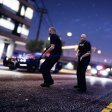
The brave members of the Los Santos County Sheriff's Department in action on the streets of Paleto Bay. -
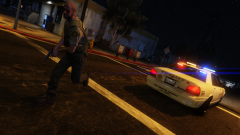
From the album: Various GTA V Shots
I've only done LSPD and some LS County shots so far, so I figured I'd hit ol' Paleto Bay for a change. -
Wow, Facebook banner! :D Glad I could help to contribute, and great job to everybody else, there were some really nice pictures in here!
-
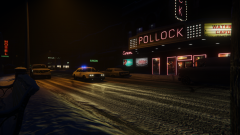
From the album: Various GTA V Shots
NYSP troopers respond code 3 through downtown Ludendorff on a cold, snowy night. -
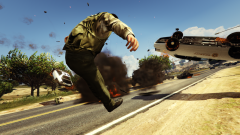
From the album: Various GTA V Shots
I think this officer may be regretting his decision to stand in the middle of the roadblock. -
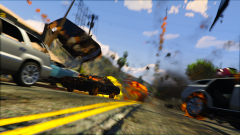
From the album: Various GTA V Shots
When you're in a city like LS, traffic is unavoidable. Sometimes you have to get creative with your commute if you wanna get to work on time. -
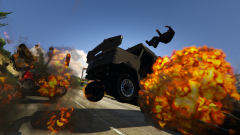
From the album: Various GTA V Shots
It's starting to look like that Riot roadblock wasn't as sturdy as that officer had hoped... -
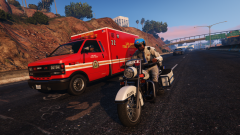
From the album: Various GTA V Shots
An LSPD Highway Patrol unit escorts an LSFD ambulance through traffic on the busy freeways adjacent to Vespucci Beach. -
And here's the original picture too, probably should have included this originally:


-
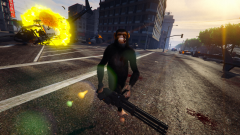 Who needs an army of other apes to take over the world when you have a minigun? Mistreated by his owners, Pogo will do anything to escape - including maiming anyone who gets in his way. Coming soon to a theater near you.
 -
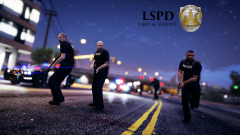 I actually just messed around with the camera in the Rockstar Editor, then played with the brightness and filter settings until I thought the effects looked good. From here I hid the HUD and took a screenshot with Fraps, then added the text and badge in Paint.net. Thanks for the feedback! :) Glad you like it guys :) Feel free to use it as a desktop background, I actually considered doing so myself :P
 -
Boring desk jobs aren't your thing? Trigger happy? Eager to beat down anyone who looks at you funny without consequence? Join the LSPD! We'll have you armed and out on the streets in two weeks, ready to blast justice out of the end of your service pistol! Head on down to your local precinct to begin the recruitment process today.
-
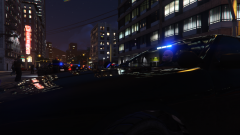 Units in unmarked Vapid Cruisers pull up on the scene of a late-night manhunt for the suspect who shot and killed one officer and injured two others in Downtown Los Santos.
 -
Just got this and tried it out last night! I love having the Heist vehicles in singleplayer, and of course the FIB Buffalo :D
-
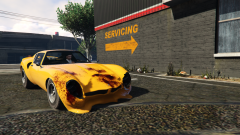 Taking the ol' Stinger GT in for a fix after a long day's work.
 -
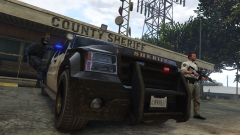 An LSSD tactical team gears up to head out on a meth lab raid in Grapeseed.
 -
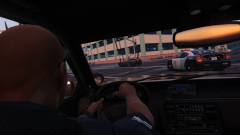 Members of the LSPD pursue a Bullet at high speeds near the Central Los Santos Medical Center.
 -
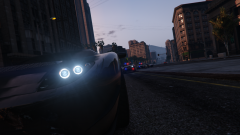 Officers in Downtown close in on a fleeing suspect.
 -
I left the library and came back to a big "Play" button in place of "Pre-load"! I hit it - aaandd my horrid wifi decides to make wait another half hour to launch the damn thing so it can do updates :/ I just can't wait to see it at over 30fps. And I should have my new 960 in in a couple weeks or so so now I'll get a little "before and after" performance comparison. Gahh I can't wait to play this with that 960!
-
Yeah that'd be great! I'd love to just live in the city for a while, then move out to the suburbs and settle down with a family. Then commute into the city on some highway cutting through the woods to go shopping or to work. I hope somebody eventually expands on the idea the Sims is working with right now, if they did it right it could be great. And with all the different jobs you could have (firefighter, police, criminal, etc.) this single game could attract fans of a lot of genres.
-
Yeah, I had this same idea years ago! I always thought this seemed like an awesome concept, the simulation of the Sims mixed with the freedom of GTA. I got really into the idea when I was younger and even drew up some maps of the cities I wanted in it :P And I threw together lists of the cars I wanted in it, and even laid out a whole control scheme for the game. I'd love to see a game like this become reality, the possibilities with something like this are endless!
-
Great bike, I've been waiting for this for a while! One thing though, in OpenIV the two lights on the front wheel arch are mapped correctly, however in-game the emissives are off the bike completely:
- 9 comments
- 3 reviews
-
Great job, especially for a first pack! Always nice to see people working with vanilla's.
- 24 comments
- 2 reviews
-
-

- 1
-
-
If you do make the non-beacon version, is there anyway you could incorporate an NYPD-styled lighting setup? I'm assuming you're going to add side-facing lights regardless as the removal of the beacons restricts the bike to only forward- and rear-facing lights, but I figured I'd suggest an NYPD setup as I quite like them, and there has yet to be a Sovereign model with such a setup. Either way great bike, and I'm looking forward to the non-beacon version as well.
- 10 comments
- 4 reviews
-
Some of my favorite cop quotes: "I'll shoot your tits off!" "I've got a bullet aimed right for your balls, bitch!" "One squeeze, and you'll be wearing your balls for earrings!" "You have the right to shut the fuck up!" "I've got eyes on chickenshit, eyes on chickenshit!"
.png.5cd046670240b5a4999ca3e8185d3633.png)


