


alex0528
Members
-
Joined
-
Last visited
Everything posted by alex0528
-
i just replace tons of cars in the games, but the game starts to crush after "force duty" it says the plug in failed due to game freeze or something like that. I tired to change the gameconfig but it did not work, anybody could help? RagePluginHook.log
-
I am working on replacing tons of in-game vehicles to make LSPDFR more legit, however, it seems the replacement stopped working somehow. I attached the screenshots where I installed the files and an example(in-game car-adder)
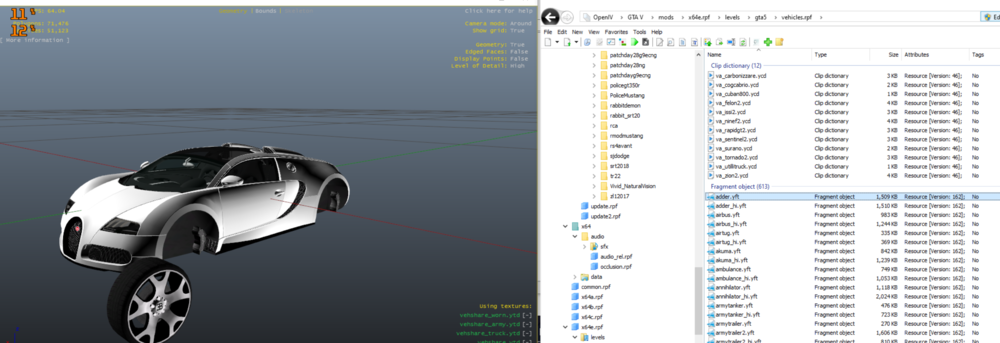
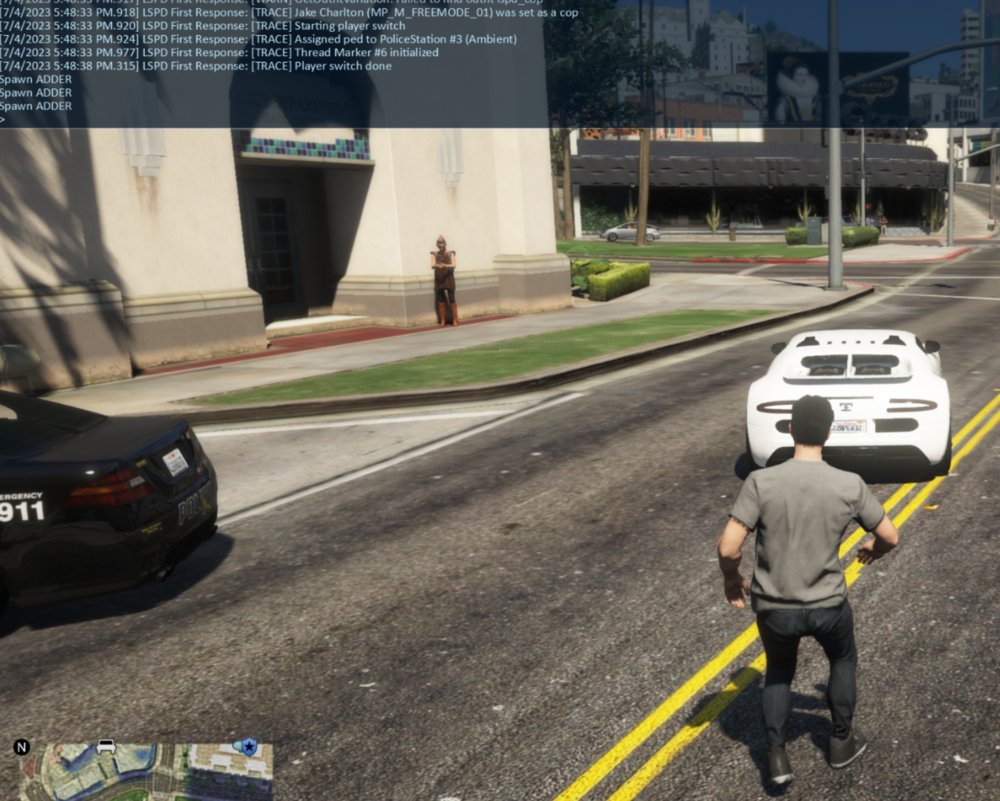
-
THANK YOU SO MUCH
-
please let me know if this makes sense, and where is the pack file adjuster? the threshold? i already installed both of them but still having the same issue ;/
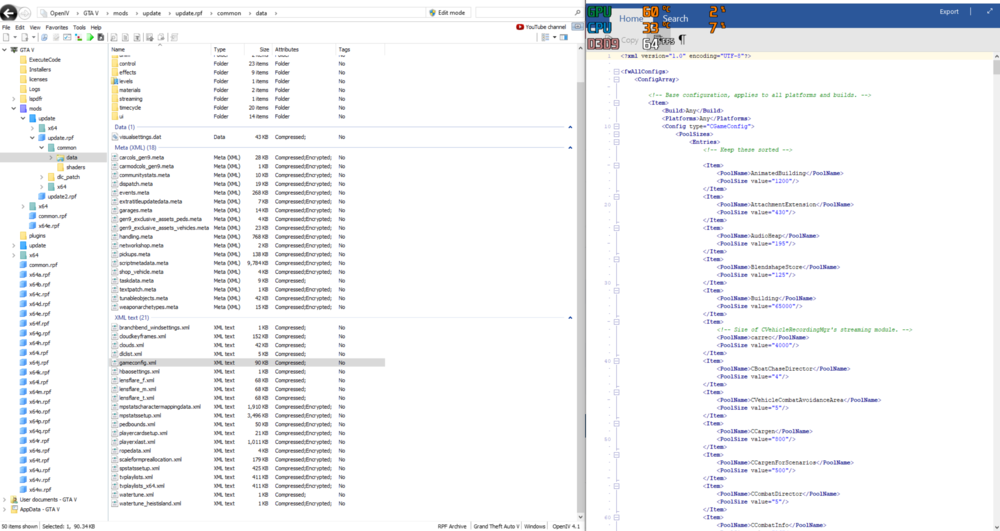
-
I meant to reinstall Steam the other day but all of my Steams just gone, so was my GTA&LSPDFR😭. When I tried to get everything downloaded again, it shows me "Out of game memory, please reboot and restart the game", and I have downloaded everything I could find to fix this problem but still cant. Need some help!!! Everything in the video below, OPEN IV, cheaper, gameconfig etc https://www.youtube.com/watch?v=69RnQsuABkY&t=250s RagePluginHook.log
-
I deleted all the "pull me over" files in the script folder under GTA5 main folder
-
https://www.gta5-mods.com/scripts/pull-me-over-0-8 Somehow no matter how I try, this script/mod still exists. It is really annoying to get pulled over by a random spawned cop as being a cop. Does anybody else have this issue? I have tried to delete files or code everything as false but still getting pulled over PLEASE HELP
-
appreciate it! can you tutor me how to find out what crash the game?
-
Its been a while since i was playing it last time,,, kinda hard to redownload everything I was using before haha I saw the immersive dispatch was merged into grammar, however, it says Ultimate backup would be required. IDK why it would crush my game, can someone please help me out and can sort of tutor me how to read the log? Thank yall in advance RagePluginHook.log
-
yes sir, i have renamed it to _mods but my game still crashes right after launching the game somehow
-
i tried but it still crashes after launching the game
-
how do i verify my data? anybody?
-
yes it still does
-
It would crash right after it opens GTA, but i can even open GTA without using Rage. Here is the crash report i have in the GTA folder crash report.txt crash report.txt
-
RagePluginHook.loganyone could help me take a look? idk why my game start to crash again
-
well, somehow, the light bar shows up but no light
-
https://www.gta5-mods.com/vehicles/2018-k-9-police-charger-fivem-ready-red-blue-blue-blue it is this one, i like its blue lights
-
i can toggle the siren, but the light bar doesnt exist
-
I did what you said, but the car still has no light bar somwhow... maybe theres some issue with that car
-
thank you! thank you sssssssssssssssso much! it worked!!
-
thank you so much ScriptHookVDotNet.log
-
i tried to look at it and i kept presssing J before i log out but i cant figuer out which one it is... is it could be a script file? ScriptHookV.log
-
somehow, i dont remembe since when this starts to show up. Every time i press J, it shows rotation and location on my screen, i dont know which plug or anything trigger that but it drives me crazy
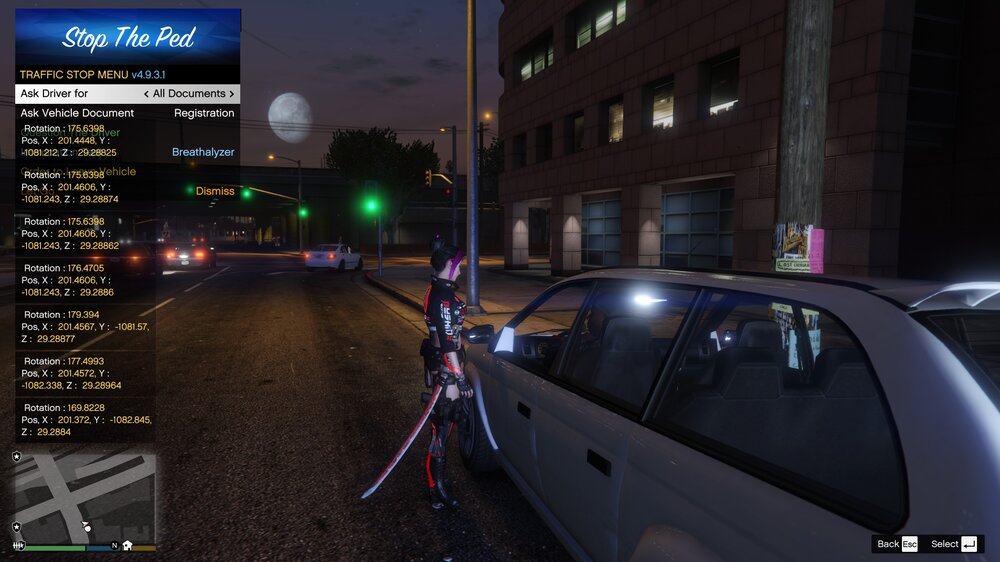
-
like put them in the same folder?
-
i have an add on car file, but idk what im gonna do with the carcols.meta file since theres nothing in modding pack 5



