


thinblueline
Members
-
Joined
-
Last visited
Everything posted by thinblueline
-
Ahh thanks, the solution is easier than I thought. Just took some fresh eyes from a different perspective. I'm pretty well versed in SNT so I will use that to fix the issue from now on. It makes sense that it would only spawn the trooper ped in Alderny as that is only where the game loads them.
-
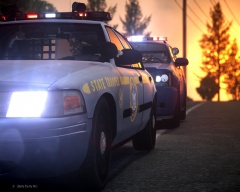 Thanks!
 -
Sorry for using the wrong outlet. Thanks for the moving it
-
After I have been getting some errors and using the command module to "reloadscripts" and "forceduty" I notice that it automatically changes the ped to the default LCPD officer. Is there any way to command the "forceduty" to a specific ped such as the trooper? Thanks for anyone who has some insight into this issue.
-
-
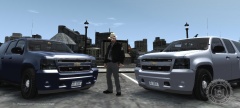 How did beta testing go? I'm dying for these models Ridge....
 -
I like the suggestions everyone else has already made (especially the more interactive ideas like serious accidents and the different roles of law enforcement) but I would like the idea of a game warden. There's plenty of land and animals in the wilderness to make it interesting. Also working the highways would be a blast and I've already got some sneaky sit spots planned (if this works out as well as we hope it does! ).
-
Awesome man! Super excited for this one! Thanks for frequently keeping us posted on it's status.
-
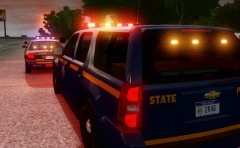 Ahh, I should've zoomed in more to the picture. I did not see the outer right led flashing before. Thanks
 -
Look'n good CJ! Is the CVPI in rear mode only (Ltsg 2) and what pattern is the TA on?
-
Who's model is this?
-
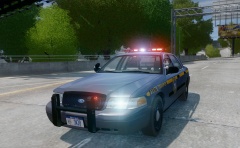 Oooooo... Cant wait
 -
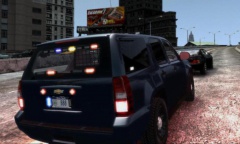 Can we see the front? :D
 -
Wow, cant wait for this to come out. That youtube video was filmed in my city, FYI. Never seen It around in town, but I see it all the time down south a bit. Its a sharp looking unmarked....
-
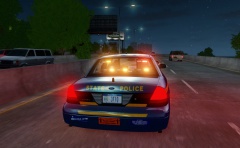 I'd like to know this as well...
 -
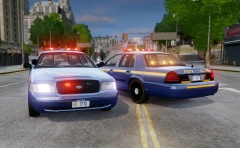 Just to add what you have said here, the slicktops here in Troop G have front high-beam wigwags, strobes in the front turn signal lamps, and only strobes in the rear taillights. Regular marked Crown Vic's have only front high-beam wig wags (no rear wigwags or strobes), Charger's, Interceptor's, and Caprice's have the high-beam and rear brake light wigwags, and the Tahoe's have high-beam wigwags and the dual brake light wigwags that flash opposite (diagonally) each other. Hope this helps a bit...
 -
Can't wait for these and the Charger!
-
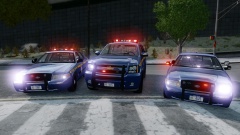 Wow, this looks really nice. Especially if you come out with the Charger. I'm really looking forward to this when it comes out!
 -
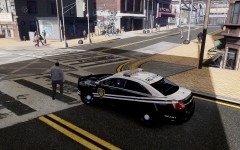 Which model Taurus is this?
 -
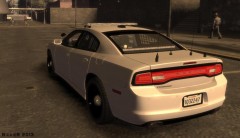 Is that a TA in the back windshield or are they primaries?
 -
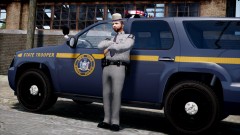 Damn I bet it is! Wish I was that entitled! Haha
 -
Awesome, can't wait! Is that a modified duty belt as well too? Looks like NYSP's standard issue...
-
I personally think that this could revolutionize my game play. I've been patiently waiting for something like this to come out as a mod of this nature would add an incredible amount of realism to the game. As for the display, its pretty spot on to real MDC's as the programs are pretty simple looking and just give you the information so I think you hit the "nail on the head" with the cosmetics. Looks awesome and I would love if you made this public!
-
Great job 0x01 and thanks a ton!!!! Damn you were fast making that! Sorry for the delay in reply but I've been quite busy lately. Works like a charm and supplements the game well and sure does add some realism. Thanks again! I'm looking forward to your version too as I use the PoliceHelper every shift and is the most helpful mod with out a doubt. Thanks to you as well!
-
I was wondering if it would be possible for someone to create a script where you could call a taxi for a subject that would take them away. For example, when I handle intoxicated person calls or have someone with an expired license, I don't always arrest them but call them a cab to take them home or wherever they need to go. In game, it would be nice to have the same ability because some of these instances dont always call for an arrest, and then you have peds walking the highway after you tow their car.

