




Lennyy
Community Team
-
Joined
-
Last visited
Everything posted by Lennyy
-
What do you mean by "not load"? Like in the image shown above?
-
I'm unsure of the likelihood of a gameconfig fixing the specific crash OP has shown in his image. While there certainly are cases in which a gameconfig is needed (crashes related to too many addon vehicles), this doesn't look like one.
-
Benne den mal in _mods um und guck obs hilft.
-
For starters, you can disable model preloading in the lspdfr.ini, which is located in the lowercase lspdfr folder inside your main GTA V directory. If that doesn't help in your case please report back.
-
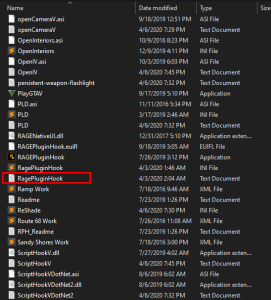
Could you please attach your latest RagePluginHook.log, which can be found in your main GTA V directory? It has no numbers inside the file name and it is not from your logs folder.
-
.png.60058b291d7da9ca6570d9accb1ee4d1.png) Nice! Reminds me of Crizby's RHPD pack
Nice! Reminds me of Crizby's RHPD pack -
It's v1.5.3.0 which can be obtained through Bejoijos patreon page (paid).
-
Start RPH and click on the cog icon ⚙️. Set the displayed number from 10000 (ten thousand) to 60000 (sixty thousand). Then hit save and launch as usual. Your topic has been moved to LSPDFR 0.4 Support. Please post in the correct location in the future.
-
Hast du einen mods Ordner?
-
Check for anything that is using the key you press when it happens.
-
Was passiert wenn du GTA ohne RPH startest?
-
Attach your latest RagePluginHook.log found in your main GTA V directory, not from your logs folder.

-
It's rather simple, rename bmw_hi.yft to police3_hi.yft, bmw.ytd to police3.ytd etc. Same with the ELS file. Then drag them into the vehicles.rpf in a recent patch day like any other replacement car mod. I'm not aware of any "tutorials" due to how simple that is. Worst case, post a comment on the file page and ask the developer.
-
Hello. Since LSPDFR and RPH are singleplayer modifications, we sadly cannot offer support for FiveM here. You’ll have more luck getting your issue fixed by reaching out to the community on the FiveM forums or community driven discord servers. If you feel this topic has been closed in error, please report this post.
-
Since it’s not using one of the default police vehicle slots you’ll need to replace the file names with a car you haven’t already modified. For example rename all files to police3, same with the ELS xml file and install it into your latest patchday like any other replace car.
-
Try to increase the number in the lspdfr.ini
-
Do you have a link to the download page? It might be helpful to know what you are trying to install.
-
Does it work normally if you remove that modification again?
-
Map mods shouldn't alter the callout frequency of LSPDFR. Please ensure that callouts are still enabled in the police radio (M menu). Also, you can change the lspdfr.ini's callout setting to receive callouts more frequently. You will find the file in the lowercase lspdfr folder in your main GTA V directory.
-
That sounds highly unlikely. Start GTA V fully into story mode first, then alt tab out of the game and launch RPH.
-
Try this instead: https://www.microsoft.com/en-us/download/details.aspx?id=26999 Your topic has been moved to GTA V Support, this is not LSPDFR related. Please post in the correct location in the future.
-
Could not load file or assembly 'CalloutInterfaceAPI, Version=1.0.3.0, Culture=neutral, PublicKeyToken=null' or one of its dependencies. The system cannot find the file specified. Make sure this file is in your main GTA V directory.
-
You’re welcome!
-
There's no indication of an LSPDFR crash in this log. Does your game just shut down to the desktop? This topic has been moved to the appropriate forum. Please post in the correct location in the future.
-
Please provide the file described above.

.png.60058b291d7da9ca6570d9accb1ee4d1.png)

