




Lennyy
Community Team
-
Joined
-
Last visited
Everything posted by Lennyy
-
prop_cs_police_torch.ydr or/and prop_cs_police_torch_02.yft
-
LSPDFR has not loaded in this log.
-
You can only with different types of backup, I think. For example, police department x responds in DAVIS as well as fire dept. y. Not with two law enforcement agencies.
-
The feed flusher crashed, so maybe remove it and retry. As for Xscanner, I have no idea; the log only indicates that it was not loaded successfully. Is there a log file specifically for Xscanner? Maybe in the subfolder?
-
It's like that for everyone. Try archive.org. Your topic has been moved to GTA V Support, this is not LSPDFR related. Please post in the correct location in the future.
-
Attach your RagePluginHook.log after reproducing the crash please.
-
Does GTA V launch without RPH at all?
-
Update RPH by manually reinstalling it. Update Kuchera Callouts, Immersive Ambient Events, Rich's Police Enhancements, Riskier Traffic Stops and StopThePed. Consider removing LSPDFR+ and TrafficPolicier, then report back if the issue persists.
-
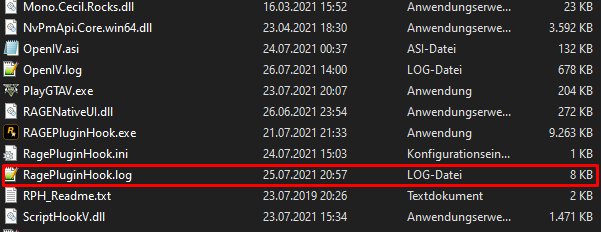
It will be further down. It's a .txt file.
-
I think the position of the overlay is hardcoded unless specified otherwise in the .ini file. Your topic has been moved to GTA V Support, this is not LSPDFR related. Please post in the correct location in the future.
-
Add the RPH exe as well as the GTA V folder as an exception to your AV software (use Google on how to find out how to do that for your specific AV software). If you only have Windows Defender, it's under Windows Security -> Virus and Threat Protection -> Manage Settings -> Add or remove exclusions. Then restart your PC and retry. If that fails, please report back again.
-
Your topic has been moved to GTA V Support, this is not LSPDFR related. Please post in the correct location in the future.
-
Either make sure the mentioned DLC packs are in your DLCList and your dlcpacks folder. Alternatively set the skip DLC checks to true in the EUP menu ini. Your topic has been moved to GTA V Support, this is not LSPDFR related. Please post in the correct location in the future.
-
Try archive.org.
-
Your latest one. It’s not not in your logs folder and hasn’t got any numbers in the file name.
-
 So far, the best replacement sound mod I have used. I did notice that for some reason, when combining this with other sound mods, NPCs were alternating between two different tones. To fix that, install the mod as usual. Then, grab the PTL_COMBAT_SHOT_VER3.R file, rename it to PTL_50CAL_SHOT_VER4.R, and install that as well. I have no clue why NPCs would also use the PISTOL50 sound, but it'll fix the issue.
- 27 comments
- 5 reviews
-
Please attach your latest RagePluginHook.log file found in your games main directory. Your topic has been moved to LSPDFR 0.4 Support. Please post in the correct location in the future.
-
Like I said my GTA hasn’t updated. I also don’t have any pending updates as my game does them automatically upon starting RGL.
-
I am on Rockstar Games Launcher and my GTA V has not updated and is still on v. 3586
-
The majority of plugins will work on the LSPDFR build for GTA V Enhanced. Callout packs should not require further updates from their developers. Plugins similar to StopThePed might be affected. We will need to see.
-
Unless you use memory patterns, no. Those seem to be the only things affected, and currently not working on RPH/LSPDFR for GTA V enhanced. Everything else should work just fine.
-
Your stations_sahp.xml is throwing an error. Line 28, position 1. You also have A LOT of invalid lines in your log. You probably installed a config mod for vehicles you don't have in your game. While that is not the reason for your crash, it's still something I'd look into if I was you. Your topic has been moved to LSPDFR 0.4 Support. Please post in the correct location in the future.
-
Either you know what you installed lately and just revert that or you will have to start with a fresh one.
-
It's a diagnostic step to disable your mods. If that works it means your mods folder is at fault.
-
Does ot work if you rename mods to _mods?


