




Lennyy
Community Team
-
Joined
-
Last visited
Everything posted by Lennyy
-
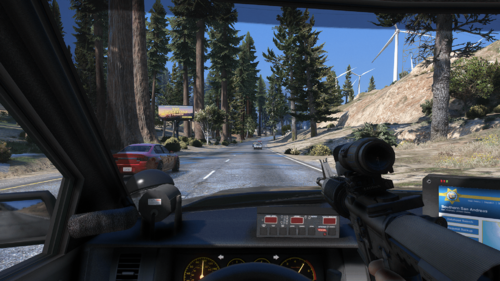 ShootRifleFromCar This weapons.meta file allows you to use your rifle while driving your vehicle. If you want to see how this "tactic" is being used in real life, take a look at this video. How to install the mod Download the file from this page Open OpenIV and navigate to mods/update/update.rpf/common/data/ai Enable edit mode and drag and drop the weapons.meta from the downloaded .rar into OpenIV Disable edit mode and launch GTA-V How to use the mod To use the mod simply cycle through your guns inside of your car while having the carbine rifle in your loadout. Optional Addons The optional addon download contains a small adjustment to the clip size of the pistol and combat pistol. The magazine capacity now stands at 17 bullets like the Glock 17 which most players will use as their service weapon. If you don't want to use that optional addon simply download the file labeled with "Main file" Requirements A legal copy of GTA-V OpenIV Suggestions & Ideas If you have any ideas for my mod, please let me know via creating a comment here on this page or through our Discord. Support If you require any sort of help with the mod, please leave a comment down below or send me a direct message.
- 30 comments
- 4 reviews
-
-

-

-

- 6
-
-
One of the xmls you installed throws an error at Line 28, position 1 Try to revert any changes and see if you can fix the issue. Also your LSPDFR is slightly out of date. Nothing to do with this particular error but worth a mention.
-
Try to update LSPDFR. Your build is from the 14th whilst the latest is from the 18th.
-
[INFO] Compiled on 14 Dec 2022 04:01:32 UTC Versuche mal LSPDFR auf die neuste Version zu aktualisieren. Vielleicht hilft das.
-
Attach a log to further troubleshoot your issue please.
-
Update RageNativeUi https://github.com/alexguirre/RAGENativeUI/releases.
-
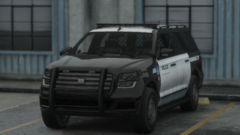
From the album: Lore Patrol
Showcasing the latest additions to the LSPP fleet -
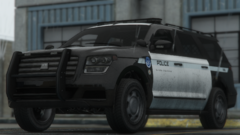
From the album: Lore Patrol
Showcasing the latest additions to the LSPP fleet -
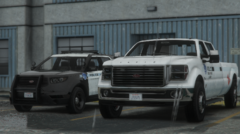
From the album: Lore Patrol
Showcasing the latest additions to the LSPP fleet -
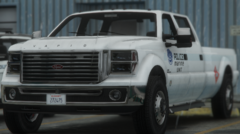
From the album: Lore Patrol
Showcasing the latest additions to the LSPP fleet -
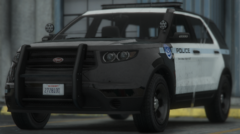
From the album: Lore Patrol
Showcasing the latest additions to the LSPP fleet -
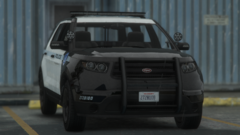
From the album: Lore Patrol
Showcasing the latest additions to the LSPP fleet -

From the album: Lore Patrol
Traffic stop by an officer from the LSPP -
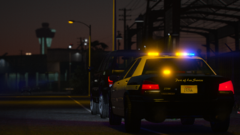
From the album: Lore Patrol
Traffic stop by an officer from the LSPP -
Update RPH bitte.
-
Upload the video privately to YouTube and attach a link.
-
Install those missing dlcs to your mods folder. You’ll find the ones missing in your RagePluginHook.log
-
Make sure phone notifications are enabled in the GTAV settings.
-
Kannst du dein Problem erläutern. „Hilfe“ reicht nicht aus :).
-
Delete your GTAV.exe and verify your game files.
-
You’re welcome!
-
Please update RageNativeUI here.
-
Attach your entire log please. Also, why have you not updated to the latest version of GTA? LSPDFR, Rage and SHV as well as the gameconfig are all up to date.
-
How would that result in the minimal not being loaded? Since he hasn’t played Storymode, the locations have not been discovered. Chris‘s suggestion is the way to fix this.
-
Update RageNativeUI with the latest release from GitHub please.

