




Lennyy
Community Team
-
Joined
-
Last visited
Everything posted by Lennyy
-
Great idea, thanks for sharing it! Currently, there are 4 apartments which you can set as your spawnpoint via the interaction menu. Read more about it here:
-
Your topic has been moved to LSPDFR 0.4 Support. Please post in the correct location in the future.
-
-
If you uninstall via the Plattform you’re on, it won’t touch files that don’t belong to the base game. That means you’ll have to remove the entire folder to fully remove everything related to GTA and/or all modifications.
-
What you can do is edit the lcoalisation.ini of StopThePed and change the terms according to British translation.
-
Negative
-
Wait for LSPDFR/RPH to update.
-
Your topic has been moved to GTA V Support, this is not LSPDFR related. Please post in the correct location in the future.
-
-
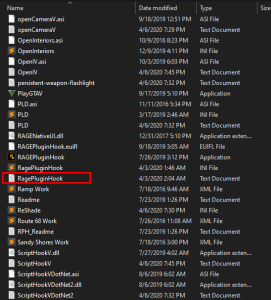
Bonjour, montre-moi ce fichier s'il te plaît: C‘est un fichier texte avec .log a la fin.
-
Your topic has been moved to GTA V Support, this is not LSPDFR related. Please post in the correct location in the future.
-
Persönlicher Favorit: 686Callouts von @Charlie686 Das wäre GrammarPolice. Geht sogar auf deutsch wenn du’s richtig konfigurierst. Nice to know: In der LSPDFR Szene gibt es kaum Plugins für die du zahlen musst bzw. den Creator unterstützen musst. Bei den meisten handelt es sich nur um bestimmte early Access Features die hinter einer paywall sind. Mir fallen auch nur ein paar Handvoll ein. Kennst du wahrscheinlich ganz anders aus dem FiveM Bereich. Freut mich zu hören, dass wir dir helfen können und du Spaß am Spiel hast!
-
Your topic has been moved to GTA V Support, this is not LSPDFR related. Please post in the correct location in the future.
-
There’s not plugin that does this. Somebody has worked on it but never finished making it.LSPD First Response: Exception type: System.IO.FileNotFoundException [4/13/2024 8:15:59 PM.139] LSPD First Response: Exception message: Nie można załadować pliku lub zestawu 'CalloutInterfaceAPI, Version=1.0.3.0, Culture=neutral, PublicKeyToken=null' lub jednej z jego zależności. Nie można odnaleźć określonego pliku. Make sure the file is in its designated location (main directory). Your topic has been moved to LSPDFR 0.4 Support. Please post in the correct location in the future.Upload your latest RagePluginHook.log. It’s a text document found in your main GTA V directory.Nichts zu Danken :D.Den ELS Ordner bekommst du aus dem ELS Download. Einfach ins Hauptverzeichnis ziehen. Google mal LSPDFR ELS dann kommt das eigentlich als ersten Vorschlag. Ansonsten schau mal hier, da hab ich auch zu ELS was geschrieben:You’re welcome!Take a look at how you installed it and revert those steps.Your topic has been moved to GTA V Support, this is not LSPDFR related. Please post in the correct location in the future.To be honest with you I haven't used NVE but purely based off of what others were reporting, I wouldn't be surprised if that caused your issue. If I do happen to find a possible solution for you, I'll let you know! You're welcome; Always happy to help!Your topic has been moved to GTA V Support, this is not LSPDFR related. Please post in the correct location in the future.I'm sorry. I meant the ELS log, not the .asi of course 🤦♂️. Your ELS log looks fine. Does removing OpenAllInteriors.asi fix the ELS problem?



