



GTAxB0SS
Members
-
Joined
-
Last visited
Everything posted by GTAxB0SS
-
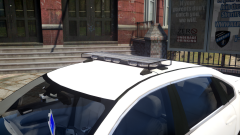 i dont see any glass on the light bar. hopefully that is an enb issue
 -
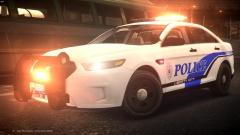 no it is my Liberty that I modeled. it is just a standard liberty.
 -
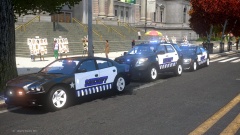 just no.... so nasty
 -
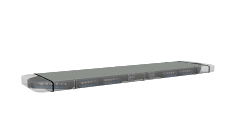 that is a little uncalled for. I am sorry that i wanted to make a bar that I could call my own. if you have something negative to say please don't post it on my work.
 -
Thanks guys!
-
-
From the album: 3D Showroom
so i found some pretty detailed blueprints of the Whelen Liberty so I decided to try to make it. In 3DS The bar is only 10,800 polys In Game -
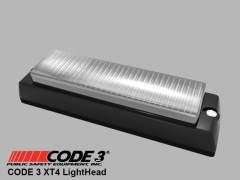 OH SHIT!!!
 -
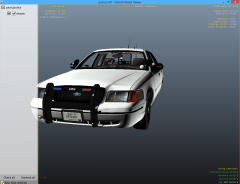 those lights on the front of the rambar look way to big, just my opinion...
 -
-
-
just give the damn kid a computer....
-
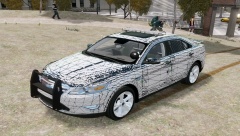 i would get rid of the sunroof. and the rambar looks to be inside the bumper.
 -
 nice! I love pro-guard items. good job
 -
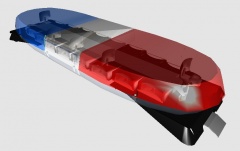
From the album: 3D Showroom
Here is my Vista. poly count is 14k. I still have to map ELS. enjoy the Pics! Vista Modeled By GTAxB0SS Mounts and Rotators by KevinDV© Code3Customz2014
-
O...M...G this is without a doubt my favorite siren in the world! you did an amazing job on the siren. definitely downloading. 10/5
- 7 comments
- 3 reviews
-
-
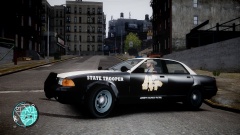 the badge is way too big trust me here is a reference for the size of the badge with the right editing you can get the liberty city map to look quite good on the car. just sayin'
 -
-
-
my exact reaction to seeing the new charger
-
 nice!
nice! -
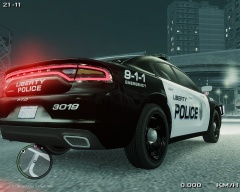 definitely do not like the 2015 charger...
 -
 so you want me to use the terribly high poly and buggy one by bxbugs? nah i will use the dsf cvpi from cj24.
 -


