


Creators: Due to background reprocessing of files, approvals and file security checks may be delayed. Thanks for your patience.

GTAxB0SS
Members
-
Joined
-
Last visited
Everything posted by GTAxB0SS
-
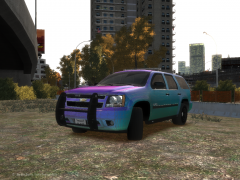 i don't even see that as a come back. you need to work hard to get good in this community and gain everyones respect. if you go around "asking" people for stuff nobody will ever take the time to help you. young modders like you irritate me, you feel entitled to get parts. that is not the case. and on another note, there are no wraps for the tahoe so you will have to take the time to learn how to move pollys to fit the wrap to the truck.
 -
instead of trying to suck up to someone for the part, why dont you take the time to edit it yourself.
-
If you want to know where you can get this car PM me
-
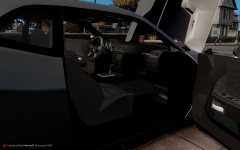
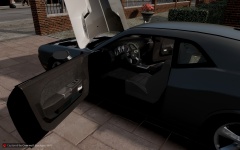
From the album: 2012 Dodge Challenger
2 days of work and this car is finished. A big shout out to SCSDDeputy for the help on this conversion! Credits - Model From DSF, Converted By SCSDDeputy, GTAxB0SS - Using pars form NFS Challenger PM for info on the car -
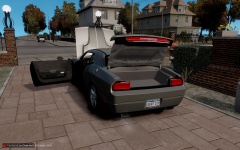
From the album: 2012 Dodge Challenger
2 days of work and this car is finished. A big shout out to SCSDDeputy for the help on this conversion! Credits - Model From DSF, Converted By SCSDDeputy, GTAxB0SS - Using pars form NFS Challenger PM for info on the car -
From the album: 2012 Dodge Challenger
2 days of work and this car is finished. A big shout out to SCSDDeputy for the help on this conversion! Credits - Model From DSF, Converted By SCSDDeputy, GTAxB0SS - Using pars form NFS Challenger PM for info on the car -
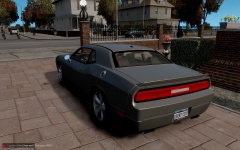
From the album: 2012 Dodge Challenger
2 days of work and this car is finished. A big shout out to SCSDDeputy for the help on this conversion! Credits - Model From DSF, Converted By SCSDDeputy, GTAxB0SS - Using pars form NFS Challenger PM for info on the car -
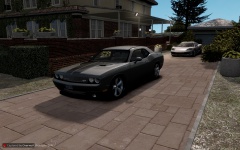
From the album: 2012 Dodge Challenger
2 days of work and this car is finished. A big shout out to SCSDDeputy for the help on this conversion! Credits - Model From DSF, Converted By SCSDDeputy, GTAxB0SS - Using pars form NFS Challenger PM for info on the car -
I will check this out. also i run my game offline. I actually launch my game from the .exe . would this be an issue
-
-
So Every time I try to start a traffic stop in game The game crashes with the error posted below. I am using the newest update of LCPDFR and have installed the hotfix. any help is apriciated. Thanks everyone!
-
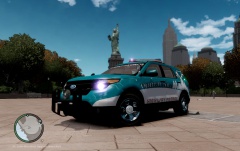 yeah the lightbar is a Christmas Tree Ornament. it is posted on a site run by SCSDDeputy that is blacklisted. if you want the link to the download pm me
 -
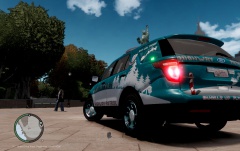 yep it is mine! haha it is posted on a site run by SCSDDeputy that is blacklisted. if you want the link to the download pm me
 -
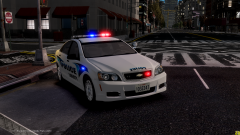
-
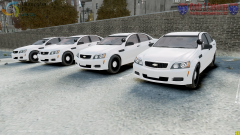 so beautiful!!! <3
 -
-
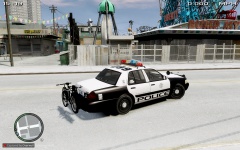
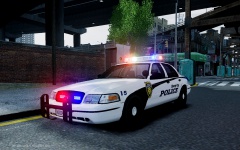
From the album: Las Vegas Metro Police CVPI
car is in beta testing phase and should be ready for release later this week at *snip* -
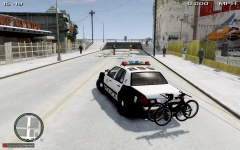
From the album: Las Vegas Metro Police CVPI
car is in beta testing phase and should be ready for release later this week at *snip* -
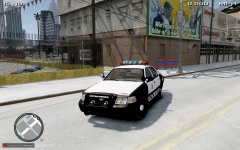
From the album: Las Vegas Metro Police CVPI
car is in beta testing phase and should be ready for release later this week at *snip* -
-
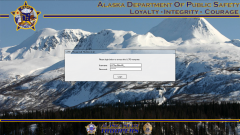 lol yes you can!
 -
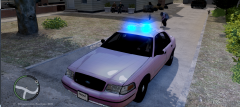 hmmmm. quite interesting. i would suggest remapping the els to a darker material so the lights dont look so odd.
 -
so...you mean like every cvpi that has ever been released????
-
 looking good!
 -


