



GTAxB0SS
Members
-
Joined
-
Last visited
Everything posted by GTAxB0SS
-
Personally I enjoy Burgerking.
-
my fucks are too expensive to give out!
-
Diesel gives me a better buzz
-
All of them!
-
I FUCKING LOVE COOKIES no but seriously cookies are amazing! congratz on your cookie addiction Deputy.
-
it is nice, however it is not quite ready to be called a "Christmas Tree"
-
-
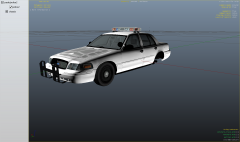 I love that lightbar! the car looks great!
 -
![Ford Explorer Utility [wip]](//s3-gallery.int-cdn.lcpdfrusercontent.com/gallery/album_2124/sml_gallery_45963_2124_634365.png) thanks Deco i will update it
thanks Deco i will update it -
From the album: GTAxB0SS' WIP
my next release will be a Utility setup like my home towns Interceptor. Tomar Scorpion scratch made by GTAxB0SS Tomar RECT 14 and 13 made by GTAxB0SS Havis Console by Deco Motorola radio by Casey Touchmaster Delta cencom by GTAxB0SS Pushbar by Bxbugs123 wrap by Deco Reference Pic Spoiler Explorer will feature a Liberty City skin like the one in the pic -
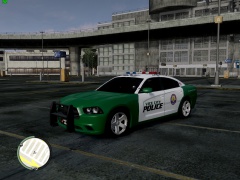 meh, it is too simple 1/5
 -
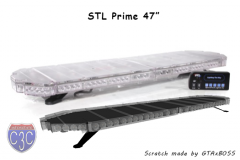 yes the control will be made aswell. i also plan on ELS mapping the control as well
 -
-
From the album: STL Prime 47"
All that is left to do is map ELS. Let me know what you think! This will not be released publicly, but will be open to trade at my discretion. -
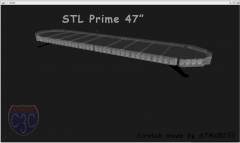
From the album: STL Prime 47"
All that is left to do is map ELS. Let me know what you think! This will not be released publicly, but will be open to trade at my discretion. -
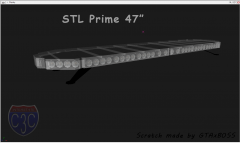
From the album: STL Prime 47"
All that is left to do is map ELS. Let me know what you think! This will not be released publicly, but will be open to trade at my discretion. -
glad i could help!
-
for your first car, not bad at all. the only thing i would adjust is move the lightbar slightly more forward. but other then that great job! 5/5
- 15 comments
- 12 reviews
-
I dont know much about command lines, but this should help you out. this is my reference when i make a commandline - http://gtaforums.com/topic/458859-faq-how-to-use-commandline-switches/
-
First off, Code 3 Customz would like to put out an apology. In the heat of the moment yesterday a few of our members said some stuff that they would normally not say. And as leader of C3C I would like to say sorry. I do feel bad for GMC, but what is done can't be undone, so lets move on and rebuild and be a better community. Thank you all for reading this. I DO NOT want any fighting on this thread.
-
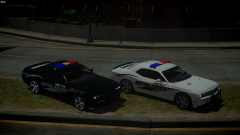 that is nice
 -
-
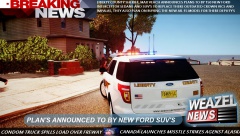 i love it!
 -
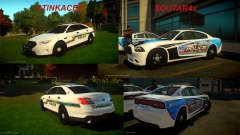 SOUTAR4x has my vote!
 -


![Ford Explorer Utility [wip]](http://s3-gallery.int-cdn.lcpdfrusercontent.com/gallery/album_2124/sml_gallery_45963_2124_634365.png)
