

Skip to content
View in the app

A better way to browse. Learn more.

LCPDFR.com

A full-screen app on your home screen with push notifications, badges and more.

To install this app on iOS and iPadOS
  1. Tap the Share icon in Safari
  2. Scroll the menu and tap Add to Home Screen.
  3. Tap Add in the top-right corner.
To install this app on Android
  1. Tap the 3-dot menu (⋮) in the top-right corner of the browser.
  2. Tap Add to Home screen or Install app.
  3. Confirm by tapping Install.

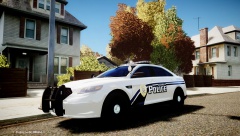
GTAIV 2013 BRAKING NEWS 2!!!!

d65614504ed41cdfe0a9048e48d57bd5.png

hay guys, the last time i did one of these i got quite good reviews and i promised

to do some more if people liked it, so same goes i will keep doing these as long as they get

good reviews. i relies this story is not as epic as the last one but i will try and get a good one

next time, agean im sorry if anything is spelled wrong :-)

Regards

Jamie Soutar

  • From the album:

    soutar4xs (WIPs)

    · 122 images

    Account

    Navigation

    Search

    Search

    Configure browser push notifications

    Chrome (Android)
    1. Tap the lock icon next to the address bar.
    2. Tap Permissions → Notifications.
    3. Adjust your preference.
    Chrome (Desktop)
    1. Click the padlock icon in the address bar.
    2. Select Site settings.
    3. Find Notifications and adjust your preference.