




Charlie686
Members
-
Joined
Everything posted by Charlie686
-
Might it be worth sharing your solution in-case future people check here?
-
Attach your ELS log - a text document found in your main directory.
-
Hi there, Thank you for including a lot of detail. Please rename your mods folder to _mods & then try launching GTAV story mode without RAGE; what is the result of this? Thanks.
-
Can't help here unfortunately.
-
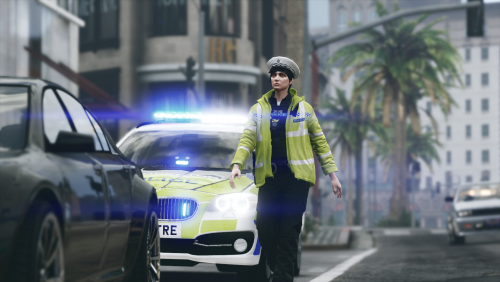 A big hats off for making this free; hasn't gone unnoticed. I think I speak on behalf of all those who have British setups, thank you.
- 47 comments
- 5 reviews
-
-

- 2
-
-
Update LSPDFR by manually reinstalling it.
-
If removing dinput8.dll (ASI Loader) solves your issue, then the issue resides in one of your .asi files. To further help diagnose this issue, re-add dinput8 & please move all .asi files in your main directory, to your desktop. Then, re-add them slowly, to determine which specifically is causing the issue.
-
Please remove dinput8.dll from your main directory & retry without RPH.
-
Unfortunately not that I'm aware of. Sorry about that!
-
That's useful to know. Please try launching GTAV without RAGE; are you able to enter story mode?
-
Arrest them and show them who the real boss is. Not aware of any other way to stop that. 😂
-
Yes, this can be configured in: lspdfr/data/agency.xml If you have Ultimate Backup you may also want to go to: Plugins/LSPDFR/UltimateBackup/DefaultRegions.xml
-
To provide clarification as to why this worked, ENB interferes with how RPH hooks with GTAV. As such, you need to launch RPH once you are already fully loaded into GTAV story mode. 😄
-
Set Main.DisableGameBlipHiding to true in your lspdfr.ini 🙂
-
In your taskbar your RPH is open. Click on it & reveal what it says.
-
Well I'm all singing praises for GrammarPolice but Callout Interface is the only alternative for the latest LSPDFR API. 😄 Just thought you may've mixed them up, that's all.
-
Uh, could you attach a video? Want to be sure what I'm understanding here.
-
I don't think Callout Manager had any of that though, if I'm not mistaken. 😄
-
CalloutManager replaced by GrammarPolice? Or did you mean Callout Interface? 😄 FYI That hash corresponds to POLICE2.
-
Could I see a screenshot of your main directory?
-
Of course. A log would be needed & a link to said pack would be useful.
-
Ultimately - if you provide more detail than I'd be able to provide more assistance.
-
Fantastic, good luck & enjoy!
-
Missing the clarification and missing your log from your main directory (not logs folder).
-
You should've just posted here if you ran into issues with the latest version. What you've done means you may not be able to use the latest plugins or features associated. But, it's your game. 🙂

