
YobB1n
Members
-
Joined
-
Last visited
Everything posted by YobB1n
-
The first livery was Livery_chrg_sign_1, so I made the second one Livery_chrg_sign_2 and so on. Is this correct?
-
Yeah I tried that, and it still doesn't work. I'm editing the vehicles.meta in my mods folder and I made sure it had the same flags as a vehicle that works.
-
Hey y'all, I recently tried adding some liveries for the 2018 Dodge Charger. However, the textures don't seem to be loading. I used the same method for the other vehicles (going into the texture dictionary and adding a new texture), however for this one it only loads the first texture. I did some digging and found some users talking about editing the vehicles.meta, but I don't know what to edit. Any assistance would be greatly appreciated. Thanks!
-
/bump/
-
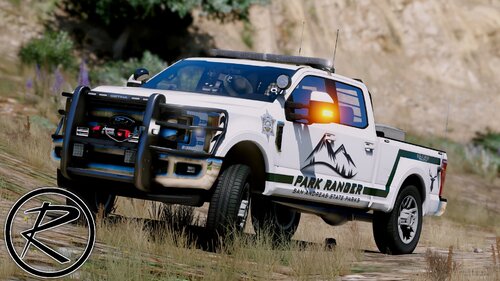 Great textures, but I can't place arrested ped's into the back of the charger. It works for the pickups but not the charger. I installed vehicles.meta as instructed.
- 52 comments
- 13 reviews
-
Thanks for the reply. I tried changing my walk style but it still didn't fix the issue. May I ask if there was a particular walk style you change it to, or was it just anything except the default walk style?
-
Hi, Whenever I either forceduty or go into a police station to go on duty for the second time, the game will crash as I'm selecting my agency. (I.e. go on duty once, go off duty, go on duty again or change agency). I've tried isolating which plugin is messing it up but can't, unfortunately. I've reinstalled rage and LSPDFR and made sure everything is up to date. I have lots of plugins, including: Arrest Manager LSPDFR+ EMSmod Assorted callouts Basic callouts Super callouts Traffic policer Wilderness callouts Crash report attached. Any help would be much appreciated, thanks a lot!RagePluginHook.log Crash log -vv-
-
UPDATE: If anyone has a similar issue; I resolved mine. For some reason the plugins were messing everything up, even though when I reinstalled them they were ok. I would recommend manually installing LSPDFR again, but make sure you copy your plugins somewhere else and make a new blank plugins folder. Then, run the installer again, and after that copy all your plugins back into the main plugins folder of LSPDFR. I don't know why that fixed my issues, but it did.
-
My ragepluginhook was working fine, and then all of a sudden when I tried to launch it nothing would happen. I try to run it in administrator or normally, and the loading icon on the mouse starts, however after two seconds it would go away and rage wouldn't even pop up; nothing would happen. However, when I look at task manager, when I start rage it briefly says 'suspended' beside it before closing. I included a screenshot from another person who was having the same issue. I don't know what's wrong, everything was working and now it says suspended whenever I launch rage and nothing happens. I've looked at some threads and have tried: Reinstalling LSPDFR and Rage; Disabling all antivirus Launching GTAV first, then launching rage (nothing happens, some people have said launching rage once GTA is open works) I'm at a loss right now. Everything was OK so I have no idea what the problem is. Any help would be greatly appreciated, thanks! UPDATE: I finally got it to launch and it says I installed it incorrectly. Thing is, everything appears to be OK and in the right folder. Where can I check the C/windows/system32 stuff?


-
Thanks, for some reason I can't find this vest for the life of me to edit. 🙂