



YobB1n
Members
-
Joined
-
Last visited
Everything posted by YobB1n
-
-
.thumb.jpg.37cdb54de83d6dee03b6b15e76b2f5fd.jpg) It's a known issue, sorry about that. I'll have to see if I can fix it, I haven't been able to yet,
It's a known issue, sorry about that. I'll have to see if I can fix it, I haven't been able to yet,- 183 comments
- 24 reviews
-
-

- 1
-
-
 First off - this is awesome. Exactly the kind of stuff the community needs and wants, great work! Is there a discord server where bugs can be reported? I've noticed a few and would love to help get them resolved asap. Thanks and keep it up!
- 201 comments
- 18 reviews
-
- rph
- lspdfr callout
- legacy
- rph
-
Tagged with:
-
 Yea I messed up the version, will be fixed in the next update. Sorry about that
 -
-
I've always been trying to solve that issue, basically StopThePed kinda "takes the Ped away" from LSPDFR, so since the suspect no longer exists to LSPDFR, it thinks it's dead. I'll continue trying to find a workaround, sorry about that.
- 183 comments
- 24 reviews
-
-
- 1
-
-
 Awesome callouts, one of my favourite packs! Love the realism and how dispatch conveys certain info at certain times. Highly recommend!
- 311 comments
- 60 reviews
-
-

- 1
-
-
-
If you could send me your ragepluginhook.log file of the crash, either here or preferably in my discord server, that would be great. Does it occur while the callout is running, or when you accept it? Sometimes there are minor non-fatal errors like that which occur when the callout is accepted.
- 183 comments
- 24 reviews
-
-
- 1
-
-
Yeah I had initially intended on capitalizing all the proper nouns/verbs for all the text. I realize this doesn't really make sense. I'll fix this for the next update.
- 183 comments
- 24 reviews
-
-
- 1
-
-
Very interesting. Thanks for the info. Considering that most players will likely only enable two shots in their taser, I suppose the first shot will be 2.5%, then 5% if used on the same Suspect.
-
 This looks really Great. Awesome work!
 -
I can work on adding a feature like that in the next release, sure! Mainly I just edited the screenshots a bit, the actual taser isn't anything special lol 🙂
-
A fix should be ready soon, sorry about that. Hopefully this resolves things.
-
I haven't noticed or had any reports of an fps drop with this plugin. I'll do some testing to look into it, sorry about that. If anyone else is experiencing this, please also let me know.
-
Yeah I did make the description complicated in case people were interested in how the plugin works, but thankfully the actual usage of the plugin is really simple, I think it works great just dragging and dropping without changing any settings. Thank you! So someone else has also asked this, I'm looking into it, not sure if it's possible or not. Hopefully I figure it out tho.
-
If not mistaken this has always been the case when a Ped is tased and has a gun equipped. I can try to remove this but I'm not sure if I can. Does the suspect manage to hit you with the gun while being tased? In my experience they typically lose all accuracy and end up shooting into the ground. Yup, it seems a bit complicated but it isn't really, maybe I went into too much detail lol. Basically, if you just want the taser to work a certain % of the time, you can set it in the Config file, and then change the second option to false. Otherwise you can leave it the way it is and the taser effectiveness will depend on how far away you are from the suspect, which is the more realistic option.
-
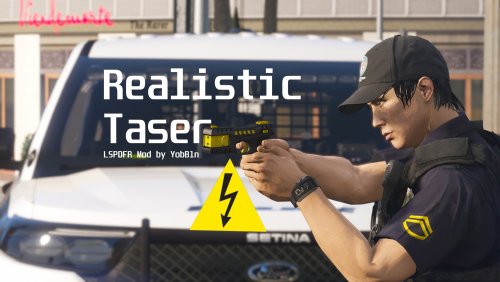
Realistic Taser By YobB1n | Version 1.1.3 | Released August 19, 2022 Join My Discord Server for Updates and Early Releases, and find more of my Mods at my Website. Introduction This plugin aims to change one of the most unrealistic parts about LSPDFR - the taser. As it currently stands now, the taser will always successfully stun the suspect up until a certain threshold, where the taser is then out of range and ineffective. This plugin has two options - either a user-defined probability of the taser being effective regardless of the range, or a probability depending on how far away the taser is from the suspect. Requirements LSPDFR 0.4.9 (Or Newer, if applicable) Most Recent Version of RagePluginHook Most Recent, Legal Copy of GTAV (Steam, Epic, or Retail All Work) Installation Instructions Unzip the file. Copy ALL of the Contents of the “Grand Theft Auto V” folder into your MAIN “Grand Theft Auto V” or “GTAV” Directory, which contains “GTAV.exe” in it. Features All these features can be customized and enabled/disabled in the RealisticTaser.ini Config File. Taser Success Probability - Specify the probability of the taser being successful, regardless of how far away the player is from the Suspect Taser Success Based on Range - The probability of the taser being successful depends on how far the player is from the Suspect. A detailed description is below. Scale Factor - Change how the Taser behaves based on your “feel” for the game. Limit Reloads - Limit the taser to a certain amount of shots (default is 2) as in real life. Reload Animations can be enabled/disabled. Replenish Taser in Vehicle - The Taser will replenish to the specified amount of shots every time the player enters a Police Vehicle UI - A basic UI indicating how many shots are left in the Taser, similar to the Ammo Counter for other weapons. Can be adjusted or disabled entirely. Dry Fire - The Taser will produce a Dry Fire (click) sound if fired when not reloaded. How the Plugin Works As mentioned, there are two main options with this plugin. A detailed description of how each option works is below: User-defined Taser Success Probability Using the “Taser Success Probability” option in the Config file, you can specify the probability that the taser will be effective, regardless of how far the player is from the suspect, provided the suspect is within the default taser range. Setting this to 0 means the taser will never work, and 100 will always work (provided the suspect is in range). By default, this is set to 69% (nice), the average taser effectiveness reported by Police Departments in 12 major U.S. cities in 2015, according to a 2019 NPR article titled “Despite Widespread Use, Police Rate Tasers As Less Effective Than Believed”. Range-defined Taser Success Probability This is, in my opinion, the better option. When “Taser Success Based on Range” is set to true in the Config file, the chance of an effective taser deployment will depend on how far away the player is from the suspect. This is the default setting. Using the above data from the same article from both New York and Fort Worth, it is clear that taser effectiveness is far higher when the suspect is between 3 feet (1 meters) and 10 feet (3 meters) away. Effectiveness drops significantly after this threshold. Extrapolating this data results in the following graph (note the probability of success (%) is the y-axis, and the range (in meters) is the x-axis. If you are curious, this results in the function y = 60.7539 / x^0.824732 - 12.821 where x is the range between the Suspect and Officer in meters. Of course, this is only an approximation based on yearly data from just two Police Departments, but it’s what I went with. This means that you will have to be quite close to the suspect in order for the taser to be reliable, which is true to life. The taser may still work at farther distances, but its reliability will drop off considerably quickly as demonstrated in the above graph. GTAV Distance Scaling - Important! An important note, GTAV does not have the same distance scale as real life (distances in GTAV are much larger than they would feel in real life). Think about how you can easily drive over 150 km/h on a city street in GTAV, but it seems far slower than 150 km/h would actually be. The setting “Scale Factor” will multiply the distance between the player shooting the taser and the suspect to compensate for this. The default is 3, higher values will increase the taser’s effective range, lower values will decrease it. You can adjust this to what feels realistic and natural for you. How to Use This is an LSPDFR plugin. It is placed in the Plugins/LSPDFR folder. It will be available once you load LSPDFR and go on duty. This plugin originally was intended as an RPH standalone plugin, however there was a bug that seemed to occur whenever LSPDFR was loaded. I may release the standalone version of this plugin in the future if people request it. Bug Reporting and Requests Please report all bugs or issues so that I can work on them. Please Do NOT report bugs in the review of the plugin. Instead, please leave a message on my discord server in the bug reports channel, or a comment on the plugin page of LSPDFR with a concise description of the problem and a solution if you have one. If you have any improvements for the plugin, or suggestions for future plugins/callouts, please also leave a message in my discord. Support For the best support, please either use the support channel on my server, or the official RagePluginHook Discord Server. Support the Effort 🙂 If you enjoy these plugins please share them with your friends and leave a positive review, and report bugs so the experience can be better for everyone. Also, it would mean a lot if you consider supporting me on PayPal, https://bit.ly/3iBmnsn. Check out my Other LSPDFR Mods: Yobbin Callouts - Unique and detailed callout pack all around San Andreas! Fort Zancudo Callouts - Immersive Military Police Mod for Fort Zancudo Door Control - Police Vehicle Options Menu Credits I’ve had this idea for a while, but I was finally spurred on by this Forum post. Big Thanks to NPR for doing all the research for me lol. Thanks to all who reported issues or contributed feedback/ideas to this Plugin! Once again, thank you for downloading and have fun! Take care 🙂 Please do not redistribute or reupload any of my plugins to other sites. Thank You!
-
Great idea. I've been wanting a plugin like this for a while. I'm working on it now, should hopefully be done by the end of the day!
-
New update is coming right now! Lots of refactoring should fix most crashes. Sorry about that!
- 183 comments
- 24 reviews
-
-
- 1
-
-
 Absolutely nailed it as usual Opus! Can't wait to add support for this in my Callouts!
- 447 comments
- 46 reviews
-
-
- 1
-
-
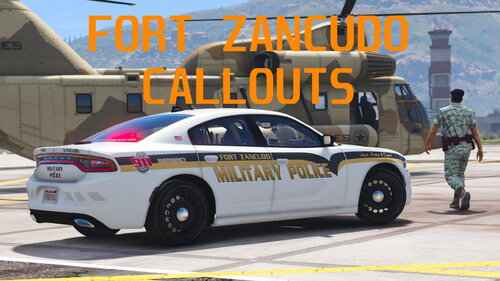 The charger matches up, the others don't so feel free to find your own. I don't really care anymore.
 -
.thumb.jpeg.8bfa019a2216257040b9c7c799744610.jpeg) Awesome to see new callouts, can't wait to play them!
Awesome to see new callouts, can't wait to play them! -
New update fixed now.
-
Alright let me know if it happens again, could be just a one-off kinda thing.
- 183 comments
- 24 reviews

.thumb.jpg.37cdb54de83d6dee03b6b15e76b2f5fd.jpg)
.thumb.jpeg.8bfa019a2216257040b9c7c799744610.jpeg)