


Jeffdadawg
Members
-
Joined
Everything posted by Jeffdadawg
-
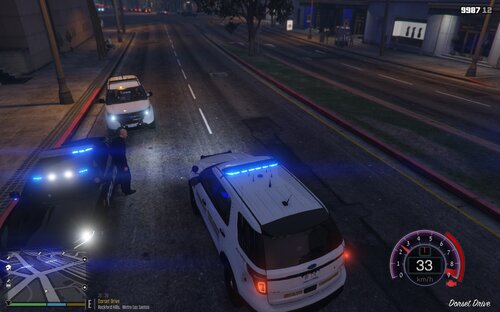 There you go. The problem is that you have low memory on your computer and is unable to handle these callouts. Try freeing up some space on your computer 🙂 You can download these: https://www.gta5-mods.com/tools/packfile-limit-adjuster https://www.gta5-mods.com/tools/heap-limit-adjuster-600-mb-of-heap
 -
Hello, -Snip- Please do not back seat moderate. -Moderator JAM> You can go to the agency.xml and add different cars to different locations. For addon cars, make sure to add the individual names of the cars. For replace cars, just add the name. For example: Replace <Vehicle>police3</Vehicle> Addon <Vehicle>sahp2</Vehicle>
-
The LSPDFR Site Guidelines forbids creating multiple accounts.
-
What a rollercoaster. Change the PTT to 60000. 🙂
-
I'm guessing this is a typo then? Anyway, happy playing! 🙂
-
To be honest, the UB roadblock is just a line of 3 police cars on a road with police behind them. I guess a proper roadblock would be some barriers and cones and some police cars. I guess that is what he was expecting.
-
Be aware that LSPDFR is a singleplayer game and is not available in multiplayer. Also, if you want to play with friends in GTA online, it has the names by default.
-
Send us another log.
-
He does have the Callout Manager plugin installed so It's worth a try.
-
Glad I could assist! 🙂
-
Wilderness Callouts is out of date. You can remove it and replace it with other callouts.
-
And what callout is this?
-
I understand. Sorry for the misunderstanding. I hope we'll get along very well in the future 🙂 Also, while I was typing out the post, I didn't see your edit so I assumed you edited it after I posted mine.
-
Highly unnecessary. I see you've edited your post once I have posted mine. I don't mean to start an argument, but If I've done something wrong, please tell me.
-
Seems like this problem is still not solved. I'll give it a try. Please specify how LSPDFR crashes. Does it crash on startup? Does a crash report generate?
-
Hello, You can check out the German Forums in the site. It is located at the bottom of the forums section. 🙂 As for your problem, put the vehicles in Patchday 17-22 and your problem will be solved. (Setzen Sie die Fahrzeuge in Patchday 17-22 ein und Ihr Problem wird gelöst.) Hope this helps!
-
Hello, You can use the 'Contact Us' method or you can directly PM the person you want to discuss your information with 🙂
-
So you want a nametag for police officers. And the reason? If you want to avoid friendly fire, check whether the cops are wearing police uniforms or not 🙂
-
If you really do want a reply, there is no roadblock/spike strips for LSPDFR. You can add those features using a plugin.
-
We do not have control over your PC and cannot tell you specifically what to do unless you send us your mods folder which: 1. Is a lot of memory 2. Is unsafe We are not here to solve your problem. We are here to give guidance on how to solve your problem. If you know it's in your mods folder, that's our job done. The rest is up to you to do. Also, you should get used to switching you your mods folder often.
-
-
Upload the log here 🙂 This error is commonly caused with your antivirus blocking access to your game files. Try adding the GTAV folder to the exceptions in your antivirus.
-
Error message: [10/26/2020 6:14:58 PM.068] Exception type: System.OutOfMemoryException [10/26/2020 6:14:58 PM.069] Exception message: Exception of type 'System.OutOfMemoryException' was thrown. Your system is out of memory. Free up some space on your PC 🙂
-
This crash is caused by CalloutManager. Remove it 🙂
-
Send me your RagePluginHook.log It's a note file located in your main directory named RagePluginHook 🙂

