


OfficerArchie
Members
-
Joined
-
Last visited
Everything posted by OfficerArchie
-
-
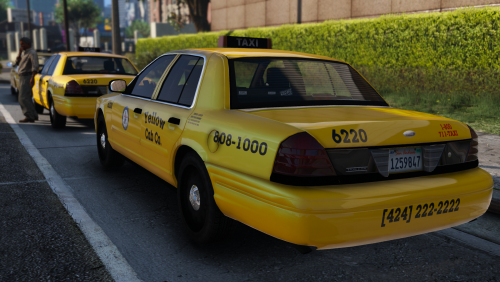 Does anyone know how to stop the vehicle spawning without the taxi sign on top? I have random taxi's spawning with nothing on the roof. Is there a flag entry I can put in to force the extras on all the time?
- 18 comments
- 6 reviews
-
Great quality as always Beren, love the variety and particularly the fact that they resemble LA taxi cabs but retain the lore friendly theme. 5/5
- 18 comments
- 6 reviews
-
-

- 1
-
-
I am just gonna put it out there, I have been waiting for someone to make a Detective CVPI based on Lundy's 2003 CVPI DEV model, really basic, couple of lights in front window and in back, antenna on the roof or trunk, no caps on the wheels, basic radio inside (no laptop), single spotlight. You get the idea, basic, dirty, hard working detective ride. I will give you a body part if you can make this happen. ;-)
-
 Can't believe this wasn't fixed in the first release, what's going on Lundy...???? ;-)
- 8 comments
- 12 reviews
-
 I think I want this more than the AeroDynic Fury, and that is saying something... This is for you Lundy
 -
 I love you in a completely inappropriate way Lundy....
 -
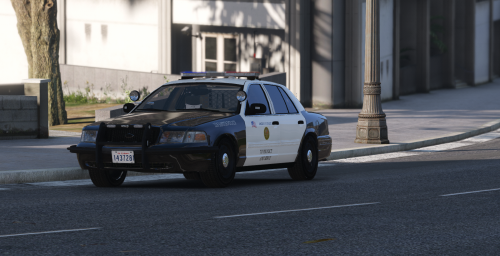 Great work man, really nice to see something slightly different that is still lore friendly, good quality skins 5/5.
- 3 comments
- 1 review
-
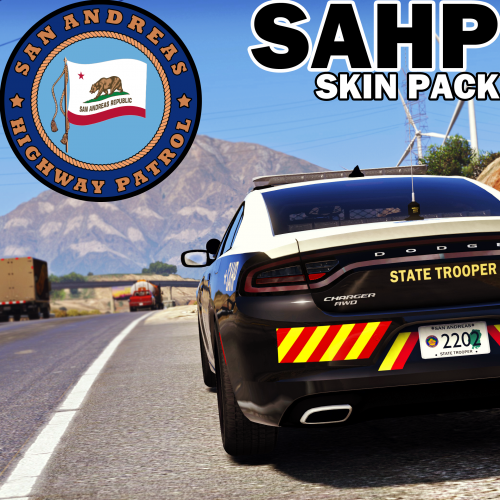 As Darryl Kerrigan would say: "This is going straight to the pool room" (Australians will get this). 5/5!
- 14 comments
- 17 reviews
-
-
- 2
-
-
.thumb.jpg.4066677156985e22489bfecddc2f6c45.jpg) The new cars you have installed probably included a carvariations file that is overriding the original one we updated, you need to find the new one and change the light and siren values to 1 and 2 again for the slot that car is in.
The new cars you have installed probably included a carvariations file that is overriding the original one we updated, you need to find the new one and change the light and siren values to 1 and 2 again for the slot that car is in.- 376 comments
- 81 reviews
-
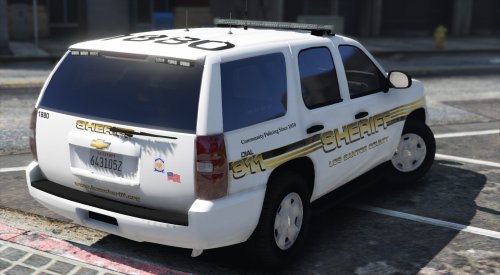 Real quality work right there, you have set the bar way up there for others producing skin packs. 5/5 mate.
- 41 comments
- 11 reviews
-
-
- 1
-
-
-
 No more talky-talky, I want to drivey-drivey! On a less serious note, could you release one with the LAPD AeroDynic for Blaine County use, pwetty pwease?!
 -
-
Once you have found the carvariations file, extract it using OpenIV, then open it using notepad. copy the lines I gave you and paste them into the carvariations file. Make sure that you paste it between two existing entries (so where one finishes </item> place the new lines there) save the carvariations file, then import it back into the game with OpenIV to the place you extracted it from, you should be good to go.
- 376 comments
- 81 reviews
-
Add these lines to a carvariations file in mpchristmas2 or mpheist or patchday8ng or patchday9ng, any of them should work. <Item> <modelName>police</modelName> <colors> <Item> <indices content="char_array"> 134 134 156 156 </indices> <liveries> <Item value="true" /> <Item value="false" /> <Item value="false" /> <Item value="false" /> <Item value="false" /> <Item value="false" /> <Item value="false" /> <Item value="false" /> </liveries> </Item> <Item> <indices content="char_array"> 134 134 156 156 </indices> <liveries> <Item value="false" /> <Item value="true" /> <Item value="false" /> <Item value="false" /> <Item value="false" /> <Item value="false" /> <Item value="false" /> <Item value="false" /> </liveries> </Item> <Item> <indices content="char_array"> 134 134 156 156 </indices> <liveries> <Item value="false" /> <Item value="false" /> <Item value="false" /> <Item value="false" /> <Item value="true" /> <Item value="false" /> <Item value="false" /> <Item value="false" /> </liveries> </Item> <Item> <indices content="char_array"> 134 134 156 156 </indices> <liveries> <Item value="false" /> <Item value="false" /> <Item value="true" /> <Item value="false" /> <Item value="false" /> <Item value="false" /> <Item value="false" /> <Item value="false" /> </liveries> </Item> <Item> <indices content="char_array"> 134 134 156 156 </indices> <liveries> <Item value="false" /> <Item value="false" /> <Item value="false" /> <Item value="true" /> <Item value="false" /> <Item value="false" /> <Item value="false" /> <Item value="false" /> </liveries> </Item> </colors> <kits> <Item>157_massacaro2_modkit</Item> </kits> <windowsWithExposedEdges /> <plateProbabilities> <Probabilities /> </plateProbabilities> <lightSettings value="1" /> <sirenSettings value="2" /> </Item> Good luck!
- 376 comments
- 81 reviews
-
-
That happens when you have not put in the correct carvariations entry, or you have one that has been previously modified for a different vehicle.
- 376 comments
- 81 reviews
-
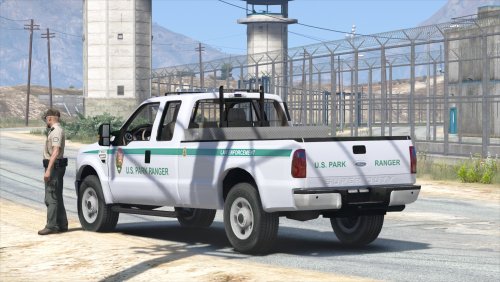 Love the Super Duty. Couple of small issues: Windows not breakable and the forward window pillar is invisible when the door is open. Interior is fine for me, i'd rather see the other issues fixed before a high poly interior is added. Great effort though!
- 29 comments
- 15 reviews
-
-
- 1
-
-
-
 Great work Beren, they are fantastic skins and suit Blaine County very well. 5/5
- 71 comments
- 16 reviews
-
-
- 1
-
-
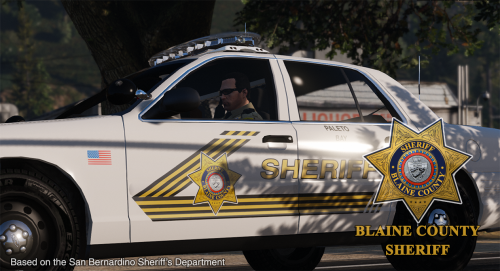 Thanks for these Beren, great work. Any chance you can add BxBugs Impala as well? Thanks again!!
- 32 comments
- 8 reviews
-
-
- 1
-
-
BxBugs Impala would be an awesome addition as well, please, thanks! Great work, love 'em.
- 71 comments
- 16 reviews
-
-
- 1
-
-
 Is there a carvariations I can use if I want to replace my current hwaycar? If I just replace it as it stands, I don't get any emergency lights at all.
- 137 comments
- 25 reviews
-
-
- 1
-
-
 No, only crashes I ever get is on traffic backup or petrol theft callouts.
- 1,081 comments
- 166 reviews
-
-
- 1
-

.thumb.jpg.4066677156985e22489bfecddc2f6c45.jpg)

