




KN1IGHT
Members
-
Joined
Everything posted by KN1IGHT
-
I've gotten that before, unfortunately, to my knowledge I fixed it by deleting my saved games. I realize deleting your saved games, isn't an option for some depending on how far along you are into the game, but sometimes it's the only option Saved games are in your C:UsersAcerAppDataLocalRockstar GamesGTA IVsavegames folder. However, it wouldn't hurt to Cut & Paste the saved game folders to your desktop, rather then deleting them. That way, if that still doesn't solve your problem/ you solved your problem another way, you will still have your game progress
-
Here you can download a backup of the pedprops.img Yes, you make a good point on making backups, but I feel/ think we all inevitably make the mistake of forgetting to make a backup at some point. Though, this site is probably around for that reason. I don't know how long the site has been around, but it seems like it's been around for a while. Not saying your wrong about thinking it's illegal, but I suppose if it was, that site probably wouldn't be around right now. ~ KRI
-
I did add grill lights originally, but the way the front bumper was, there was no "space" behind the grill for any, since putting mini LEDs there resulted in them actually being in the grill, which didn't look that great/realistic IMO, so I opted for the hidden front inner lights instead. A future update will possibly/probably include some more front lighting other then the inner edge XLP, and front hidden lighting
-
This is my fifth vehicle model release, so I hope you guys enjoy it. Please only leave constructive criticism. THIS FILE CANNOT BE RE-UPLOADED ANYPLACE ELSE Changing of textures is allowed for personal use. Backup your game, before importing these vehicles. I am not responsible for anything that happens to your game. Please note, I may respond to any & all reviews/ comments on this mod, but due to my busy life outside of GTA, the suggestions/ recommendations may not get added/ fixed. Note: The all black car is Police2 & the white car is Fbi - Impala Template is included in the download - .WTD files for an all blue config are also provided, along with the individual ELS textures, if you don't want to change everything to all blue. - An edited rim_text texture is also provided, for anyone who is a fan of the Hubcaps being all black with the exception of the Chevy logo - Window tint can be changed by opening the .wtd in SparkIV or Open IV (Recommended and changing the Tint texture) - Tint upon upload is a reasonable darkness already, but some may wish to have completely clear windows - 1 texture comes with the Impalas - Trim on trunk can be changed by editing the reartrim texture in the .wtd - Color for antenna on roof can be changed by editing the grey_antenna texture in the .wtd - The emerglights_emis texture, for the all blue config, has one texture that is left as red. This was done as the Tail Light wig-wags were mapped to it, to make them "brighter". To Do/ Possible Future Updates: - ELS v8 corona compatibility (Right now with wig-wags in headlights, tail lights & ELS in the reverse lights the coronas from ELS v8, aren't exactly practical) A future update may include another version of each Impala, with ELS in the bold listed components removed, to make the use of ELS v8 coronas more "practical". - Mapping the trunk trim to the template Model Overview: Name: Unmarked 2010 Impala with Hubcaps Version: 1.0 Lightbar: Whelen Inner Edge XLP Other Lighting: Whelen Dominator T.A., Whelen Talons, SoundOff Intersectors, Hidden Lighting in Reverse Lights, and front inner lights Equipment: BodyGuard 6,7 Partition, Police Console, PocketJet Printer, Panasonic Arbitrator Camera, Garmin GPS Unit, Antennas Multiple Liveries: Yes Recommended Handling: 1700.0 6.0 85 0.0 0.0 -0.50 0.0 5 0.20 1.0 150.0 0.22 0.67 0.7 35.0 1.35 1.10 15.0 0.15 0.47 1.5 0.8 0.8 0.14 -0.17 0.0 0.5 1.0 1.0 0.8 1.5 0.0 25000 440040 0 0 Optimized for: Fbi ELS Compatible: Yes Model Status: Locked Name: Unmarked 2010 Impala with Hubcaps Version: 1.0 Lightbar: None Other Lighting: Whelen Dominator T.A., Whelen Talons, SoundOff Intersectors, Hidden Lighting in Reverse Lights, and front inner lights Equipment: BodyGuard 6,7 Partition, Police Console, PocketJet Printer, Panasonic Arbitrator Camera, Garmin GPS Unit, Antennas Multiple Liveries: Yes Recommended Handling: 1700.0 6.0 85 0.0 0.0 -0.50 0.0 5 0.20 1.0 150.0 0.22 0.67 0.7 35.0 1.35 1.10 15.0 0.15 0.47 1.5 0.8 0.8 0.14 -0.17 0.0 0.5 1.0 1.0 0.8 1.5 0.0 25000 440040 0 0 Optimized for: Police2 ELS Compatible: Yes Model Status: Locked
-
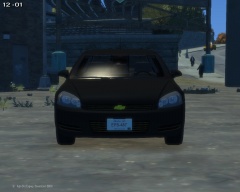
From the album: zModeler Work
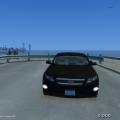
A Liberty City citizen caught a glimpse of an almost all blacked out 2010 Chevy Impala sitting unattended, so he snapped a few pictures of it. -
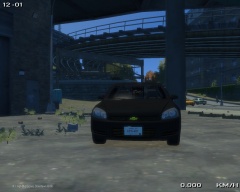
From the album: zModeler Work
A Liberty City citizen caught a glimpse of an almost all blacked out 2010 Chevy Impala sitting unattended, so he snapped a few pictures of it. -
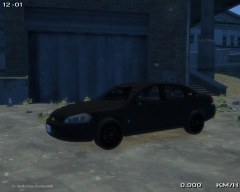
From the album: zModeler Work
A Liberty City citizen caught a glimpse of an almost all blacked out 2010 Chevy Impala sitting unattended, so he snapped a few pictures of it. -
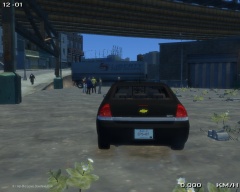
From the album: zModeler Work
A Liberty City citizen caught a glimpse of an almost all blacked out 2010 Chevy Impala sitting unattended, so he snapped a few pictures of it. -
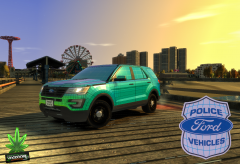 Looks even better in game! Can't wait to see a release with it!
 -
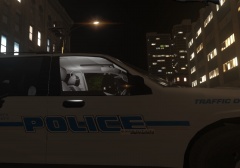 I think maybe one version with the badge, and one without?
 -
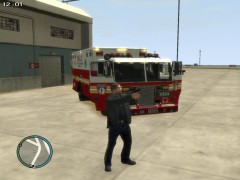 It can be downloaded here Damn this is an old screenshot of mine. I don't think it's even on my hard drive anymore, since I think it was taken before my hard drive failed.
 -
-
Okay. Based on your hierarchy screenshot, your extra 5 & 6 aren't setup correctly. They should be setup as follows: extra_5 extra5 extra5_L0 extra_6 extra6 extra6_L0 I've attached a screenshot of a zModeler hierarchy showing how extra 5 & 6 should be setup.
-
Is it lightsemissive or emissive? If it's emissive, it's supposed to be lightsemissive Also, double check the naming of your extras. An incorrectly named extra can cause that as well
-
I'll give the CVPI a try. Send me a PM
-
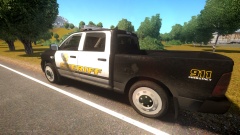 Would the wheels like these on >this RAM work? (Note: I'm not saying I have these wheels, I'm just asking if these are what you'd be looking for)
 -
Paint.NET works as well. Open the .DDS file and Save As a .PNG
-
![[WIP] Dodge Charger 2013 UC...](//s3-gallery.int-cdn.lcpdfrusercontent.com/gallery/album_2498/sml_gallery_4103_2498_4346486.png) Liberty City is introducing new light poles! They now hover above the ground!
Liberty City is introducing new light poles! They now hover above the ground! -
I recognize that Charger ;) Nice video!
-
Hey, I had a problem with lights being dim awhile ago, but still flashing in game. The cause was the actual extra in the hierarchy not being named correctly. I got this article from a person I PMed asking about how they fixed the same problem. Extras 1, 2, 3 & 4 are named correctly, and setup correctly Extra 5 & 6 should look like: extra_5 extra5 extra5_L0 extra_6 extra6 extra6_L0 Extra 7 should only have one dummy like so: extra_7 extra_7_L0 I hope this post wasn't to confusing to read, and I also hope that it helped you as well! I've also attached a screenshot from zModeler showing the extras setup.
-
Very nice I love the new layout!
-
Depending on how often I'm going to play the game, determines if I will get it digitally, or look for it on a disc. GTA IV is one I have on disk, but also a digital download from GameStop online. If I ever lose or destroy my disc (somehow) I can install the digital version. But, I do prefer disc, since if the need arises to uninstall and re-install to fix either some modding errors, or missing files (for whatever reason) the disc is there, and it's instant, and can normally be done without being connected to the Internet. Digital (mainly Steam) if you need to "verify" your game files, and it finds there is some that don't match the original ones (mods requiring same file name, but a different version), then you need Internet to re-download/ "verify" the files. As for GTA V & what Xbox I use: I don't Only console I've ever had is PS2. I'll be waiting for GTA V on PC to be released.
-
 This is my fifth vehicle model release, so I hope you guys enjoy it. Please only leave constructive criticism. THIS FILE CANNOT BE RE-UPLOADED ANYPLACE ELSE Changing of textures is allowed for personal use. Backup your game, before importing these vehicles. I am not responsible for anything that happens to your game. This Taurus was requested by adm. This Taurus was a co-op project/ request between myself & Ethangm (LCPDFR), EPSEthan (LCPDMods) Credits: Model Overview: Name: Unmarked Taurus Version: Final Lightbar: None Other Lighting: SoundOff Predator 2 Dashlight, SoundOff CVPI Brake Light Surround Equipment: Panasonic Toughbook, Scanner/ Radio, Light Controller Multiple Liveries: Yes Recommended Handling: 1700.0 7.5 85 0.0 0.0 -0.60 0.0 5 0.22 1.0 150.0 0.22 0.66 0.7 35.0 1.35 1.10 14.5 0.15 0.48 1.6 1.1 1.1 0.13 -0.16 0.0 0.5 1.0 1.0 0.8 1.5 0.0 25000 440000 0 0 Optimized for: Noose ELS Compatible: Yes Model Status: Locked
- 5 comments
- 1 review
-
To detach: 1. Go into Polygon Mode (Shortcut Key: 3) 2. Go to Select -> Quadr 3. Modify -> Submesh -> Detach 4. Selected Mode On (Spacebar) 5. Click on a set of Extras. They should change, and have a bunch of small red squares on them 6. Select an extra, left click, and it should detach. 7. Done! Please note, after you detach one, it will go back into Object Mode (I think it's called), and the one you just detached, will be selected. Either de-select it: Ctrl + Right Click and drag the box over item to be de-selected, or in the hierarchy uncheck, it so it isn't visible. I hope this helped you! ~ KRI
-
Okay, I looked at the thread. I've added L2s to everything like the post mentioned. However, in OpenIV, the wheels stay visible at Low Level Of Detail, but in game they still disappear. Thanks for the link. I'll be working on fixing this


![[WIP] Dodge Charger 2013 UC...](http://s3-gallery.int-cdn.lcpdfrusercontent.com/gallery/album_2498/sml_gallery_4103_2498_4346486.png)
