




KN1IGHT
Members
-
Joined
Everything posted by KN1IGHT
-
Hi guys, I recently got a new PC recently which has Windows 8 I've tried running the GTA IV Installer which returns the error of "Your system is incompatible with %P" I've tried running it in compatibility mode for Windows XP (SP 3), and the Installer window opens, the green bar showing the progress goes about 3/4 of the way, and then it says "Not Responding" Any thoughts? Best, KRI P.S. PC Specs are in my signature
-
I'm aware this may be a late reply GFWL: GamerPaul101 Should be correct I have another one, but I don't remember the name
-
Thank you! Best, KRI
-
I'm on iPhone right now May someone link me to the PoliceHelper MOD? :) Best, KRI
-
Hey guys, Another question. :P How do you place objects in GTA IV, such as a police barrier? Best, KRI
-
So, to go on duty without going to the station, I press the buttons in this order: 1. Alt +P 2. Ctrl + P But, to go on duty by going to the station like the vids I've seen, I just press Alt + P? Best, KRI
-
That's what I meant. Sorry. Lol I meant going on duty by Alt + P, Ctrl + P and then going to the police station. As per LCPDFR Vids I've seen, once you turn on LCPDFR, it says "Go to the nearest police station to go on duty" or something similar. Thanks for the link! In the Main GTA IV Directory or Scripts directory?
-
But I will be able to choose the cars when I go on duty, after leaving the Police Station, if I'm correct? Any trainers you'd recommend, that are fairly easy to install? (Link?) Best, KRI
-
Hey guys, For anyone who hasn't seen my post in GTA IV Not Launching thread, I plan on getting a gaming PC to resolve hopefully all and any issues I've posted about on here. Now just a question regarding installing vehicle models. Using SparkIV you navigate to the cdimages folder and vehicles. Then you just add the downloaded model's file to the folder, rebuild it and save it? You should be able to use downloaded vehicle models after that, right? Best, KRI P.S. Posting this now, ahead of time, so I know when I get my new Gaming PC.
-
Don't worry I'm only using GTA IV, not EFLC
-
Thanks for the suggestions guys. I'm hoping to possibly get 12 GB RAM or 16 GB RAM, if possible. And possibly/hopefully a 4.2 or 4.5 GHz processor speed computer. I live in an area with a lot of gamers, and I was told if you want a good Gaming PC, to make sure it's at least 3.5 GHz for Processor Speed. Also, any recommendations on how many cores it should have? Minimum listed on Rockstar Games' support site is Dual, but recommended is Quad Core. Video/Graphics Card recommendations? Any brand recommendations? Toshiba? Acer? etc.... Best, KRI Edit: KM964 since the only OS's listed on the GTA IV case are XP and Vista. Does GTA IV work fine with Windows 8? I'm looking at a gaming PC with the following: - 3.5GHz 3rd Generation Intel Core i7-3770K Ivy Bridge Processor - 8GB DDR3 system memory - 2TB hard disk drive - Windows 8 (64-bit) - 24X DVD±RW Dual-Layer Super-Multi Drive - AMD Radeon HD7770 Graphics with 1GB dedicated video memory Those are the main things I'm looking at. Is the graphics card good enough for GTA IV? Click http://www.staples.ca/en/CyberPowerPC-Gamer-Xtreme-Desktop-35GHz-Intel-Core-i7-3770K-8GB-RAM-2TB/product_156251_2-CA_1_20001 for PC matching above points
-
I know this is a very late reply. But, what processor speed would you recommend, to minimize lag? I'm planning on getting my own Gaming PC, and wanna know what processor speed I should look for. Best, KRI
-
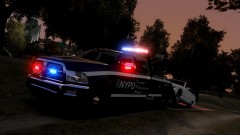 Just a suggestion. In each file of the pack. Like the marked and unmarked versions, you should add some pictures of them to their files. :P :) I'd like to see them before I implement them to my game. :)
 -
Nice! :D I've been looking for a Dodge RAM pack. Does the pack contain vehicle models?
-
I have no clue where to look at the processor thing. On my other desktop, in which I made the thread about "can't get past loading screen" GTA IV works fine on it. And with reference to the 1.75 GB of RAM, I just read somewhere you need at least 2? I got the game on Disc, so it should be up to date. Still not working though. Edit: I'm not sure if this is the processor thing, but here: E2160 @1.80 GHz 1.80 GHz, 1.75 GB of RAM Thats' the exact order under Computer: when I right click My Computer and click Properties
-
Hi guys, I installed GTA IV on a different desktop PC, and it installed successfully, but when I run LaunchGTAIV.exe as Admin, a cmd window opens, disappears and then nothing happens. I've used the G17 Diagnostics Tool, and got the following results. One thing it says, before I click "More Information" is RAM Not Supported. (No clue what this means). Here's the more information contents: BEGIN *SIGNED* LCPD First Response Issue Report Diagnostics Tool Version: 0.4.3 Operating system: WindowsXP Home (5.1.3.0 Build: 2600) Service Pack:Service Pack 3 System RAM (GB): 1.75 CPU cores: 2 NET Framework 4.0 installed: True Visual C++ 2010 Redistributable installed: True GTA IV - Installed: True GTA IV - Install folder: C:Program FilesRockstar GamesGrand Theft Auto IV GTA IV - Version: 1, 0, 0, 0 GTA IV - Asi loader installed: True GTA IV - Asi loader: XLiveLess GTA IV - Asi loader valid: True GTA IV - C++ ScriptHook installed: True GTA IV - C++ ScriptHook valid: True GTA IV - C++ ScriptHook version: 0, 5, 1, 0 GTA IV - ScriptHookDotNet installed: True GTA IV - ScriptHookDotNet valid: True End of *SIGNED* LCPD First Response Issue Report Digital signature: ds/GqBEE5u9Douc6vn/b7Q==
-
Without the SwiftShader 3D Rendering file, it gives me a WS10 Error. With the file it makes it to the main menu just fine, without any errors
-
Hi guys, I've installed GTA IV, on my desktop, and got it working successfully, with the help of SwiftShader 3D Rendering file. But, I can not get past the loading screen you get to, after clicking Start on the Main Menu. Any thoughts? Best, KRI
-
KUBEANIE, I will post the specs ASAP. Right now, when I right click LaunchGTAIV.exe and click Run as Administrator, the access denied disappears, but it keeps giving a message about updating DirectX and/or my video card drivers. Again, will post specs ASAP ~ KRI Posting from a Mobile Device. Excuse any spelling and/or grammar errors
-
I've installed other games on here to, and they work fine. I also don't know why it actually worked the first time, and now won't work a second time
-
Also noticed, that it worked once, and the minute, I quit the game, and tried to restart the game, it gave me an Access Denied error. And my Data Execution Prevention program keeps closing Grand Theft Auto IV
-
Hi guys, I finally got my copy of GTA IV working on my PC, but the movement is very jerky, and there is no "smooth" movement. I went to the graphics settings in the game, and it's using 275/123 MB It says to lower the settings, but every time I try change something, it "bounces" back to what it was before. This jerky movement, makes it very difficult to play the game. Would updating my video card drivers help this?
-
Great job! Only thing I can see, that may be a bug, or that can be fixed in a later version, is the fact that the boat's floor, is water. and looks like water. :P Other than that, great job!! ~ KRI
- 21 comments
- 9 reviews
-
Hi guys, I recently purchased GTA IV for PC, via Gamestop's Store Download, via their App, and got it installed, and it kept giving me an error. Something about access denied to create a .txt file or something. So I uninstalled it, and rebooted my PC to complete the Uninstall, hoping it would fix the access denied error. After my PC rebooted, I opened the App again, and now it says I have to download it again. Any thoughts?
-
I'm asking because, I'm downloading it using GameStop's App, and I believe I have to open the app to play it, as there is sections saying "Play Count" I'm asking because, if you use the app to play it, it sounds like there won't be any files installed on the computer, unless when it's finished downloading, it installs on the PC like a regular game Gtagamercop, since you seemed to buy it in a similar way as I did, did the game install like a normal DVD-ROM Game? As in it added files, to your hard drive?

