
Pwnzies
Members
-
Joined
-
Last visited
Reputation Activity
-
 Pwnzies reacted to Tom3k. for a file, License Plate PackDiscord Server
The official Tom's Designs Discord Server is the best way to stay up to date with news and updates.
If you want to be part of the community, need support, have suggestions or need to report a bug - click here!
Join us today and elevate your visual experience!
Features
A comprehensive license plate pack based on authentic U.S. plates from all 50 states (goal). Each state includes a actual version and one or more lore-friendly variations, along with its own unique font style for the numbers. Every plate comes with a custom configuration for the sequence of characters, designed to maximize immersion when used with the LicensePlateChanger plugin. The entire system operates as a add-on, ensuring seamless compatibility with every future game update.
Is your dream plate missing, or is your state not completed yet? Feel free to reach out to me on my Discord server!
Included states (All variants shown in the showcase):
Alabama
Arizona
California
Florida
Georgia
Iowa
Louisiana
Maine
Massachusetts
Michigan
Montana
Nevada
New Hampshire
New Jersey
New York
Oklahoma
Oregon
Pennsylvania
Utah
Vermont
Washington
Requirements:
LicensePlateChanger
-
Pwnzies reacted to Venoxity for a file, LicensePlateChanger [Outdated]Unlike generic license plate modifiers, this plugin offers sophisticated formatting options tailored to different vehicle classes and types. Whether it's sports cars, sedans, motorcycles, or trucks, players can select from a range of preset formats that adhere to real-world standards, ensuring authenticity and immersion.
Requirements:
- ScriptHookV
- ScriptHookVDotNet
To Install this script, the .dll file must be placed in a "scripts" folder.
This folder can be reached by going to the Grand Theft Auto V directory and placing the .dll file in the "scripts" folder.
If this scripts folder does not exist, then you can simply create it.
Drive where GTA V is installed → Programs (x86) / SteamLibrary → Steam → steamapps → common → Grand Theft Auto V → scripts
If you need support, please join our discord server and create a ticket eventually someone will get to you!
Discord Server: Venoxity Network [www.discord.com]
I would be happy to receive feedback. If there are any Bugs, please let me know!
-
Pwnzies reacted to Mr.Gamer for a file, MoveThatPedOverview
MoveThatPed is an immersive LSPDFR plugin for Grand Theft Auto V that transforms your real-life microphone into a functional police megaphone within the game. This plugin enhances role-playing experiences by allowing officers to interact with civilians and suspects using voice commands processed through realistic megaphone audio effects.
tuj06SyZAy6Nq5NDgYgADw.mp4 Credits to SrVenuh36 for the above clip
Key Features
🎙️ Real-time Voice Processing
Captures audio from your microphone with minimal latency Processes your voice through a custom audio pipeline that simulates police megaphone characteristics Applies professional-grade audio effects including: Bandpass filtering centered around 1800Hz for that authentic "tinny" megaphone sound Subtle distortion to simulate speaker compression Gain adjustment for proper volume levels Echo effect to simulate sound reflection in urban environments Background noise simulation for realism 🚨 Voice Command Recognition
Recognizes your voice commands while using the megaphone Built-in speech recognition responds to commands like "move," "clear the road," and "pull over" AI-driven traffic response system that intelligently clears vehicles from your path Configurable command phrases for customized experience Works seamlessly with the megaphone system for complete immersion 🚗 Advanced Traffic Control
Realistic traffic clearing with physically-based vehicle movements Vehicles respond differently based on their position relative to your patrol car High-speed emergency clearing for urgent situations Multi-stage clearing with pulse waves that progressively clear traffic ahead Vehicles visibly move, change lanes, and create a path for emergency vehicles Traffic responds with honking, braking, and authentic evasive maneuvers ⚙️ Customizable Settings
Fully configurable via XML settings file Adjustable audio parameters: Filter frequency Filter resonance (Q) Gain amount Noise level Echo parameters Customizable keybinding Configurable voice commands Option to enable/disable notification messages
Troubleshooting
Common Issues
No sound output: Check that your microphone is working properly in Windows settings Plugin doesn't load: Verify all dependencies are correctly installed Crackling audio: Try adjusting the GainAmount setting to a lower value Game crashes: Make sure you have the latest versions of RAGE Plugin Hook and LSPDFR Known Limitations
Audio quality depends on your microphone hardware May not work with all third-party audio devices Performance impact on lower-end systems
NOTE: I AM NOT RESPONSIBLE FOR BREAKING YOUR GAME.
-
Pwnzies reacted to NightYield for a file, Traffic BlockThis plugin allows you to place barriers and cones to stop the traffic.
Alternatively you can use your police car to block the road and stop the traffic.
Do you need Help with this plugin?
Read the "Troubleshooting" section!
Details
This lightweight plugin will add two features to your game. It will allow you to place barriers and cones via a menu. You can open the menu via U. The barriers and cones will block traffic, but cones only in a small radius. You can change the assigned menu key, just edit the TrafficBlock.ini file. It also allows you to disable the barrier feature in case you want to use a plugin with more options for this, like Richs Scene Manager.
With the second feature you can use your police car as a roadblock while you are not in the car yourself. This feature allows you to operate on a street in case of an emergency, without having NPCs driving around you. Traffic stops will not be blocked by this feature, because it triggers only when you park your car diagonally to the road. Adjustments to this feature can be made by editing the TrafficBlock.ini file. To activate the roadblock do the following steps:
Slow down your police vehicle Park diagonally on the road you are on Ensure the siren is active Leave the vehicle
Traffic will now slow down in front of your vehicle, like you can see it on the uploaded plugin pictures. If you want to end the roadblock, go back to your vehicle and drive away. The traffic block will end once your police car is faster than 10 km/h. This is to ensure that the traffic will not start to flow just because you hit a movement button by mistake.
Requirements
A legal copy of GTA V RAGE Plugin Hook RageNativeUI 1.9+ ( https://github.com/alexguirre/RAGENativeUI/releases )
Installation
Just copy the plugin folder into your GTA V folder and enable the plugin in the Rage Hook Settings. You can find more detailed instructions within the ReadMe file.
Troubleshooting
Ensure that you have followed the instructions within the ReadMe Ensure that the plugin was installed into GTA/plugins Ensure you have installed all requirements Ensure that you have at least RageNativeUI 1.9 Try to set the IgnoreTabViews .ini option to true in case of any problems with the menu (for example, if the menu does not open) Acknowledge: Controller / Game-pad input is not officially supported by me for this plugin Acknowledge: By downloading another mod you may have downgraded your RageNativeUI, see point 4.
99% of all support requests that reach me are about errors that can be avoided. Please read the tips above very carefully. Most of the time the right version of RageNativeUI is not installed or the IgnoreTabViews fix was not used.
If you still have problems contact me via private message and attach the RagePluginHook.log. I can't help you without this log file!
Special Thanks
@alexguirre for the awesome RageNativeUI @Mac Tavish for testing All guys and ladys from the LSPDFR Developer community
About the future of Traffic Block
In January 2024 I released a new plugin: Traffic Suite. You can check it out here on lcpdfr.com. It does offer enhanced versions of Traffic Block's features and much more. Traffic Block will stay in maintenance mode. I will not release new features for Traffic Block, but fix critical bugs if reported. You can continue to use Traffic Block if you prefer it! Traffic Block is not abandoned, it's just feature complete 🙂
-
Pwnzies reacted to BenH6021 for a file, Holster SoundsWelcome to Holster Sounds, a plugin that will play a custom sound each time a pistol is unholstered or holstered using the LSPDFR animation.
Brought to you by the Immersive Plugins Team
Some key features are:
- Sounds are customisable for Pistol, Combat Pistol, APPistol and Pistol50.
- All other pistols will use the 'others' sound. (there is no support for StunGun at this time)
- Individual weapon sounds can be enabled/disabled via the ini.
- Compatible with CopHolster (see notes below)
Prerequisites
- LSPDFR 0.4.9
- Ambient.DisablePlayerHolsteringActions MUST be set to false in the lspdfr.ini located in Grand Theft Auto V\lspdfr
Installation
1. Copy contents of "Grand Theft Auto V" into your "Grand Theft Auto V" folder.
2. Edit the sounds or disable individual sounds in the ini if desired.
Notes
1. CopHolster - The following must be set in the copholster xml - EnableHolsterAnimations="false" and Item Animate="false"
2. Changing Sounds - All sounds can be changed, please ensure sounds are in wav format and the exact file names are used.
For support please use our Discord Server - https://discord.gg/AuJCUag
Demo Video -
-
Pwnzies reacted to Faya for a file, TourniquetTourniquet for Grand Theft Auto V.
Copyright © 2024 Faya & Echooo. All rights reserved.
Faya's Server / Echooo's Server / Installation
Did you get shot? Take cover and apply your tourniquet before you bleed out.
If you get shot in a limb, there's a chance you'll have a bleed on that limb, and you'll also have an injured walking style, to get rid of that you'll have to be treated by paramedics or heal yourself.
⚠️ Important if you're updating!!! Replace "DamageTrackerLib.dll" and "DamageTrackingFramework.dll" (They require an update)
To use the plugin you would have to bleed first, there is a chance that you will bleed when you get shot or stabbed, once you start bleeding you can press the tilde key, which is under your 'Escape' key. After you finish applying the tourniquet you will still have the injured walking style, to get rid of this you must be fully healed.
⚠️ Important to read
- Vari's Damage Tracker Framework is required for this plugin to work! (Comes included)
- It is vital to load both Tourniquet.dll and DamageTrackingFramework.dll, otherwise, the plugin will not work.
- You can only bleed a second time in the same limb once your health is back to 100%, otherwise, the rest of the bullet impacts for that limb are ignored!
- If you encounter a crash, details are automatically reported to the developer, you may disable this in the Tourniquet.ini.
Remember to load the DamageTrackingFramework.dll! (Check here how)
Features
Actual bleeding, including visual blood Multiple effects to make it look immersive Injured walking style until you get medical treatment Health ticks down as you bleed until you apply a tourniquet
Future
A dedicated applying animation Actual tourniquet props you'll see on the affected limb
Important
Load the DamageTrackerFramework plugin, it is required for this to work. You must be bleeding to apply a tourniquet. Hold Left Control and press ` to open GTA's cheat code menu. Please note that there is a chance that you'll bleed if you get shot in a limb, so you won't always bleed. The injured walking style only gets reset if you're fully healed, so get treated by paramedics or heal yourself. Using 'Deadly Weapons' makes surviving harder since you are likely already close to death in the first place.
(The DamageTrackerFramework plugin is already included in the download folder, make sure to load it with F4>LoadPlugin "DamageTrackingFramework.dll")
Please read the description in its entirety to fully understand the plugin before commenting for support!
-
Pwnzies reacted to OutCast for a file, No more LSPD shoutouts | Custom agency roleplay | Kifflom replacement.Introduction
Recently, I’ve been more annoyed than usual while playing as SAHP or deputy, backup will randomly yell out agency names they don’t match with, mostly shouting "LSPD," breaking my immersion.
When using EUP models, all backup NPCs share the same model (freemode) and use a random voiceset from a random agency. So I had the idea to edit every voiceline where they claimed to be from the LSPD.
Investigating other voicesets, I discovered that even in the trooper and sheriff ones, they sometimes refer to themselves as "sheriff" or "SAPH," while at other lines they suddenly jump over to "Los Santos Police" or just "police" for no reason. Some sheriff and trooper voicesets even call themselves LSPD entirely, and females only have/use the LSPD voiceset (Rockstar, finish your game...). So not even assigning their true voicesets would quickfix this issue. So, I edited those fragments as well, while at the same time it explains the overwhelming amount of LSPD shoutouts.
Also, I expanded the minivoicesets into full. This should ensure more dialogue, as missing lines (like megaphone chase commands) would go unspoken when the game requests them.
Lines that were purely agency-specific (e.g., "This is Los Santos Police!") have been replaced with equivalent lines from other voicesets but with the same or similar voice actor.
Summary (TLDR):
Quick mod that edits/removes every agency-specific references in the voicelines, All NPCs (Freemode EUP, and even vanilla voicesets) refer to themselves as LSPD at some point, which becomes even more noticeable when inside vehicles. All female voicesets only use LSPD voicelines, even when they represent other agencies. All of this has been edited in this mod. With 1.2 "Kifflom" has been replaced with 2 different versions: generic greetings like "Hi" and "Hello" or the "show me some ID" voicelines from GTAIV. You choose which you prefer at the download. Female cops don't have the "show ID" voicelines in GTAIV to transfer from (doesn't exist), so I created them on my own using AI voice.
Particularly useful if you’re roleplaying any agency other than LSPD since it keeps the interactions generic.
(Once someone discovers how to assign specific voicesets to specific NPC agencies, I could revamp the voicesets again to ensure NPCs correctly identify themselves by their assigned agency. Until then, and even so, this mod will ensure that they act generically without causing any FPS loss, unlike using a plugin or script to reasign the voicesets since this is just audio edit).
Examples:
"Los Santos Police! Stop your car now!" → "Stop your car now!" "San Andreas Highway Patrol! Pull your vehicle to the side of the road!" → "Pull your vehicle to the side of the road!" "Sheriff, stop or I’m gonna shoot ya!" → "Stop or I’m gonna shoot ya!" "This is Los Santos Police!" → "Pull your car over now! Last warning!" (while in vehicle chase, on foot changed accordingly. To avoid duplicity these voicelines are taken from other voicesets with a similar voice actor) (New 1.2) "Kifflom" → "Can you show me some ID, please?" or "Greetings" (depends on the version you choose to download)
How to Install:
Place the .awc files into their corresponding .rpf archives under the following path:
/mods/x64/audio/sfx/
S_FULL_SER.rpf S_MINI_SER.rpf
If you don’t have these files in your mods folder yet, copy the files from the original paths into your mods folder.:
x64/audio/sfx/S_FULL_SER.rpf
x64/audio/sfx/S_MINI_SER.rpf
Then, drop the .awc files into the copied files.
Issues:
Let me know if you find any issues.
-
Pwnzies reacted to ApparentlyRohan for a file, MTFO: Move The F*** OverMTFO
Enhance traffic control and AI behavior when you are responding to a call with your lights and siren active. MTFO aims to create a more realistic and immersive experience by making the AI drivers react in a more intelligent and 'human-like' way to your sirens, rather than swerving all over the place.
Disclaimer:
GTA AI is extremely temperamental, and you may encounter some edge cases and odd AI behavior; these issues will be addressed in later updates. Please report any problems 😁
The best place to get support or suggest changes would be on Discord.
Features:
Extensive customization of AI actions via the MTFO.ini file. Configuration is reloaded when going on/off duty.
Opticom Intersection Control: As you approach intersections with traffic lights, this feature will automatically turn the light green in your direction. This can be disabled via the EnableOpticom setting in the configuration file.
Intelligent Yielding: On highways, vehicles traveling in the same direction as you will switch lanes if they are blocking your path, if no lane is available they will attempt to come to a smooth stop on the wide of the road. They will attempt to find a safe space to pull over if you are in the furthermost right lane.
Oncoming Traffic Braking: Vehicles in the oncoming lane will slow down or come to a stop as you pass them on highways, rather than aggressively swerving. This is controlled by the EnableOncomingBraking setting.
Dynamic Intersection Clearing: When you are approaching a major intersection (with traffic lights or stop signs), cross-traffic will be instructed to stop, clearing the way for you without having to navigate around other vehicles. Toggled via EnableIntersectionControl.
Around Player Overtaking: When you are stopped, vehicles behind you will attempt to safely overtake your vehicle rather than getting stuck behind you. This is particularly useful during traffic stops or when you are stationary on a roadway for any reason. This is managed by the EnableAroundPlayerLogic setting.
With the update to v4, the custom yielding now primarily functions on freeways/highways to make yielding more realistic in these scenarios. Please do not use your old ini; replace it with the new one; it will not function properly with v4, as I have rewritten the majority of the codebase.
UPDATED SHOWCASE: Thanks to @BlueLine Vibes
https://youtu.be/yYFjruw2yeQ?si=l1x4acViG_rKxI_9
LEGACY VERSION: Showcase, thanks to @amenbrother
LEGACY VERSION: Showcase of the vehicles stopping for you thanks to @Scorpionfam
-
Pwnzies reacted to KCPunk for a file, IA STATE CHARGES & CITATIONSINSTALLATION:
1. Open ZIP file and place the "plugins" folder in your "Grand Theft Auto V" game directory folder, where LSPDFR is installed.
OR
2. Open the folders in the zip file and place the "Charges" and "Citations" xmls into the plugins/LSPDFR/CompuLite folder.
3. Replace the files in the destination.
4. All finished. Load up and enjoy!
ABOUT "IA STATE CHARGES & CITATIONS"
- The charges and citations are pulled from the actual State of Iowa Code produced by the state legislature. They may not be EXACT, but I did my best.
- For realism, I've added each code to the charges for RP purposes in your gameplay and in case you wanted to take a peek yourselves at the Iowa Code.
- The Iowa Code also lists similar charge descriptions under the same charge code (as they're listed in separate paragraphs under the same code), in which case I simply either combined the charges or listed them separate with the same code number.
- I'm sure there's charges I've missed. I'll be keeping an eye on any missed charges & will update this as needed with any additions.
- The fines & sentences may not truly reflect the real life fines & sentences for the charges. San Andreas Courts will handle this 😉
- Please feel free to let me know of any errors or issues you run into. If you'd like, be sure to rate this if you have enjoyed this during your gameplay. Thank you!
REQUIREMENTS:
- LSPDFR v0.4.9 by all members of the LSPDFR developing team.
- COMPULITE v1.5.2.6 by BejoIjo
https://www.bejoijo.com/post/compulite
CREDITS:
- I'd like to credit chadc78 for his "Realistic Usable Charges & Citations", in which a small portion was used as to think of any charges I might have missed in order to go through the Iowa Code for.
DISCLAIMER:
- KCPunk is the sole owner and author of this publication titled, "IA STATE CHARGES & CITATIONS". Redistribution or publication by any person or entity in any jurisdiction or country other than the author is strictly prohibited. The sole owner and author reserves the right to change, modify, or remove this publication at any time or for any reason at his sole discretion without notice. Information within this publication may contain typographical errors, inaccuracies, or omissions, including descriptions and various information and the author reserves the right to correct such information without notice. This publication has no ability to track users, gain user information, collect user data, monitor users, or alter user machines in any capacity. The author is not responsible and will not be held liable for any modification errors that effect your game, PC, or any other potential issue of user hardware when using this publication. Please use at your own risk.
-
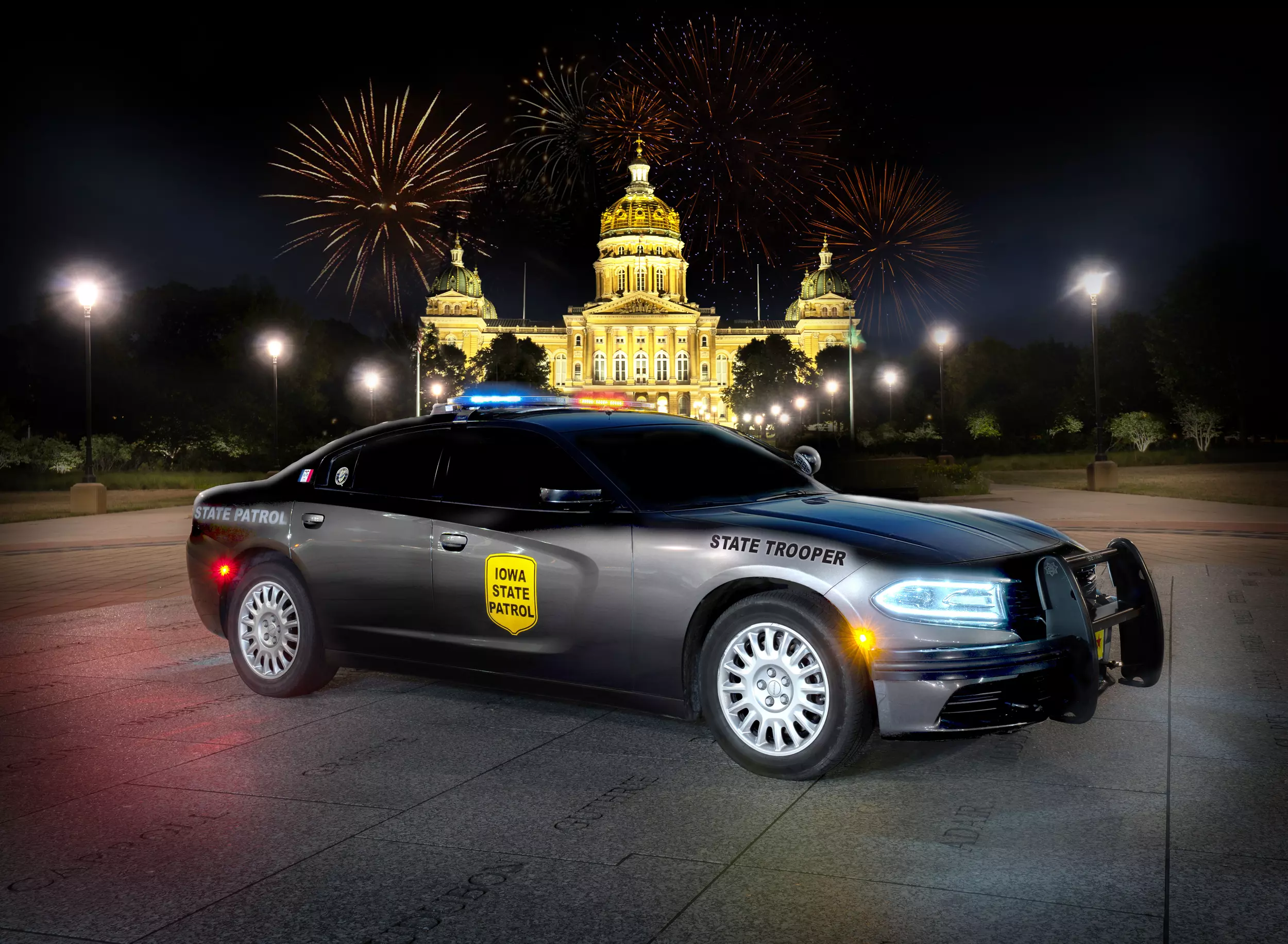
Pwnzies reacted to 1095 Studios for a file, Iowa State Patrol 18 Charger (Lore & Non-Lore)Enjoy
-
Pwnzies reacted to BadMusician for a file, DisarmDisarm 1.1 is a plugin which adds a small but very nice detail into the game. From now on, pedestrians will drop their equipped weapon when shot in the arm holding it.
Installation couldn't be easier. Just copy the contents of 'GTA V Folder' to your game's installation folder. In case you have any questions, consider reading the ReadMe.txt
You can also ask your questions in the comments section. Please do not use the reviews to ask for support.
If you enjoy this or any of my mods, you can consider supporting me on Patreon (clickable). This is not required by any means. A simple download is good enough. You can also leave a review if you want.
-
Pwnzies reacted to CharlieFour for a file, Simple Vanilla TexturesThis pack is intended for use with NefariousBonne's ELS compatible vanilla vehicles pack. http://www.lcpdfr.com/files/file/14973-els-los-santos-police-vanilla-pack/
File Includes: Textures for BCSO: Stanier, Landstalker, and Fugitive. (Includes 4 liveries for Sandy Shores, Harmony, Grapeseed, and Paleto Bay), LSPD: Stanier, Interceptor, Buffalo, Gresley, Granger, Highway Patrol Livery.
Feel free to edit the textures as you see fit.
Recommended for optimal aesthetics for vanilla vehicles:
-
Pwnzies reacted to TheCanadianDream for a file, San Andreas State Trooper Vanilla PackHey guys, i saw that there was a new Stanier and granger and i couldn't resist. lol. Heres another pack hope you guys enjoy! The vehicles here in the readme along with instructions.
Hope you enjoy! be sure to leave a review and a like! 😉
-
Pwnzies reacted to MarkTheDev for a file, Unmarked Vanilla Cars1. I am not responsible for ANY damage to your device, PC, lost files, etc.
2. You agree to me not paying for any medical bills if in case of seizure due to lights, etc.
3. You may not crack, attempt to crack/unlock ANY of my models.
4. Dont take credit for my work.
5. If your game gets error codes and breaks i am not responsible.
6. No redistrubution of this product.
IN some cases:
1. If you have downloaded a unlocked file, you may apply it to your vehicle through Zmodeler, when done you MUST lock any content that has my assets in it.
2. You may not resell my content (Unlocked state).
3. Dont take credit for my work.
4. Use common sense.
You agree to all the stated terms above by downloading ANY of my assets.
FAQ:
1. Will you make me a car?
no
2. Will you make me a-
no
3. Do you want to be a developer for my community?
no
4. Will you please change this for me?
no
5. Will you please give me parts from this vehicle so i can use them myself?
no
Last but not least, enjoy. If you get good photos of my stuff in action, may be a car or a asset that was unlocked but put in/or on a car!
Would love to see some photos of ur work!
SOCIALS:
My discord: Markuller#6969
Development Discord: https://discord.gg/TTzucaJ
Twitter: https://twitter.com/MarkMarkuller
Steam: https://steamcommunity.com/id/Markuller04/
GTAPoliceMods: https://gtapolicemods.com/index.php?/profile/8771-markthedev/
LCPDFR: https://www.lcpdfr.com/profile/437419-marks-designs/
GMAIL: MarkullerCustoms@gmail.com
If you have any problems with stated terms, please DM me on discord: Markuller#6969
KNOWN BUGS:
Hellion: White dials & not working - Message me if you find any other ones
Drafter: Non - Message me if you find any.
Panto: Dials not working - Message me if you find any ther ones.
Oracle: Non - Message me if you find any.
-
Pwnzies reacted to AverageDoe for a file, Surgical Mask [EUP Compatible]It's a surgical mask, not much else really?
Join my disc to see my other WIPs and other models: https://discord.gg/qsKGKJH
if you download it, you know how to install it
-
Pwnzies reacted to Hightower Designs for a file, LSPD-Lore Texture Pack for TickleMyElmo's LSPD Pack**FINAL VERSION** (I currently don't have time to update this, but all of the images are correct. I will continue to provide support, but won't be updating this anytime soon)
This is a LAPD-like texture pack for TickleMyElmo's LSPD pack found here:
@TickleMyElmo
https://www.lcpdfr.com/files/file/22651-els-lspd-pack/
A bit of information.
-=-=-=-=-=-=-=-=-=-=-=-
I only did 2 LSPD bike skins, so that the same bike could be used for other agencies, if you wish. Simply put the other skins in
as harley_skin_# where # is 3 or higher.
Also, I haven't figured out how to put more than one skin on the RAM as of yet. But I'm working on it.
And finally, the instructions.
Instructions:
-=-=-=-=-=-=-=-=-
Using OpenIV, edit the *.ytd files for each vehilce (some will have 2, a plain one and one with a +hi). Make sure to put the skins inside
of them both if more than one, otherwise you'll have texture flipping.
Also, tahoe can't do more than 2 skins in the basic file because the textures will make it go above a 20,000MB size. It's a GTA file limitation.
Lastly, enjoy!
Notable:
-=-=-=-=-=-=-=-=-
-It has been reported on some vehicles, if you put more than 6 liveries on them, they won't spawn.
-Also, if the vehicle has to *.ytd files, be sure to place the liveries in both files so you don't have texture flipping.
-=-=-=-=-=-=-=-=-=-
Credits:
-=-=-=-=-=-=-=-=-=-
LAPD (for the iconic black and whites we all know and love/hate)
TickleMyElmo for the LSPD pack to use
Jesus for saving me
and God for creating me.
-=-=-=-=-=-=-=-=-=-=-=-
Footnotes
-=-=-=-=-=-=-=-=-=-=-=-
A lot of these skins will work on other vehicles, as the bases are put out by folks like
BxBugs123
TheHurk
and many more.
These bases are used by many a vehicle developer to which they add their own flair.
-=-=-=-=-=-=-=-=-=-=-
Legal Stuff
-=-=-=-=-=-=-=-=-=-=-
I based my work on the LAPD (Los Angeles Police Department) Livery(skin). However, getting it to work on each template is of my own doing.
As such, please don't modify the textures and/or redistribute them without crediting me. That'd be wrong and a real dick move. Honestly.
No one likes a plagerist. I put a lot of work into these and there are mistakes. So this is a work-in-progess and may change
from time to time as I tweak stuff. But the underlying work is mine and mine alone.
Thank you for downloading this texture pack.
-
Pwnzies reacted to CHCRS ConnorS for a file, LSPS - Los Santos Protection SquadLSPS - Los Santos Protection Squad
LSPS is a callout for LSPDFR so you can be apart of a convoy transporting high risk people and prisoners
For more stability please download rage native ui From https://github.com/alexguirre/RAGENativeUI/releases/tag/1.6.3
INSTALL:
Place the contents of the "Files" Folder into your main GTA V Directory
BUGS & FEATURES:
-Bugs-
If you cancel call using Albo1125 radio you can’t accept any more LSPS calls
-Features-
- Play as apart of a team transporting people
- Risk Factor Status
-Callouts-
- Protection : Arcadius Center to Golf Club
- Protection : Kortz Center to Galileo Observatory
- Protection : Los Santos Airport to Arcadius Center
- Protection : Los Santos Airport to Galileo Observatory
- Protection : Los Santos Airport to NOOSE HQ
- Protection : Los Santos Airport to Union Depository
- Protection : Maze Bank to NOOSE Headquarters
- Protection : Maze Bank to Los Santos Airport
- Protection : Union Depository to Los Santos Golf Club
- Protection : NOOSE HQ to Maze Bank
- Protection : Kortz Center to Maze Bank
- Protection : Galileo Observatory to Richards Majestic
- Prisoner Transfer : Vespucci Police Station - Bolingbroke Penitentiary
- Ambulance Escort : Bolingbroke Penitentiary - Davis Hospital
Join our Discord its
https://discord.gg/CsUujHq