


Scarletto
Members
-
Joined
-
Last visited
Everything posted by Scarletto
-
I would say get a Chevy Tahoe, dodge charger, and a cvpi.
-
Ever since I saw gta iv lcpdfr videos, I knew I needed it. I went thru 4 computers (2 laptops,2 towers) but my last pc was the one I needed for gta 4, and hopefully gta 5.
-
I like it a lot, the control center is the best, but if you have apps opened it runs down your battery
-
-
http://seekingalpha.com/article/1621562-nvidias-ceo-discusses-f2q-2014-results-earnings-call-transcript Nvdia did spill the beans, so it could be coming out this fall, with CoD: Ghost and Assassins Creed 4
-
I really like the Sheriff SUV, but it be cool if it hook up to trailers(not semi). And maybe when GTA V comes out some one will make a police semi and trailer.
-
Or they are just fanboys of console.
-
![International JERR-DAN Wrecker / LCPD [WIP]](//s3-gallery.int-cdn.lcpdfrusercontent.com/gallery/album_657/sml_gallery_8683_657_259851.jpg) I give it a 10/10 just needs the bonnet
I give it a 10/10 just needs the bonnet -
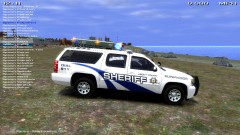 I like it
 -
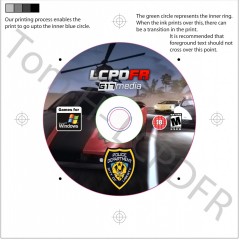 Hopefully G17 can make a standalone LCPDFR like the mod DayZ turning into a standalone game. That would be great.
 -
Using this with the METT, You make the greatest mods. This is my favorite mod that you made
- 80 comments
- 22 reviews
-
-

- 1
-
-
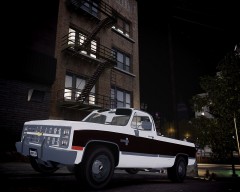 I love that chevy. GO CHEVY!
 -
A good computer that could run GTA IV and be able to connect to the multiplayer. I went through 2 computers that could run it, and one that it was too old.
-
I saw a quad it was police but I like one be like this so it replaces police bike http://www.gta4-mods.com/vehicles/yamaha-y660r-quadbike-f5580
-
-

![International JERR-DAN Wrecker / LCPD [WIP]](http://s3-gallery.int-cdn.lcpdfrusercontent.com/gallery/album_657/sml_gallery_8683_657_259851.jpg)
