



HankVoight
Members
-
Joined
-
Last visited
Everything posted by HankVoight
-
 I'm so glad to see you back modelling!
 -
 Please tell me there'll be a CVPI as well :0
 -
I'm looking for someone who could do me a major favour and remove the gun from the pickup insurgent and also UV Map it please. I want to use it to replace the military crusader. I've attached a few photos of the real life version of it which is the Gurkha Armoured series. If you can do it please let me know!


-
 @Prophet Is this skin private? I really like it and wouldn't mind having it if possible..
 -
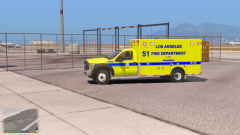 When's the Ambulance being kicked loose?
 -
While you're doing peds, could you do an MP style ped? Based on your Military enhancement packs? From what I've seen on google, all that's really different is adding a duty belt and thigh holster.. Would be much appreciated.
-
I investigated what Cyan said and disabled all of the plugins "search for update" settings in all plugins and now it works fine. I still don't know which one is the problem though.
-
How do I know which one?
-
So GTA updated again today (well for me anyway) and with this new update, my game has shit itself (yes that is correct terminology haha). When I get in game, I get all my stuff ready like EUP and so on and then force duty through RPH and that's when the trouble sets in. It's go through the motions and then freeze and after a minute or two it'll say "LSPD First Response: Could not be retrieved." I know for a fact that this didn't happen before this update. I've included the log in case anyone else is having this problem and knows a soloution to it. The troubles start right at the end.
-
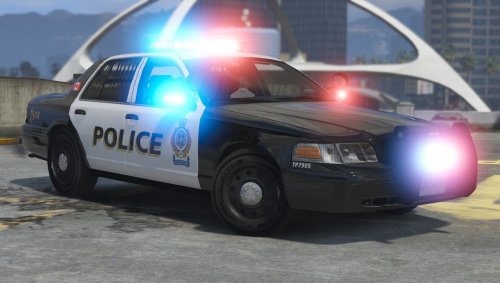 This one, like the other VPD cars you've released are amazing! I seriously love the design, effort and flawlessness of each model. Keep it up!
- 9 comments
- 10 reviews
-
-

- 1
-
-
I actually think this would be a great idea especially for intersection clearing and such. i'm so tired of having to deactivate my sirens to use my bullhorn D:
-
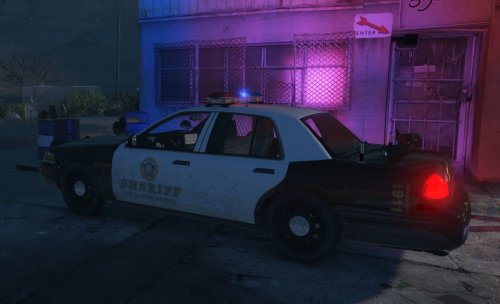 Seriously don't know where to start.. Maybe the fact that every man and his dog has filled the download section with LAPD and LASD style textures, seriously try something original and new. Also instead of uploading each texture individually, upload them all in a pack there by not clogging up the download section. This is a great website including a lot of different departments which you could try to make. https://www.flickr.com/groups/1572442@N24/pool/page1
- 1 comment
- 1 review
-
 I'm so keeeeeeeen for these to drop!
 -
 So I thought I'd give this a go and see what it was like and I must say I like it but I don't at the same time. The looping on the sirens in pretty much every slot is not the greatest and some of the sound files seem kind of poor in quality. I must say though that I love the Q2B. I think some more work and this could be a much better siren pack.
- 41 comments
- 6 reviews
-
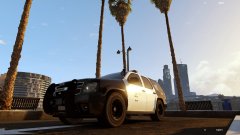
From the album: LSPD
After a recent poll inside the Police Department it was decided to up fit the existing 2008-10 Tahoe's instead of scrapping them and buying the new 2015 version which would see only a handful of the original vehicles replaced and officers still using out dated equipment anyway. This way all existing Tahoe's will have the old equipment replaced with newer more up to date and much needed equipment. It has also been decided they will be trialling the newer Liberty 2 lightbar in replacement of the Arjent. -
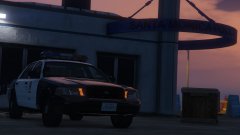 Hell yes! Will this one have the integrated TA working?
 -
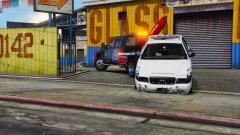 Totally going to need some operation repo callouts now :D
 -
You are a legend Cosmo! Thanks so much :D
-
 It's great to play around with, however the main problem is it has literally no LODs. I've got the template if you'd like it.
 -
Thanks Wade but there's one thing a little off.. I'm looking for someone to do a Los Santos version of some Miami Beach PD style skin
-
 I like the sound of that.
 -
This would be great with a canopy
-
So with the new update came a helicopter that would be perfect for a rescue type chopper and that is the supervolito2. So I'd like to know if someone would be able to template it so we can make some awesome skins for it. You can find it in patchday10.
-
-


