


NAVYGROUNDHOG
Members
-
Joined
-
Last visited
Everything posted by NAVYGROUNDHOG
-
For sure, just joined, I'll shoot a ping your way rq
-
No change
-
I'd be lying if I said I knew what everything here was for, however I can say none of it was troublesome when I last played about 4 or 5 months back
-
Already done
-
Thanks for your reply! I've tried all manner of fixes along these lines. Starting RPH and letting it launch GTAV (which it will infinitely attempt to do, but never actually do), starting GTA and then launching RPH before GTA launches, starting GTA and launching RPH on the loading screen to SP and also starting GTA, loading in to story mode, and then launching RPH, none of which have worked
-
Hello whoever sees this! I've recently been having an issue and it's been causing me a decent bit of stress trying to get the game working. As the title states, Rage Plugin Hook infinitely shows Launching Game even when the game has been pre-launched by me (as I always do). Image showing the exact situation below: Usually I fix these things myself but I'm really at my wits end. I've installed LSPDFR manually about a trillion times, even going as far as to manually remove every single LSPDFR file and Plugin, and I'm just not sure what I can do at this point. I'm aware I'm supposed to send a .log file, however that won't be any good here, as RAGE doesn't generate any new logs until it has been fully initialised, which is what it appears to be failing to do. As some extra context, I have two seperate installs of the game, one from steam, which is my clean, unmodded version, and one from Epic, which is the one I'm using here. I have attempted renaming the Steam EXE's for the game to ensure RPH isn't attempting to launch my steam version, which it mustn't be since the issue is still present. I've played LSPDFR for years and I've never seen anything like this happen on a fully updated version of LSPDFR/RPH, so I'd appreciate it if somebody might have some idea on a fix. Thanks in Advance!
-
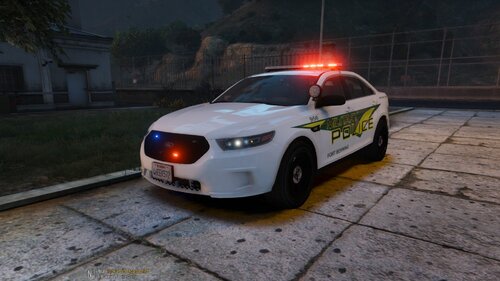 dont bother with him, hes just trying to steal credit theres literally nothing related to military police in any of his uploads and or activity
- 25 comments
- 1 review
-
-

- 2
-
-
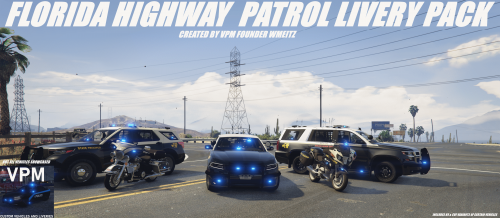 What Vehicle pack did you use? would love to download but idk what you used
 -
-
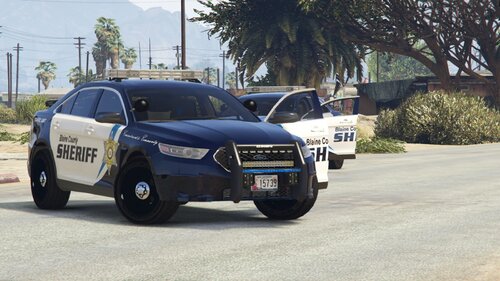 been using this model in game for quite a while and, it does not dissapoint especially if paired with other mods edit *These textures
- 14 comments
- 2 reviews
-
-

- 1
-
-
-
 No it was a feature i had the older version, i just had to entirely redo my game because i was getting texture loss and glitchyness so now i have the new one, if there isnt going to be automatic first person bodycam anymore ill probably just get rid of it, its too clunky to hit another key every time i enter first person, i know this is picky but im a picky person
- 168 comments
- 36 reviews
-
i thought with the most recent update for third person that was changed, i thought it was weird there was nothing in the INI file, i have to turn it on manually rn
- 168 comments
- 36 reviews
-
it used to and i think the majority in all honesty dont appreciate that it doesnt anymore but i havent got any proof of that
- 168 comments
- 36 reviews
-
.thumb.png.94d74eae80efd9dfe4196bd84decc516.png) some shit wouldnt work when replacing these textures and i was running out of time so i rushed it a little edit: im also not really sure what you mean, do you mean that it clips at the edge to the other patch if so i thought that looked fine, just like the patch was frayed a little
some shit wouldnt work when replacing these textures and i was running out of time so i rushed it a little edit: im also not really sure what you mean, do you mean that it clips at the edge to the other patch if so i thought that looked fine, just like the patch was frayed a little -
.thumb.png.55f6c2093aea0b9f73583b209376c23d.png) @Desiiigner Just uploaded a new vest lmk if this is any better, it makes use of that patch
@Desiiigner Just uploaded a new vest lmk if this is any better, it makes use of that patch -
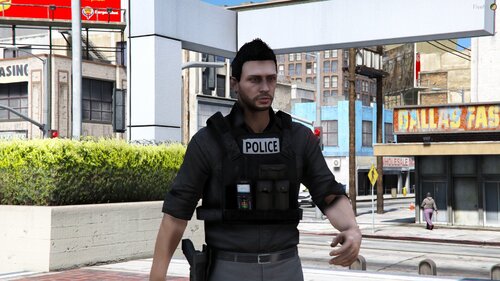
Description:A vest texture making one of the LAPD vests of Hanako's Vest & Earpiece Lore Friendly I eventually plan yo make a pack but i just wanted to take a few minutes to throw one together and see how it is recieved by the public. How To Install: Navigate to:GTAV>Mods>Update>X64>dlcpacks>eup>dlc.rpf>X64>eup_componentpeds.rpf>mp_m_freemode_01>task_005_u.ydd Requirements:
-
TY i jumped into this entirely blind so its nice to have people being helpful. Edit: and this might have helped introduce some less thought about vests and other textures to the community
-
yeah you're right i did thats why i said the rest is unedited, i did make it just for personal use sorry if it wasnt to your liking but im going into this blind and trying to just make things i wanted for now to hopefully improve upon, if you could give me some tips on what to use and whatnot it would be helpful, thanks
-
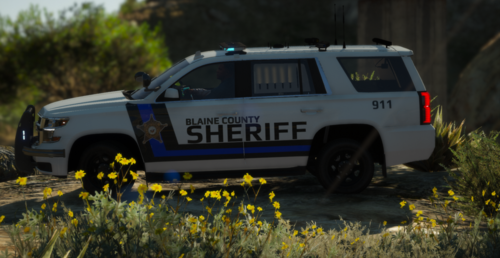 Its hard to get me interested in any pack, the pictures roped me into it, ill tell you its nothing like the pictures, BUT not in a bad way they somehow look even better in game, although it has a few flaws, its a livery done right.
- 6 comments
- 1 review
-
-
- 1
-
-
Description: This Is a major crimes texture i made for Hanako's EUP pack, I made it for personal use and its my first EUP texture hopefully of many, Ive only uploaded a picture of the back of the vest as aside from the back of the vest this is almost entirely unedited to see more pictures look at hanako's pictures linked below in requirements. Installation: In your game folder navigate to: GTAV>Mods>Update>x64>dlcpacks>eup>dlc.rpf>eup_componentpeds.rpf>mp_m_freemode_01_mp_m_vinewood>task_diff_008_a_uni.ytd, inside this file drag and drop my texture Over the original. Requirements: EUP Law & Order HANAKO's Vest & Earpiece
-
 If you want modding to work well you should in all honesty get a middle of the range desktop PC ik i dont know what your situation is but theyre a hell of a lot cheaper to buy a premade desktop PC or put one together yourself
- 1,081 comments
- 166 reviews
-
-
-
 If you dont have something nice to say, dont say it


.thumb.png.94d74eae80efd9dfe4196bd84decc516.png)
.thumb.png.55f6c2093aea0b9f73583b209376c23d.png)
