Skip to content
View in the app

A better way to browse. Learn more.

LCPDFR.com

A full-screen app on your home screen with push notifications, badges and more.

To install this app on iOS and iPadOS
  1. Tap the Share icon in Safari
  2. Scroll the menu and tap Add to Home Screen.
  3. Tap Add in the top-right corner.
To install this app on Android
  1. Tap the 3-dot menu (⋮) in the top-right corner of the browser.
  2. Tap Add to Home screen or Install app.
  3. Confirm by tapping Install.

Major Crimes Vest Texture 1.0.0

(0 reviews)

1 Screenshot

Description: This Is a major crimes texture i made for Hanako's EUP pack, I made it for personal use and its my first EUP texture hopefully of many, Ive only uploaded a picture of the back of the vest as aside from the back of the vest this is almost entirely unedited to see more pictures look at hanako's pictures linked below in requirements.


Installation: In your game folder navigate to: GTAV>Mods>Update>x64>dlcpacks>eup>dlc.rpf>eup_componentpeds.rpf>mp_m_freemode_01_mp_m_vinewood>task_diff_008_a_uni.ytd, inside this file drag and drop my texture Over the original.


Requirements:

EUP Law & Order

HANAKO's Vest & Earpiece


User Feedback

Recommended Comments

What A Big Man

Members

(edited)

Looks like you just made a black block, put som text on and said "Done" *Upload*. If its not, and it is a patch, why do the "POLICE" text look realstic, and other just looks like a paint work

Edited by Desiiigner

NAVYGROUNDHOG

Members Author

2 minutes ago, Desiiigner said:

Looks like you just made a black block, put som text on and said "Done" *Upload*. If its not, and it is a patch, why do the "POLICE" text look realstic, and other just looks like a paint work

yeah you're right i did thats why i said the rest is unedited, i did make it just for personal use sorry if it wasnt to your liking but im going into this blind and trying to just make things i wanted for now to hopefully improve upon, if you could give me some tips on what to use and whatnot it would be helpful, thanks

What A Big Man

Members

1 minute ago, NAVYGROUNDHOG said:

yeah you're right i did thats why i said the rest is unedited, i did make it just for personal use sorry if it wasnt to your liking but im going into this blind and trying to just make things i wanted for now to hopefully improve upon, if you could give me some tips on what to use and whatnot it would be helpful, thanks

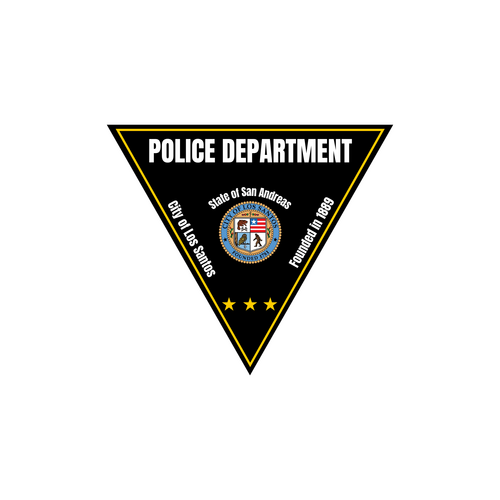
Use a Patch/Badge (Linked Below)

Put som color, and dots in it there is darker


Use the same color on all of it, don't use the text there already is, use your own881337261_Annotation2020-04-13231956-Copy.thumb.png.44a572dbcc7a8116cae5a99ea5eade80.png

NAVYGROUNDHOG

Members Author

(edited)

2 minutes ago, Desiiigner said:

Use a Patch/Badge (Linked Below)

Put som color, and dots in it there is darker


Use the same color on all of it, don't use the text there already is, use your own881337261_Annotation2020-04-13231956-Copy.thumb.png.44a572dbcc7a8116cae5a99ea5eade80.png

TY i jumped into this entirely blind so its nice to have people being helpful. Edit: and this might have helped introduce some less thought about vests and other textures to the community

Edited by NAVYGROUNDHOG

NAVYGROUNDHOG

Members Author

@Desiiigner Just uploaded a new vest lmk if this is any better, it makes use of that patch


Create an account or sign in to comment

Account

Navigation

Search

Search

Configure browser push notifications

Chrome (Android)
  1. Tap the lock icon next to the address bar.
  2. Tap Permissions → Notifications.
  3. Adjust your preference.
Chrome (Desktop)
  1. Click the padlock icon in the address bar.
  2. Select Site settings.
  3. Find Notifications and adjust your preference.