


MattexD
Members
-
Joined
-
Last visited
Everything posted by MattexD
-
If the vehicle is from GTA 5 you should contact Rockstar to report the vehicle issue
-
Did you attach me the correct log?
-
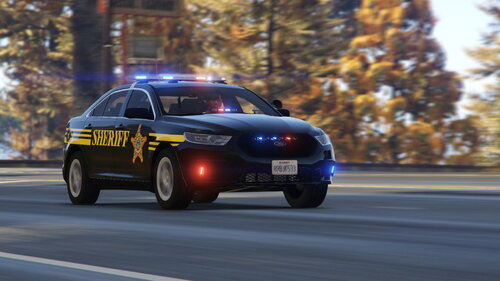 For the top, the addition of a plainclothes car would also be really interesting. I like very much. Good work
- 21 comments
- 4 reviews
-
Remove Arrest Manager, CalloutManager, Traffic Policer and update SaferChasesRPH to 1.5.0.0
-
Try disabling the mods folder, renaming it for example to _mods
-
The vehicle model police2 is the problem: remove it
-
Imagine! 😄
-
Try restarting your pc and adding the GTA folder as an exception to your antivirus. If the problem persists, also disable Windows Defender. If the problem continues to persist, let me know
-
Try restarting your pc and adding the GTA folder as an exception to your antivirus. If the problem persists, also disable Windows Defender. If the problem continues to persist, let me know
-
Try renaming the mods folder to _mods (if you have one). Also try entering the game in windowed mode. At this point, if the problem persists, let me know
-
Mmh ok, try to remove the vehicle or directly the package if it creates problems
-
Install-Update RageNativeUI.dll 1.7 from here: https://github.com/alexguirre/RAGENativeUI/releases
-
Try to rename mods folder to _mods (if you have one). Set also your Timeout Threesold to 60000 (ms)
-
Update RageNativeUI.dll to 1.7; You can install it from here: https://github.com/alexguirre/RAGENativeUI/releases
-
Please paste a complete log
-
As for the loss of texture, compare the question-answer under "Other problems", to be clear: "The game world starts to disappear when I go on duty or load LSPDFR:" here: If your game crashes then I kindly ask you to attach the Ragepluginhook.log file
-
Try adding the GTA folder as an exception for your antivirus
-
Remove Section136Callouts. In addition remove also Interop.WMPLib and check you have installed the latest RageNativeUI file (1.7). If you haven't installed it, you can see here: https://github.com/alexguirre/RAGENativeUI/releases
-
Can you please paste your Ragepluginhook.log file? I would like to verify that there is nothing else causing these problems
-
LSPDFR works on disk, but exclusively for pc
-
What package did you install?
-
Remove Arrest Manager, AssortedCallouts, ComputerPlus, LSPDFR+ and Traffic Policer. This all plugins are obsolete: you can replace the Bejoijo's plugins with the Albo's plugins: https://www.bejoijo.com/
-
Please attach the Ragepluginhook.log file
-
Remove ComputerPlus, LSPDFR+,PoliceSmartRadio, Traffic Control, Traffic Policer and update StopThePed to 4.9.4.2, UltimateBackup to 1.8.5.1, UnitedCallouts to 1.5.7.4
-
Try to rename mods folder to _mods (if you have one)

