.jpg.97c604447e4c0370161bb25df0264dfd.jpg)

ArchangelTwo
Members
-
Joined
-
Last visited
Everything posted by ArchangelTwo
-
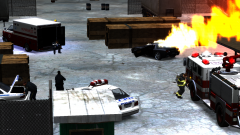 What did you do to spawn the fire for the vehicle?
 -
That video needs to be on the front page to answer 99% of all the questions.
-
-
SOUNDS LIKE YOU NEED TO BE BROUGHT TO JUSTICE. SERIAL MURDER IS A CRIME. Srsly: I love this game. And I can get 10+ paratroopers here I know that would say the same thing. No one plays ModWar here.
-
The idea of having a department with ranks and more so is to establish a real atmosphere of gameplay in a interpreted environment. It's not that a group thinks they're better or the need for someone to feel more important than others, but to just get that feeling of working in a real department while experiencing a bunch of different roles. Some people just have different methods of how they want to play their game and meet new likeminded people.
-
YES! Thank you sir! I've been waiting for a 03' taxi that hasn't come around, but this one outclasses it well.
- 9 comments
- 8 reviews
-
-
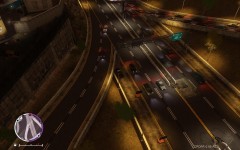 What road texture are you using? It looks awesome!
 -
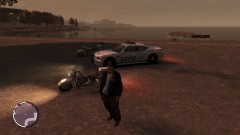 Taking of Pelham 123. The non-Reserve-eque paintjob will through a many of people off.
 -
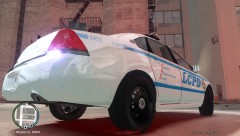 You should. It's pretty cool. I'd love to use it.
 -
-
Where are you getting that awesome LCPD skin from?
-
After comparing it to the actual vehicle itself, it's a very close match. Nicely done, yet again.
- 18 comments
- 9 reviews
-
-
-
-
I highly enjoy the skin. My only objection to it would be to change the "God Bless American" to "God Bless America". Other than that, great work!
- 6 comments
- 2 reviews
-
-
CJ24 also made a really decent uniform pack. Check it out here: http://www.gta-modding-chest.com/database/grand-theft-auto-iv/textures/player-skins/17-los-angeles-police-dept/index.html
-
I know you're looking for the CVPI, but I could only find the Charger myself. The link I found to the Charger is below. http://www.gta4-mods.com/vehicles/lcpd-hwp-chgr-v26v-f10054 If it won't work for you, I understand. Good luck in your search!
-
There is also a Non-ELS Tahoe made by Luxart that has a FDLC skin on it. I'm sure you can just make all the skins the same, you would have what you're looking for. http://gtapolicemods.com/downloads.php?do=file&id=217 I know the thumbnail is a LCPD Tahoe, but rest assured that there is an FDLC skin within the files.
-
While your argument does a large amount of validity to it, you must know that the AIM-9 does have ground/sea striking capability. While it was made official long ago, there is 'speculation' that the system has always held that capability. Article of reference: http://www.flightglo...missson-335762/
-
I personally love it. Not that there was anything wrong with previous civilian Impalas, this one feels like a civilian car and doesn't have Orange County, Florida Licence plates. Well done, sir.
- 8 comments
- 13 reviews
-
This could just be the file for Max Payne that was used for that game and the files are just shared. Someone might have been too lazy to change the name. Example: There is no file line for the Police Helicopter or the Fighter jet that was seen in game. My two cents.
-
http://gtapolicemods.com/downloads/e32e24d6354ed6a59b3af35095c2d502-6.jpg Same vehicle. You'll just have to change the lightbar color.