


medmark
Members
-
Joined
-
Last visited
Everything posted by medmark
-
The mistake you made is a simple one. In your emerglights.png you replaced the red and blue lightbar lens with a solid grey color instead of a transparent clear color. You need to go back and find a emerglights.png with a clear lightbar section like the original car did ( if you zoom in you will notice it is like a checkered white and grey). I think on the vista the center section should be clear by default. The computer needs that to understand that its a transparent texture. Kind of like the glass on the cars or the tint. I use paint.net to help me copy a small area of transparent texture (like the original center) and then paste it and adjust it to fit the whole lightbar area. I have the same vista with an all clear lightbar somewhere I will try and find the file but try to fix it in the meantime. Also, I just found a clear texture on google. Copy a small section of this and paste it, the square should be really really really really small once you are done but that should fix it.
-
-
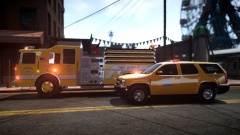 Cool looking paint job. Any thoughts on a blue stripe like Clark County in Las Vegas?
 -
Not sure why the traffic advisor is set so far inside the cargo area on the FPU, I would try and get that as close to the rear glass as possible.
- 12 comments
- 4 reviews
-
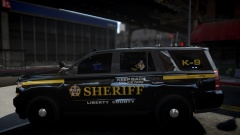 looks awesome!
 -
Did you ever find a fix for this? I am also having issues where 1.0 causes serious crashes every 5 minutes with windows 8. When I install .95 RC2 with windows 8 it works for a bit longer but it has different issues. I am really leaning towards going back to windows 7.
-
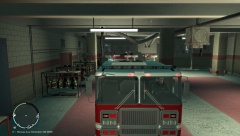 Looks sick cant wait to see it!
 -
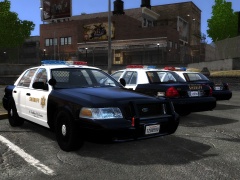 I second that!
 -
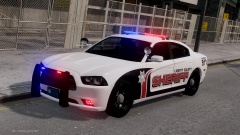 Is this model released, looks really cool with those fog lamp lights!
 -
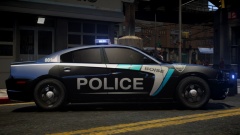 '> That is a push bumper with the PIT bars, they use a full Setina wrap bar as shown in the photo. Not something you can fix if your just doing the textures, maybe the model author would fix it if they were going for accuracy. If not the model still looks badass and very intimidating.
 -
the blue needs to be a darker blue, there are a ton of great photos on flickr. Needs the wrap around rambar too!
-
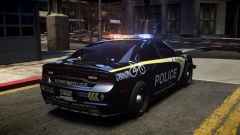 What model is that??? Looks awesome!
 -
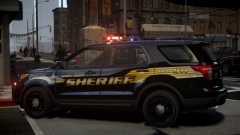 Such a cool design
 -
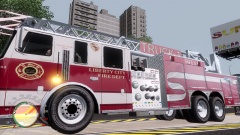 firefightger767 pierce dash pack.
 -
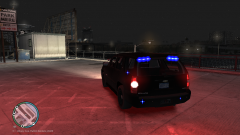 badass rear light setup
 -
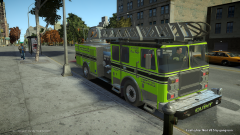 Hell yeah for green fire trucks!
 -
The closest one is by bxbugs, and he has 2 different versions of it.
-
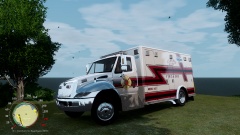 I am interested, looks really cool.
 -
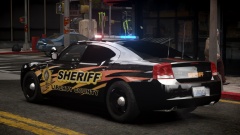 Whose charger model is that?
 -
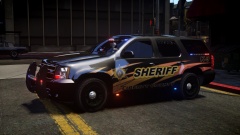 Badass! Keep these cool texture packs coming!
 -
Awesome, can't wait to get some of these downloaded and test them out. Does anybody have experience with an ENB by Vucko?
-
When you right click the launch icon, usually found on the desktop, click run as administrator.
-
![[WIP] 2014 GMC LFD Ambulance](//s3-gallery.int-cdn.lcpdfrusercontent.com/gallery/album_722/sml_gallery_3386_722_149177.jpg) Both
Both -
You should try running it as an administrator.
-
Hello all. Now before you judge me I did some extensive searching in the forums and youtube before I made this post and could not find what I am looking for. I have been doing some research on graphic enhancing mods and would like some feedback on what people use or think works best. I am currently running on GTA 4 Episodes of Liberty City, ELS V8 and LCPDFR v1.0c. PC specs are not an issue. Do I use CryENB, IceEnhancer, Games4vids enb, timecycle modifiers, HD road/tree textures, HD ped textures? Are there any conflicts with different patches and versions of LCPDFR and ELS? Anyone have any good combinations they use? Thanks for your input! medmark

![[WIP] 2014 GMC LFD Ambulance](http://s3-gallery.int-cdn.lcpdfrusercontent.com/gallery/album_722/sml_gallery_3386_722_149177.jpg)
